
logo-darklogo-darklogo-darklogo-dark
  • Home
  • Browse
    • Assistant
    • Coding
    • Image
    • Productivity
    • Video
    • Voice
    • Writing
    • All Categories
    • AI Use Cases
  • Events
  • My Favorites
  • Suggest a Tool
✕
Home › Writing & Editing›
Published by Dusan Belic on August 30, 2023

Novel

Novel
Novel Homepage
Categories Writing & Editing

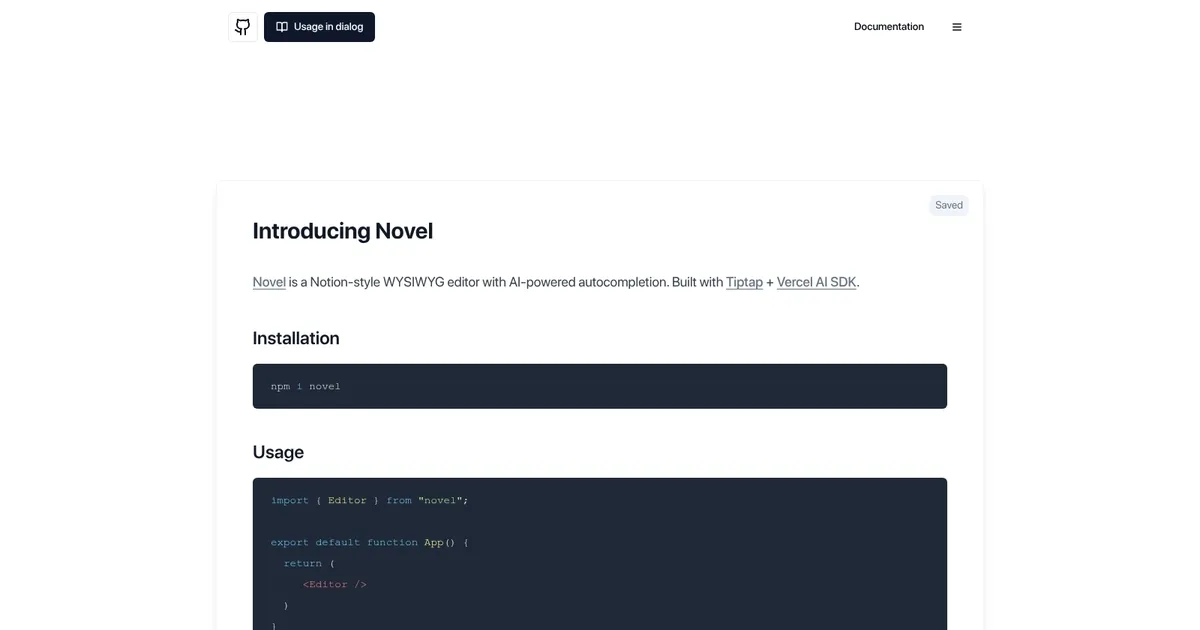
Novel - screenshot

Enhances writing with AI autocompletions in a clean, Notion-like rich text editor

Novel

Novel is a cool What You See Is What You Get (WYSIWYG) editor designed to resemble the Notion interface, incorporating advanced AI-powered autocompletion functionalities to aid in writing and content creation.

The tool is built on top of Tiptap — a headless, extensible framework that provides rich text editing capabilities — and Vercel AI SDK, which powers the AI autocomplete feature. To use Novel, users need to install it via npm and can then easily incorporate it into their projects as demonstrated.

Novel boasts several notable features aimed at enhancing the user experience and productivity. These include a slash menu and a bubble menu for easy access to formatting options and tools, AI autocomplete activated by typing ‘++’ or selecting from the slash menu to assist with content creation, and support for image uploads through drag and drop, copy and paste, or selection from the slash menu.

All these functionalities make Novel an attractive option for users looking for a powerful and efficient editing tool. It also encourages users to contribute to its growth by starring the project on GitHub, and for those interested in deploying their version – there is the option to do so on Vercel.

Novel Homepage
Categories Writing & Editing

What are the key features? ⭐

  • AI Autocomplete: Generates inline text suggestions when you type ++ or select from the slash menu, helping maintain flow during writing.
  • Slash & Bubble Menus: Provides quick access to formatting options, block types, and AI actions for efficient editing.
  • Image Upload & Embed: Supports drag-and-drop, paste, or menu-based image insertion, plus tweet embedding directly in content.
  • LaTeX Math Support: Renders mathematical expressions and symbols using LaTeX for technical or scientific writing needs.
  • Open-Source & Customizable: Fully available on GitHub with Tiptap foundation, allowing deep modifications and extensions.

Who is it for? 🤔

Novel.sh helps developers and technical content creators who want to embed a modern, AI-assisted rich text editor in their web apps or projects. Its especially useful for building blogs, documentation tools, internal dashboards, or any interface where clean writing with occasional AI suggestions adds value without overwhelming complexity. Writers who code a little and prefer self-hosted, customizable solutions over subscription-based creative platforms also find it appealing.

Examples of what you can use it for 💭

  • Web developer: Integrates the editor into a Next.js blog or CMS to let users draft posts with AI-assisted phrasing and formatting.
  • Technical writer: Uses LaTeX support and inline completions to create documentation or tutorials with equations and clear prose.
  • Product builder: Adds a polished writing experience to internal tools or SaaS features, keeping users productive without leaving the app.
  • Content creator: Drafts articles or newsletters in a Notion-like environment that suggests improvements or expansions on demand.
  • Open-source contributor: Forks the repo to customize prompts, add new extensions, or build a tailored editor for a niche community.

Pros & Cons ⚖️

  • Beautiful, intuitive UI
  • Free & open-source core
  • Seamless AI completions
  • Easy image/tweet embeds
  • Requires coding to deploy
  • AI depends on API costs

FAQs 💬

What is Novel.sh exactly?
Novel.sh is an open-source React component that provides a Notion-style rich text editor with built-in AI autocompletion features powered by models like those from OpenAI.
Do I need to pay to use Novel.sh?
The editor itself is completely free and open-source. You only pay for the AI usage through your chosen provider, such as OpenAI API costs for completions.
How do I activate the AI suggestions?
Type ++ to trigger autocompletion, or use the slash menu to select AI actions like rewrite or expand.
Can I use Novel.sh without coding?
No, its a developer component meant to be integrated into React/Next.js apps. You need to set it up in code to use it.
What makes it different from Sudowrite?
Novel.sh focuses on a lightweight, embeddable editor with inline AI help, while Sudowrite targets full fiction workflows like story engines and character tools.
Does it support collaboration?
Not natively, but since its built on Tiptap you can add real-time collaboration through extensions or other libraries.
Can I customize the AI prompts?
Yes, the open-source code lets you modify the prompts and behavior to fit your needs.
Is there a demo I can try?
Yes, visit novel.sh to see the live demo and test the editor directly in your browser.
What tech stack powers Novel.sh?
It uses Tiptap for the editor, Vercel AI SDK for streaming completions, and supports OpenAI models by default.
Who maintains Novel.sh?
Originally created by Steven Tey, the GitHub repo remains active with community contributions.
Visit Novel

Related tools ↙️

  1. CopyMonkey CopyMonkey Generates keyword-optimized Amazon listings in seconds
  2. Just Think Just Think Generates AI content including chat responses, speech audio, artistic images, and animated videos
  3. Kua.ai Kua.ai Generates SEO-optimized listings, blogs, and posts for multiple e-commerce channels
  4. Copyrocket Copyrocket Generates AI-driven content, images, voices, code, and more for creative and marketing tasks
  5. Typeset Typeset Automates design and writing for ebooks, presentations, and social graphics quickly
  6. Quarkle Quarkle Empowers writers with AI-driven real-time feedback and editing suggestions
Last update: March 8, 2026
Share
Promote Novel
light badge
Copy Embed Code
dark badge
Copy Embed Code
neutral badge
Copy Embed Code
About Us | Contact Us | Suggest an AI Tool | Privacy Policy | Terms of Service

Copyright © 2026 Best AI Tools
415 Mission Street, 37th Floor, San Francisco, CA 94105