Best AI Productivity Tools

163 toolsRanked by traffic

AI productivity tools use general-purpose AI to help you get daily work done faster: drafting and summarizing, planning your day, and offering on-the-spot help right inside the apps and keyboards you already type in. Some are full assistants like Microsoft Copilot and ChatGPT, others tuck into where you work, like SwiftKey AI Keyboard.

The win is shaving minutes off the small, repetitive chores that fill a workday: turning a long thread into three bullet points, rewriting a message in a friendlier tone, or outlining a plan before you start. When you're choosing, the real question is where it lives. A tool built into your inbox or documents, like Gemini in Google Workspace, saves more time than one you have to copy and paste into. The best fit is usually whatever sits closest to the work you already do.

ChatGPT
ChatGPT - icon
ChatGPT
All-round AI assistant generating human-like responses to user queries and tasks
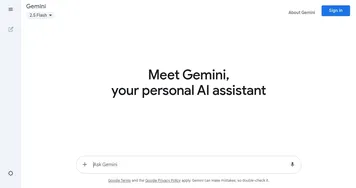
Gemini
Gemini - icon
Gemini
Generates responses from text, images, audio, and video inputs using advanced multimodal AI
Claude
Claude - icon
Claude
Assists users in reasoning, coding, writing, and analyzing data with advanced AI models
Grok
Grok - icon
Grok
Delivers witty, real-time AI responses with advanced reasoning and image generation
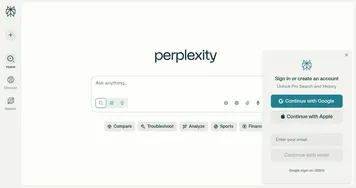
Perplexity
Perplexity - icon
Perplexity
Delivers cited AI answers from web searches instantly
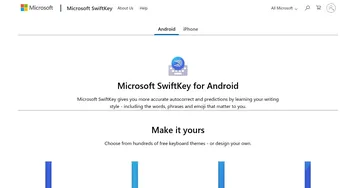
SwiftKey AI Keyboard
SwiftKey AI Keyboard - icon
SwiftKey AI Keyboard
Enhances typing with AI-powered autocorrect and predictions
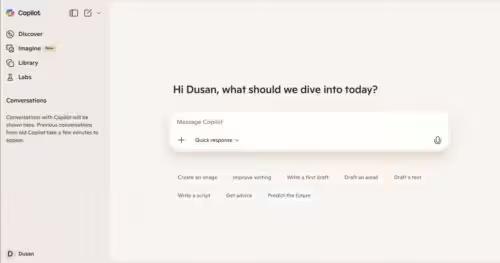
Microsoft Copilot
Microsoft Copilot - icon
Microsoft Copilot
Boosts productivity with AI-driven answers, writing, and image creation
Opera AI
Opera AI - icon
Opera AI
Integrates AI chat and image generation into a browser
ClickUp Brain
ClickUp Brain - icon
ClickUp Brain
Automates workflows with contextual AI for tasks, meetings, and content creation
Qwen Chat
Qwen Chat - icon
Qwen Chat
Alibaba's AI assistant, designed to handle text, images, audio, and video
Gamma
Gamma - icon
Gamma
An AI tool for creating presentations, documents, or webpages.
Manus
Manus - icon
Manus
An AI agent designed to handle complex tasks all by itself
n8n
n8n - icon
n8n
An open-source automation tool that helps you connect different apps and services
Monica
Monica - icon
Monica
A browser extension powered by ChatGPT that acts as a chatbot assistant
Sider
Sider - icon
Sider
Quick access to ChatGPT from a sidebar of your web browser

What can you do with AI tools for productivity?

AI has brought many changes to the productivity of businesses and individuals, helping them streamline many tasks. Here are some of the areas where AI tools for productivity could help you:
  • Report generation

    Because of its ability to understand text and other data, AI tools can help users more easily generate various reports, including charts and graphs. As a result, some reports can be generated up to 10 times faster.
  • Executive summaries

    Summarizing lengthy documents, such as financial reports, research papers, or meeting minutes, can free up a ton of time in your day. Instead of going through hundreds of pages, you can go through a 5-page summary. Or make it even shorter if you want.
  • Data analysis

    Related to the previous point, AI can easily handle vast amounts of data and perform all kinds of analysis on your behalf. And, of course, come up with actionable insights you could use in your business.
  • Automation of repetitive tasks

    Tasks such as invoicing, payroll processing, and email responses could easily be automated with good AI tools while reducing the chances of human error. Try tools like Salesforce Einstein, SOHO Zia and ClickUp AI.
  • Language translation

    This can come in handy in business communications with foreign partners or when you need to translate business documents, emails, and marketing materials from a different language. We have an entire section with AI tools for translation.
  • Streamlining customer support

    Chatbots are not only meant to provide interesting information but could also serve business purposes. For instance, you could train them to respond to customer queries - providing information to existing and new customers alike.
  • Content management

    We have a subset of AI tools for marketing, but they are also worth mentioning here. Modern algorithms can help you manage your social media presence, content creation, responses, and more. You may want to try Notion AI.
  • Predictions

    Some AI tools can be fed with historical data to predict future trends, customer behavior, or sales patterns. This can help in planning and strategizing more effectively. Salesforce has your back for this one with its Einstein service.
  • Competitor analysis

    If you have data on your competitors, you could use it to feed an algorithm so it could provide you with their strengths, weaknesses, and strategies. In turn, you get to make more informed business decisions.
We've just scratched the surface here, but the point is - AI is coming to a business near you. And in order to stay relevant and prosper, you should adopt some of these tools for your company. So check out the tools on this page, make your pick, and grow your business.

Frequently Asked Questions

What are the best AI tools for productivity?
The best AI productivity tools meet you where you already work. Microsoft Copilot helps inside Office and Windows, Gemini does the same across Google Workspace, and a general assistant like ChatGPT covers drafting and planning anywhere. Keyboard tools like SwiftKey add quick help on your phone. Pick the one closest to your daily apps.
How does AI help with productivity?
AI helps with productivity by handling the small, repetitive parts of work quickly. It can summarize long documents and threads, draft and rewrite messages, brainstorm and outline plans, and answer quick questions without a search. The time saved adds up across a day, freeing you to focus on the parts that need real judgment.
Can AI tools integrate with apps like Office and Google Workspace?
Yes, several are built directly into those suites. Microsoft Copilot lives inside Word, Excel, Outlook, and Teams, while Gemini is woven into Gmail, Docs, and Sheets. Built-in tools can act on your actual files and emails, which makes them far more useful than a separate chatbot you copy and paste between.
Are AI productivity tools free?
Many offer a free tier, though the deepest app integrations usually cost money. Standalone assistants and keyboard apps often have generous free versions, while suite features like Copilot or Gemini in your work apps typically need a paid subscription, sometimes billed per user through your employer rather than to you directly.
Do AI productivity tools work on mobile?
Yes, most have mobile apps, and some are designed for the phone first. Keyboard assistants such as SwiftKey help you write inside any app, while the major assistants offer apps that handle voice input, photos, and quick tasks on the go. Features can be lighter than the desktop version, so check before you rely on one.