Best AI Social Media Tools

245 toolsRanked by traffic

AI social media tools help you create, schedule, and manage posts across the channels you run: generating captions and graphics, editing short videos, and keeping a consistent posting rhythm. The category includes content creators like Picsart and CapCut Creative Suite, design platforms like Canva Magic Design, and link-in-bio builders like Beacons.ai.

Creators, social managers, and small businesses lean on these tools to keep up with the constant demand for fresh posts without burning out. The question when picking one is which stage slows you down most: coming up with ideas, designing the visuals, cutting the video, or actually scheduling everything. A tool that nails captions won't fix a video bottleneck. Generated content is a strong starting point, but the posts that land still carry a real voice and react to what's trending.

Canva Magic Design
Canva Magic Design - icon
Canva Magic Design
Generates custom, on-brand designs from text prompts or uploaded media in seconds.
Adobe Express
Adobe Express - icon
Adobe Express
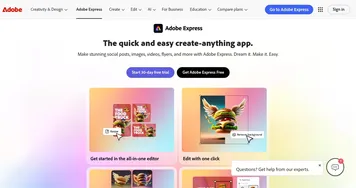
Creates on-brand content with AI-driven design and video tools
CapCut Creative Suite
CapCut Creative Suite - icon
CapCut Creative Suite
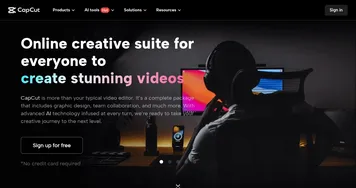
Online creative suite for everyone to create stunning images and videos
Beacons.ai
Beacons.ai - icon
Beacons.ai
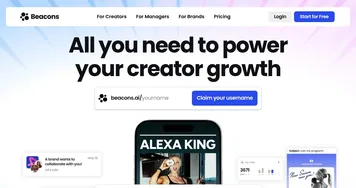
An AI platform that helps creators manage their online presence and monetize their content
Picsart
Picsart - icon
Picsart
A platform for creating, customizing, and sharing images and videos
MiriCanvas
MiriCanvas - icon
MiriCanvas
Creates stunning designs with AI-powered templates and editing tools
NoteGPT
NoteGPT - icon
NoteGPT
Summarizes content, creates notes, and boosts learning with AI-powered tools
Kapwing
Kapwing - icon
Kapwing
Transforms text or images into edited videos with AI-driven features
VidIQ
VidIQ - icon
VidIQ
Boosts YouTube channel growth with AI-driven analytics and optimization tools
Opus Clip
Opus Clip - icon
Opus Clip
A generative AI video creation tool that repurposes long videos into shorts
Buffer AI Assistant
Buffer AI Assistant - icon
Buffer AI Assistant
An advanced tool for streamlining social media content creation
Designer
Designer - icon
Designer
A graphic design app from Microsoft that helps create professional graphics
Publer AI Assist
Publer AI Assist - icon
Publer AI Assist
An AI-powered assistant making social media management easier
OwlyGPT
OwlyGPT - icon
OwlyGPT
Streamlines social media management with AI-driven content creation and analytics
Supawork
Supawork - icon
Supawork
Streamlines the job application process by leveraging AI to enhance professional presentation

Frequently Asked Questions

What is the best AI tool for social media?
The best AI social media tool depends on the content you make. Canva Magic Design and Picsart cover graphics and image posts, CapCut handles short-form video and Reels, and link-in-bio tools like Beacons.ai pull your channels together. Creators usually pair a visual tool with a scheduler rather than expecting one app to do everything.
Can AI write social media captions and posts?
Yes, writing captions is one of the most popular uses of AI for social media. You give it a topic, a tone, and the platform, and it returns several caption options with hashtags. It's a fast way to beat the blank-page problem, though the best results come from editing the output so it sounds like you and not a template.
How does AI help with short-form video?
AI video tools speed up short-form editing by auto-cutting clips, adding captions, suggesting trending sounds, and reframing footage for vertical formats. Tools like CapCut can turn raw clips into a polished Reel or TikTok in minutes. They handle the tedious editing steps, so you spend your time on the hook and the idea rather than the timeline.
Can AI schedule and post to social media automatically?
Yes, AI schedulers let you plan a week of posts at once and publish them automatically at the best times for your audience. Many also suggest content ideas and recommend posting slots based on past engagement. Automation keeps your accounts active, but you'll still want to be present for comments and real-time conversations.
Are AI social media tools free?
Most AI social media tools have a free plan with limited exports or watermarks, then charge for the full feature set. Design and video apps often run around ten to fifteen dollars a month, while dedicated schedulers price by the number of accounts you manage. A free tier is usually enough to test whether a tool fits how you post.