Best AI Video Editing Tools

179 toolsRanked by traffic

AI video editing tools handle the work of turning raw footage into a finished video: cutting, trimming, adding captions, removing filler, and exporting a clean result. They sit at the center of the post-production workflow and pull from automatic transcription so you can edit by deleting words rather than scrubbing a timeline. The category spans full suites like Runway, Adobe Express, and CapCut Creative Suite, plus lighter web editors like Canva Magic Design.

This is the broad bucket the more specific video pages sit under, so it suits anyone who wants one place to assemble a video start to finish. Marketers cut promos, course creators trim lessons, and social teams batch out clips. When you're choosing, the things that actually matter are caption accuracy, how much manual cleanup the AI leaves behind, and whether the export quality holds up at the resolution you need. Most editors offer a free tier with a watermark, so it's easy to test before committing.

Runway
Runway - icon
Runway
Generates and edits AI-powered videos from text prompts
Canva Magic Design
Canva Magic Design - icon
Canva Magic Design
Generates custom, on-brand designs from text prompts or uploaded media in seconds.
Adobe Express
Adobe Express - icon
Adobe Express
Creates on-brand content with AI-driven design and video tools
Vimeo AI
Vimeo AI - icon
Vimeo AI
Creates polished videos from single recordings using AI edits and scripts
CapCut Creative Suite
CapCut Creative Suite - icon
CapCut Creative Suite
Online creative suite for everyone to create stunning images and videos
Loom AI
Loom AI - icon
Loom AI
Record better video messages with automatic titles, summaries, share messages, and more
Cutout.Pro
Cutout.Pro - icon
Cutout.Pro
An AI-powered automatic visual design platform that saves time & money
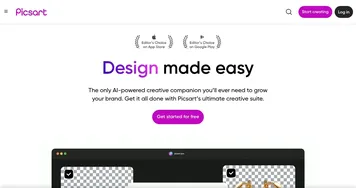
Picsart
Picsart - icon
Picsart
A platform for creating, customizing, and sharing images and videos
VEED
VEED - icon
VEED
Creates pro-level videos with AI-powered editing and collaboration tools
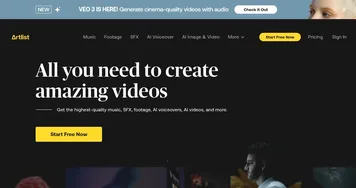
Artlist
Artlist - icon
Artlist
Provides royalty-free music, SFX, footage, and AI tools for video creators
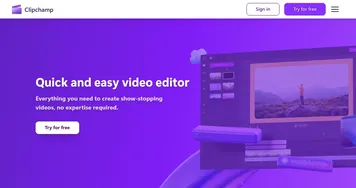
Clipchamp
Clipchamp - icon
Clipchamp
Edit videos effortlessly with AI-powered tools and templates
InVideo
InVideo - icon
InVideo
Helps you make professional videos with ready-made customizable templates
Vidnoz AI
Vidnoz AI - icon
Vidnoz AI
An AI-powered text-to-video platform, made for marketers, businesses, educators, and more
Kapwing
Kapwing - icon
Kapwing
Transforms text or images into edited videos with AI-driven features
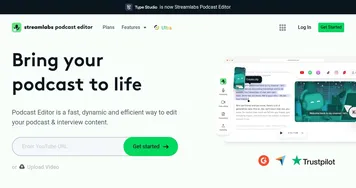
Streamlabs Podcast Editor
Streamlabs Podcast Editor - icon
Streamlabs Podcast Editor
A podcast editing solution that transcribes audio and video to text for easy edits and repurposing content

Frequently Asked Questions

What is the best AI video editing tool?
The best AI video editing tool depends on your workflow. Runway suits creators who want generative effects alongside editing, CapCut Creative Suite is strong for fast social edits, and Adobe Express fits people already in the Adobe ecosystem. Canva Magic Design works well for quick, template-driven videos with little learning curve.
Can AI edit a video automatically?
Yes, AI editors can automatically transcribe footage, cut silences and filler words, add captions, and apply rough scene breaks. You still review and tighten the result, since the AI follows general rules rather than your creative intent. Think of it as a fast first pass that removes the tedious parts of editing.
Are AI video editors free?
Most AI video editors offer a free tier, usually with a watermark, export limits, or capped resolution. Paid plans, often in the ten to thirty dollar a month range, remove the watermark and unlock higher resolution exports, longer projects, and team features. Trying the free version first is the easiest way to judge fit.
Do AI video editors add captions and subtitles?
Most AI video editors generate captions automatically by transcribing the audio, then let you style and reposition the text. Accuracy is good for clear speech but drops with heavy accents, crosstalk, or background noise, so a quick proofread is wise. Auto-captions save the bulk of the manual typing work.
Do I still need editing skills to use these tools?
You need less than before, but a basic sense of pacing and structure still helps. AI handles the mechanical steps like transcription, cutting, and captioning, while the storytelling choices stay with you. Beginners can produce a clean video quickly, and experienced editors use the automation to skip the repetitive grunt work.