Best AI Design Generation Tools

213 toolsRanked by traffic

AI design generation tools create visual designs and creative concepts from a written prompt, covering everything from social graphics and logos to UI mockups and marketing visuals. This is the broad design bucket: tools like Midjourney, DALL-E, and Bing Image Creator sit alongside layout-aware platforms like Canva Magic Design.

Designers, founders, and marketers use these to spin up first drafts, test a dozen looks before committing, or fill in visuals they don't have time to make from scratch. The right pick depends on what you're designing. Prompt-based generators like Midjourney give you striking standalone images, while template-driven tools like Canva keep text editable and brand-ready. Watch the commercial license on whatever you ship, since terms vary a lot between free and paid plans.

v0.dev
v0.dev - icon
v0.dev
Generates React UI components from text prompts using AI
Midjourney
Midjourney - icon
Midjourney
Generates high-quality images from text prompts using AI.
DALL-E
DALL-E - icon
DALL-E
Generates detailed images from text prompts with enhanced nuance and safety features
Bing Image Creator
Bing Image Creator - icon
Bing Image Creator
Generates vivid images from text prompts instantly
Canva Magic Design
Canva Magic Design - icon
Canva Magic Design
Generates custom, on-brand designs from text prompts or uploaded media in seconds.
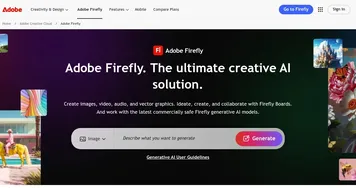
Adobe Firefly
Adobe Firefly - icon
Adobe Firefly
Generates images, videos, audio, and vectors using AI.
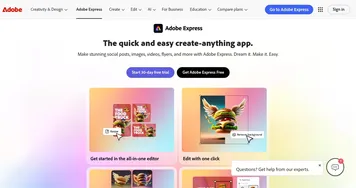
Adobe Express
Adobe Express - icon
Adobe Express
Creates on-brand content with AI-driven design and video tools
Shopify Logo Maker
Shopify Logo Maker - icon
Shopify Logo Maker
Creates custom, high-resolution logos for businesses quickly
Freepik AI
Freepik AI - icon
Freepik AI
Creates AI images and videos with fluid motion, detailed textures, and synced audio up to 1080p
CapCut Creative Suite
CapCut Creative Suite - icon
CapCut Creative Suite
Online creative suite for everyone to create stunning images and videos
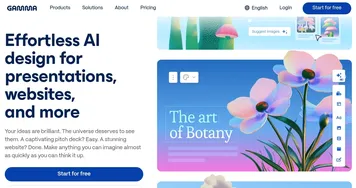
Gamma
Gamma - icon
Gamma
An AI tool for creating presentations, documents, or webpages.
Pixelcut
Pixelcut - icon
Pixelcut
A suite of AI-powered image editing and upscaling tools
Fotor
Fotor - icon
Fotor
Enhances and edits photos with AI-powered tools and creative features
Picsart
Picsart - icon
Picsart
A platform for creating, customizing, and sharing images and videos

What can you do with AI tools for design?

These tools come in different shapes and forms, allowing you to come up with designs for many things. For instance, you could use them for:
  • Web design

    These tools (like Framer) can help you quickly create visually appealing website designs. You'll get to choose between different layouts, color schemes, and typography combinations to get to the perfect web page - or an entire website.
  • Mobile apps

    Beyond the web, some AI tools such as Appy Pie also let you make entire mobile apps with ease. Again, you will have to input a few details and rely on the tool's powerful capability to come up with the design of your future app. And that design, in case you wonder, will be generated based on best practices.
  • Interior design

    Many of us have a hard time imagining how a room will look after renovation. Luckily, today, we have AI and tools like Homestyler and REimagineHome to help us out by generating various furniture layouts, color combinations, and decor options. You will have to input the dimensions of the room, style preferences, and a few other details - with AI doing the rest.
  • 3D objects

    It's not just 2D images AI tools can create; they can also be used to generate 3D objects like product prototypes, architectural models, and 3D animations. You can input the parameters and constraints of the object you want to design, and the AI will do the hard work for you. Or you can take a few photos of an object, and AI will create its 3D equivalent. In this category, you may want to try Spline AI, which is nothing short of amazing.
  • Video game design

    Related to the previous point, AI can help video game developers design elements such as characters (in 3D), environments, and objects. As a result, games get to be produced more quickly or at least with more characters. Check out Scenario to see how AI can help with game development.
AI tools for design are getting increasingly popular. And while they may (still) not deliver the end result, they can definitely deliver as a starting point for pretty much any design. So, if you need something designed - you may want to check out these tools.

Frequently Asked Questions

What is the best AI design generator?
The best AI design generator depends on the output you need. Midjourney produces the most striking standalone visuals, DALL-E follows detailed prompts reliably, and Canva Magic Design wins when you want editable layouts with real text and brand assets. Many people use a prompt generator for ideas, then finish in a layout tool.
Can AI design tools make logos?
Yes, several AI design tools generate logo concepts from a short brief describing your brand, style, and colors. They are good for exploring directions quickly, though the results often need cleanup in a vector editor before they print well. Treat AI logos as a strong starting point rather than a finished, trademark-ready mark.
Are AI design generators free?
Most AI design generators offer a free tier with daily limits or watermarks, then charge for higher resolution, commercial rights, and faster output. Paid plans commonly run from around ten to thirty dollars a month. Free tiers are fine for testing ideas, but check the license before using anything in paid client work.
Can I use AI-generated designs commercially?
It depends on the tool and your plan. Many generators grant commercial rights on paid tiers but restrict free-tier output to personal use, and some reserve rights entirely. Always read the specific license before selling a design or putting it on a product, since the terms differ sharply between platforms and change over time.
How do AI design generators work?
AI design generators use models trained on huge image libraries to turn a text prompt into a new visual. You describe what you want, and the tool produces several options you can refine by adjusting the prompt, style, or aspect ratio. Layout-focused tools add editable templates on top so you can swap text and elements.