Shutterstock AI Image Generator
AI-generated images available immediately
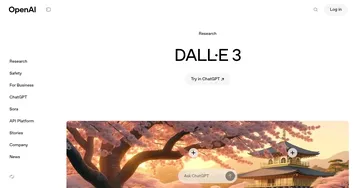
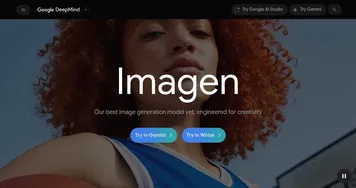
Shutterstock AI Image Generator is a text-to-image tool that creates customizable, royalty-free visuals using ethically trained models like OpenAI’s DALL-E and Google’s Imagen. It integrates into Shutterstock’s platform, allowing users to generate, edit, and license images for commercial projects while compensating contributing artists through a dedicated fund. The tool emphasizes accessibility with auto-enriched prompts and style selections from 98 options across categories, including Photography and Illustrations.
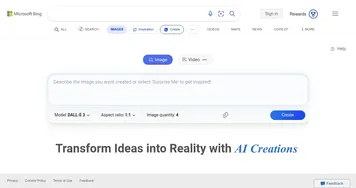
Key features include a simple interface that allows users to enter descriptions, select aspect ratios, and receive four image variations per generation. It supports over 20 languages and routes prompts to optimal models based on interaction data for better accuracy. Outputs come with standard licenses, and beta tools, such as AI Design Assistant, provide layout suggestions. Technical specs initially limit resolutions to 1024×1024, but expansions via Zoom Out enable larger compositions.
Users appreciate its ethical foundation, which avoids the copyright risks common in tools trained on web-scraped data. It excels in illustrations and consistent styles, outperforming Midjourney, which prioritizes artistic freedom but requires Discord navigation. Against Adobe Firefly, it offers standalone flexibility without requiring full suite subscriptions, although Firefly integrates more deeply with Photoshop. General pricing, available via pay-per-generation or monthly plans like Generative AI Plus for 100 outputs, remains competitive for volume users.
Drawbacks include occasional inconsistencies in photorealism, such as unnatural facial proportions or garbled text in scenes. Generation times can lag during high traffic, and free trials often include watermarks that prompt users to upgrade quickly. A surprise lies in its ability to capture cultural nuance, pulling authentic details from a curated dataset for diverse prompts. Recent 2025 updates added Nano Banana model for faster, sharper results across styles.
The tools strength in augmentation shines through features like Variations, which refines existing images, and integration with Creative Flow for seamless editing. It handles short prompts effectively, suggesting enhancements for novices. For teams, indemnity protections cover licensed uses, reducing legal concerns compared to open-source alternatives like Stable Diffusion.
In practice, it streamlines workflows for marketing visuals or prototypes, generating variants for A/B testing rapidly. Users report time savings in concepting, though precise control demands iterative prompting. Compared to competitors, its multi-model approach yields versatile results without ethical trade-offs.
To get started, craft descriptive prompts with subject, mood, and style elements. Test free generations to refine techniques, then subscribe for unlimited access. For best outcomes, combine with stock assets and edit in the Create app, ensuring outputs align efficiently with project needs.
Homepage Screenshot 📸
Video Overview 🎬
What are the key features? ✨
- Design assistant: Shutterstock's smart design assistant is made to guide users from early concepts to final images so they can get exactly what they need - in a matter of seconds.
- Not just your photo: If you generate content using Shutterstock's AI, this content may be made available for other customers to license, as well. As far as Shutterstock is concerned, this is yet another image they can sell to anyone looking for it.
- Not the greatest resolution: At the moment (September 2023), Shutterstock's AI only makes JPG files with 1024 x 1024 pixels resolution. The company says it is exploring the possibility of supporting additional file formats and higher resolutions.
- Multi-language support: Just like the rest of Shutterstock, their AI engine supports over 20 languages. Even if you enter a prompt in a language that is not officially supported, the AI image generator will do its best to understand the text and give great results.
- Artists get a piece of the action, too: Shutterstock proudly says that it is the first AI image generator that compensates contributors for their roles in the generative AI process. Through the Shutterstock Contributor Fund, it directly compensates Shutterstock contributors when their content is used in the development of generative models. The Shutterstock Contributor Fund will also pay ongoing royalties to contributors for future revenue associated with AI-generated content that has been generated and licensed directly on the Shutterstock platform.
Who is it for? 🤔
Examples of what you can use it for 💡
- Create art based on text prompts
- Design illustrations for marketing campaigns
- Create virtual characters and landscapes
- Get inspiration for your own design
Pros & Cons ⚖️
- Accepts inputs in multiple languages
- First generative AI for images to reward artists
- Smart design assistant sounds like a real timesaver
- Once generated, the image will be offered to other Shutterstock user
- It's not free (like some other image generators)
FAQs 💬
Ready to try Shutterstock AI Image Generator?
AI-generated images available immediately
Visit Shutterstock AI Image GeneratorShutterstock AI Image Generator alternatives 🔗