
Best AI Coding & Development Tools
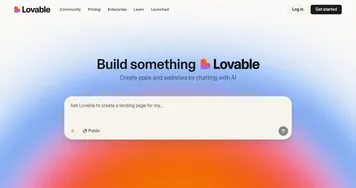
AI coding tools help you write, debug, and ship software faster: autocompleting code as you type, explaining unfamiliar functions, fixing errors, and even building whole apps from a description. The category runs from AI-native editors like Cursor and Windsurf to app builders like Lovable, plus general models like Claude that many developers use for tricky logic.
Professional engineers, hobbyists, and non-coders building their first project all reach for these tools, though they use them differently. The biggest distinction is whether you want an assistant inside your own editor or a tool that generates the whole project for you. Editors like Cursor suit people who already code, while prompt-to-app builders suit those who don't. Either way, treat the output as a draft you review: AI writes plausible code quickly, but it can introduce subtle bugs, so testing still matters.


















How AI Tools for Coding and Development Can Help You
Overall, the current ecosystem of AI tools for coding and development helps in various aspects of the software development lifecycle, from code generation to project management, testing, and design. Here are some use cases of how AI tools can be helpful.-
Code Generation and Completion:
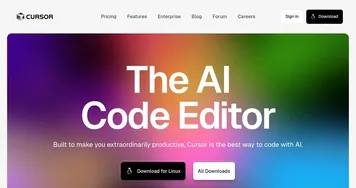
These tools use AI to suggest code snippets and automatically complete lines of code as the developer types. This not only speeds up the coding process but also helps in reducing typos and syntax errors. Example tools include Cursor, GitHub Copilot, Amazon Q Developer, and Tabnine. -
Code Review and Quality Analysis:
These tools use AI to analyze the code for potential bugs, security vulnerabilities, and code smells. This helps in maintaining code quality and reducing the time spent on debugging and fixing issues. -
Automatic Bug Detection and Fixing:
AI algorithms are used to predict the locations in the codebase that are most likely to contain bugs. This helps developers to focus their testing and debugging efforts on the most critical parts of the code. -
Project Management and Predictive Analytics:
AI-powered project management tools help in predicting project delays, resource allocation, and task prioritization. This helps in better project planning and avoiding costly overruns. -
Automated Testing:
These tools use AI to automatically generate and execute test cases based on the application's user interface. This reduces the manual effort required in writing and maintaining test cases. -
Natural Language Processing for Requirement Analysis:
These tools use NLP to analyze requirement documents and extract relevant information. This helps in reducing the manual effort required in analyzing and documenting requirements. An example would be IBM Watson. -
Design and Prototyping:
Although we have a dedicated section on web and app building tools, AI-powered design tools can generate design mockups, user interfaces, and even functional prototypes based on the input provided. This helps in speeding up the design process and reducing the iterations required.