logo-darklogo-darklogo-darklogo-dark
  • Tool Categories
    • ๐ŸŽจArt & Creative Design505
    • ๐ŸขBusiness Management644
    • ๐Ÿ’ปCoding & Development515
    • ๐Ÿ‘ฎDetection83
    • ๐Ÿง General Use727
    • ๐ŸฅHealth & Wellness55
    • ๐Ÿ“ทImage & Photo Analysis100
    • ๐Ÿ–ผ๏ธImage Generation & Editing618
    • ๐Ÿ“Interior & Architectural Design37
    • ๐ŸŽ“Learning & Education483
    • โš–๏ธLegal & Finance90
    • ๐ŸŽญLifestyle & Entertainment236
    • ๐Ÿ“ขMarketing & Advertising627
    • ๐ŸŽงMusic & Audio138
    • ๐Ÿ‘”Office & Workplace1,014
    • ๐Ÿ”ฌResearch & Data Analysis372
    • ๐Ÿ‘ฅSocial Media245
    • ๐ŸŽฅVideo Generation & Editing426
    • ๐Ÿ‘ง๐ŸปVirtual Companion135
    • ๐ŸŽคVoice Generation & Editing381
    • โœ๏ธWriting & Editing808
    • All Categories
    • AI Use Cases
  • News
  • Events
    • Academic Conferences
    • Developer Conferences
    • Expos / Trade Shows
    • Industry Summits
    • Workshops / Training
    • All Events
    • Past Events
  • Saved Tools
  • Suggest a Tool
โœ•
Home › Coding & Development › Development› Google AI Studio
Google AI Studio

Google AI Studio

Prototypes AI solutions using Gemini models in a browser-based IDE

Google AI Studio is a free, browser-based IDE for prototyping AI solutions with Gemini models. In that sense,ย it supports text, image, and multimodal inputs for tasks like code generation and visual analysis. Users sign in with a Google account, no additional setup needed. The platform offers models like Gemini 2.5 Flash for lightweight tasks and Gemini Pro for complex text generation. Key features include a Prompt Gallery for sample prompts, adjustable settings like temperature and top-K, and API integration for developers.

The interface includes a top action bar for tasks like accessing API keys and switching models. Users can save sessions, compare results, and integrate with Vertex AI for enterprise scaling. Multimodal capabilities allow tasks like image captioning or answering questions about uploaded visuals. The platform is free, with daily limits of 1500 requests for some models and 50 for others, like Gemini 1.5 Pro. Recent updates in 2025 added live features, such as real-time visual analysis and voice input, primarily on Android devices.

Compared to OpenAI’s ChatGPT, Google AI Studio is more developer-focused, with less conversational polish. Anthropic’s Claude offers similar multimodal features but is more user-friendly for non-technical users. Hugging Face‘s Spaces provides open-source flexibility but lacks Google’s streamlined interface. Google AI Studio’s free tier is a key advantage, though competitors often require subscriptions for full access.

Limitations include daily request caps, which may hinder heavy use, and a steep learning curve for non-developers. The platform’s focus on technical users can make it less accessible for casual experimentation. Live features are device-dependent, with full support limited to recent Android models.

To use Google AI Studio effectively, begin with the Prompt Gallery to understand prompt structures. Experiment with different models and settings to optimize outputs. Save and revisit sessions to refine prototypes. For developers, explore API integration for custom applications.

Visit Google AI Studio ↗
Categories
๐Ÿ’ป Coding
๐Ÿ‘จโ€๐Ÿ’ป Development โŒจ๏ธ Code Generation ๐Ÿ“ฑ App Building ๐Ÿค– Code Assistant
๐Ÿง  General
๐Ÿง  Large Language Model ๐Ÿ’ฌ Chatbot ๐Ÿค– Assistant
โœ๏ธ Writing
๐Ÿ› ๏ธ Prompt Engineering ๐Ÿ’ก Prompt Generation
๐Ÿ–ผ๏ธ Image
๐Ÿ–ผ๏ธ Image Generation
๐ŸŽฅ Video
๐Ÿ“น Video Generation
๐Ÿ‘” Work
๐Ÿ”— Agent

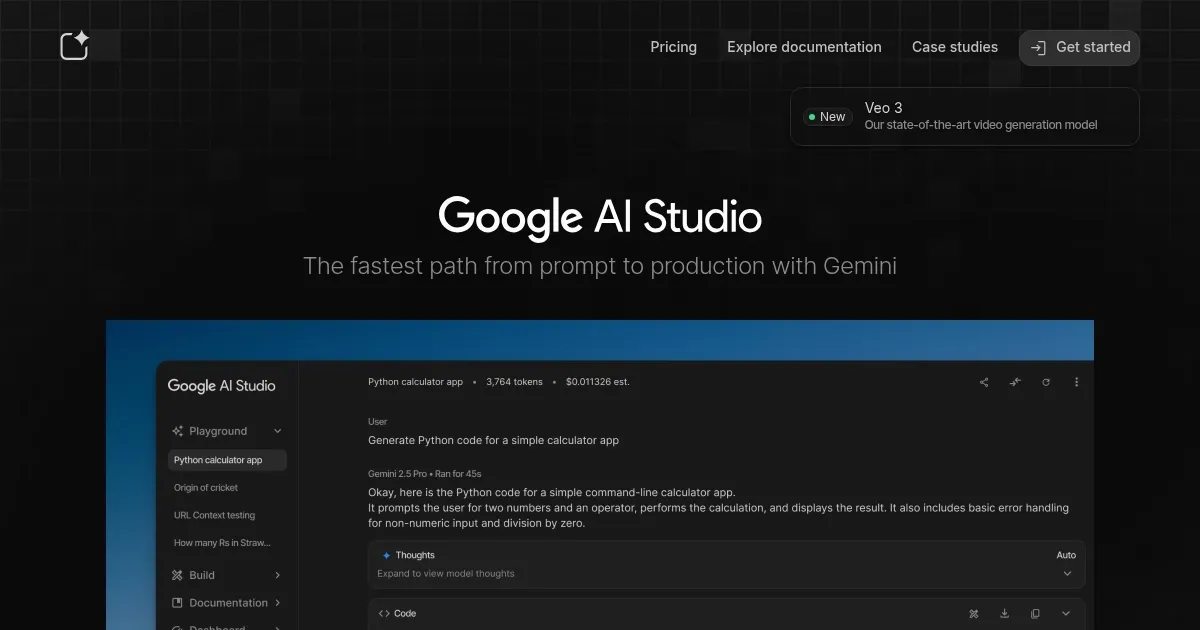
Homepage Screenshot 📸

Google AI Studio screenshot

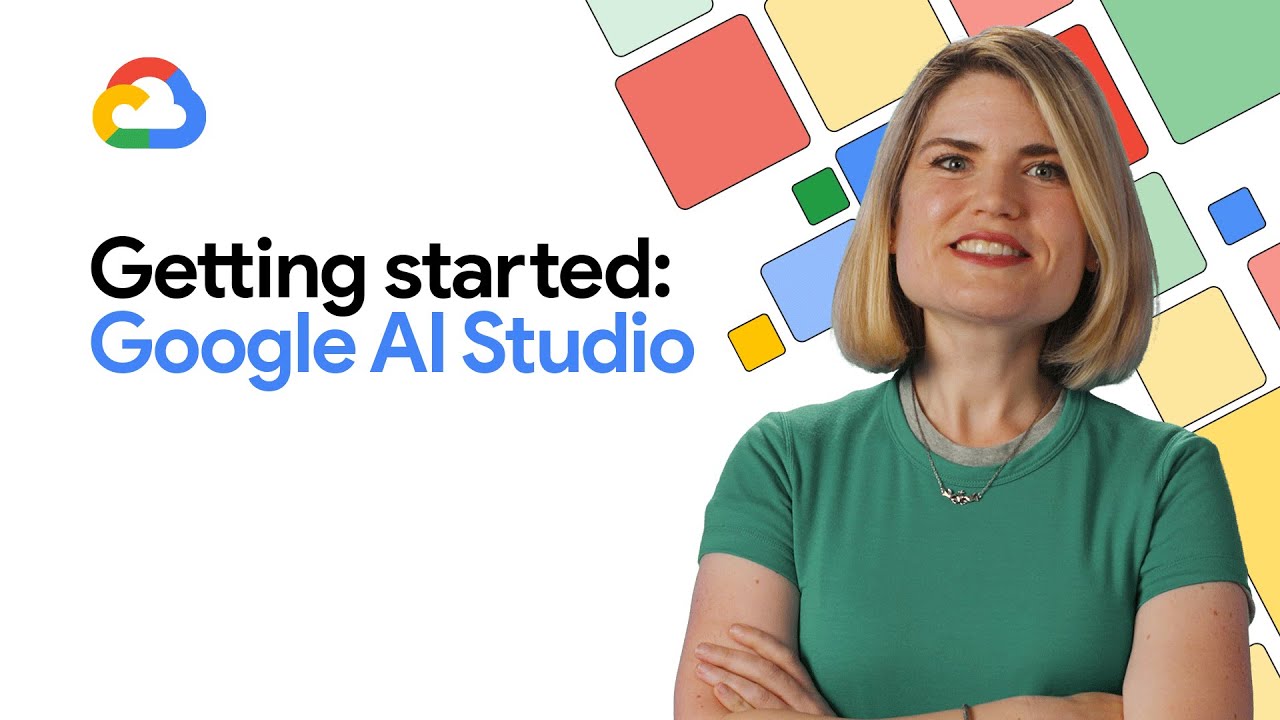
Video Overview 🎬

What are the key features? ✨

  • Prompt Gallery: Provides pre-built prompts to inspire and guide users in crafting effective AI inputs.
  • Multimodal Inputs: Supports text and image inputs for tasks like visual question answering and captioning.
  • Gemini Models: Offers access to models like Gemini 2.5 Flash and Gemini Pro for varied tasks.
  • API Integration: Enables developers to integrate Gemini models into custom applications via API keys.
  • Live Features: Includes real-time visual analysis and voice input, available on select Android devices.

Who is it for? 🤔

Google AI Studio is made for developers, students, and researchers looking to prototype AI solutions without cost or complex setup. It suits those comfortable with technical interfaces, from coding enthusiasts testing Gemini models to data scientists experimenting with multimodal inputs. Casual users may find value in its free access, but its developer-centric design best serves those with some AI knowledge.

Examples of what you can use it for 💡

  • Developer: Builds and tests AI-powered apps using Gemini API integration.
  • Student: Experiments with AI prompts for academic projects or learning.
  • Researcher: Analyzes multimodal data, like images and text, for studies.
  • Content Creator: Generates image captions or social media posts quickly.
  • Small Business Owner: Prototypes customer service chatbots with minimal cost.

Pros & Cons ⚖️

  • Free access with no credit card required.
  • Supports multimodal inputs like text and images.
  • Offers API integration for custom apps.
  • Prompt Gallery aids beginners.
  • Live features limited to specific devices.
  • Less conversational than some competitors.

FAQs 💬

What is Google AI Studio?
A free, browser-based IDE for prototyping with Gemini models.
Do I need a Google account to use it?
Yes, a Google account is required to sign in.
Is Google AI Studio free?
Yes, itโ€™s completely free with daily request limits.
What models are available?
Includes Gemini 2.5 Flash, Gemini Pro, and others.
Can I use it for coding?
Yes, it generates code snippets for various languages.
Does it support image inputs?
Yes, you can upload images for analysis or captioning.
Are there usage limits?
Free tier has daily limits, like 1500 requests for some models.
How does it compare to ChatGPT?
Itโ€™s more developer-focused, less conversational, but free.
Can I integrate it with apps?
Yes, via the Gemini API with an API key.
Are live features available on desktop?
Limited live features work best on recent Android devices.

Ready to try Google AI Studio?

Prototypes AI solutions using Gemini models in a browser-based IDE

Visit Google AI Studio ↗

Google AI Studio alternatives 🔗

  1. Black Forest Labs Black Forest Labs Generates high-quality images from text prompts with precision and speed
  2. Cursor Cursor Supercharges coding with AI agents that build, edit, and review code autonomously.
  3. Windsurf Windsurf Empowers developers with AI-driven code generation and real-time collaboration.
  4. Lovable Lovable Builds apps and websites via AI chat prompts.
  5. Replit AI Replit AI Transforms natural language prompts into fully deployable apps using AI agents
  6. GitHub Copilot GitHub Copilot Enhances coding with AI-driven completions and chat assistance
Share
Google AI Studio screenshot enlarged
Promote Google AI Studio
light badge
Copy Embed Code
dark badge
Copy Embed Code
neutral badge
Copy Embed Code
Best AI Tools

Discover the best AI tools for any use case

Explore
  • Tool Categories
  • AI Use Cases
  • AI Events
  • AI News
  • Saved Tools
Company
  • About Us
  • Contact Us
  • Media & Partnerships
  • Suggest a Tool
Legal
  • Privacy Policy
  • Terms of Service
Copyright © 2026 Best AI Tools 415 Mission Street, 37th Floor, San Francisco, CA 94105