logo-darklogo-darklogo-darklogo-dark
  • Tool Categories
    • 🎨 Art
    • 🏢 Business
    • 💻 Coding
    • 👮 Detection
    • 🧠 General
    • 🏥 Health
    • 📷 Image Analysis
    • 🖼️ Image
    • 📐 Architecture
    • 🎓 Education
    • ⚖️ Legal/Finance
    • 🎭 Lifestyle
    • 📢 Advertising
    • 🎧 Music
    • 👔 Work
    • 🔬 Research
    • 👥 Social
    • 🎥 Video
    • 👧🏻 Companion
    • 🎤 Voice
    • ✍️ Writing
    • All Categories
    • AI Use Cases
  • News
  • Events
    • Academic Conferences
    • Developer Conferences
    • Expos / Trade Shows
    • Industry Summits
    • Workshops / Training
    • All Events
    • Past Events
  • Saved Tools
  • Suggest a Tool
✕
Home › Learning & Education › Knowledge Management› NotebookLM
NotebookLM

NotebookLM by Google

Transforms uploaded documents into interactive AI-powered research assistants

NotebookLM is Google’s AI-powered research and note-taking assistant that grounds insights in user-uploaded sources. It analyzes documents, videos, and audio to generate summaries, answer queries, and create study aids. Powered by Gemini, it ensures that responses remain tied to the provided materials, reducing errors caused by external data.

Key features include the Chat panel for querying sources with citations and the Studio panel for outputs such as Audio Overviews, where AI hosts discuss content in a podcast-style format. Video Overviews add narrated visuals, while Study Guides produce flashcards and quizzes. The interface supports up to 50 sources per notebook in the free version, with Plus offering more.

Users appreciate the tool’s accuracy for academic tasks, such as synthesizing lecture notes into timelines or FAQs. Professionals use it for report analysis, extracting action items from lengthy PDFs. Recent 2025 updates enable chat saving and multi-angle query assessment for deeper responses. It integrates with Google Drive for seamless uploads.

Competitors like Notion AI excel in collaborative workspaces but lack NotebookLM’s source-grounded generation. Obsidian suits offline linking of notes, though it requires plugins for AI features. NotebookLM’s free tier suffices for light use, while Plus via Google One provides higher limits at a bundled rate.

Potential drawbacks include occasional source conflicts, which can lead to unclear outputs, and limited non-Google integrations. Mobile apps, launched in May 2025, enhance accessibility but may lag on complex renders. Featured notebooks from sources like The Economist offer pre-built insights on topics from longevity to 2025 predictions.

For education, it aids under-18 users with stricter policies, generating personalized learning paths. Businesses leverage shared notebooks for team knowledge bases. Start by creating a notebook, uploading core documents, and testing a simple query to build familiarity. Scale to advanced features like custom prompts for tailored results.

Visit NotebookLM ↗
Categories
🎓 Education
🗂️ Knowledge Management 📖 Knowledge Base 📰 Article Summarization 📔 Book Summarization 🗺️ Mind Mapping
🔬 Research
🔬 Research
👔 Work
🗒️ Note Taking 📑 PDF Summarizer
✍️ Writing
📝 Summarizer
🧠 General
🤖 Assistant
🎤 Voice
🎙️ Podcast
🎭 Lifestyle
📧 Newsletter

Screenshot 📸

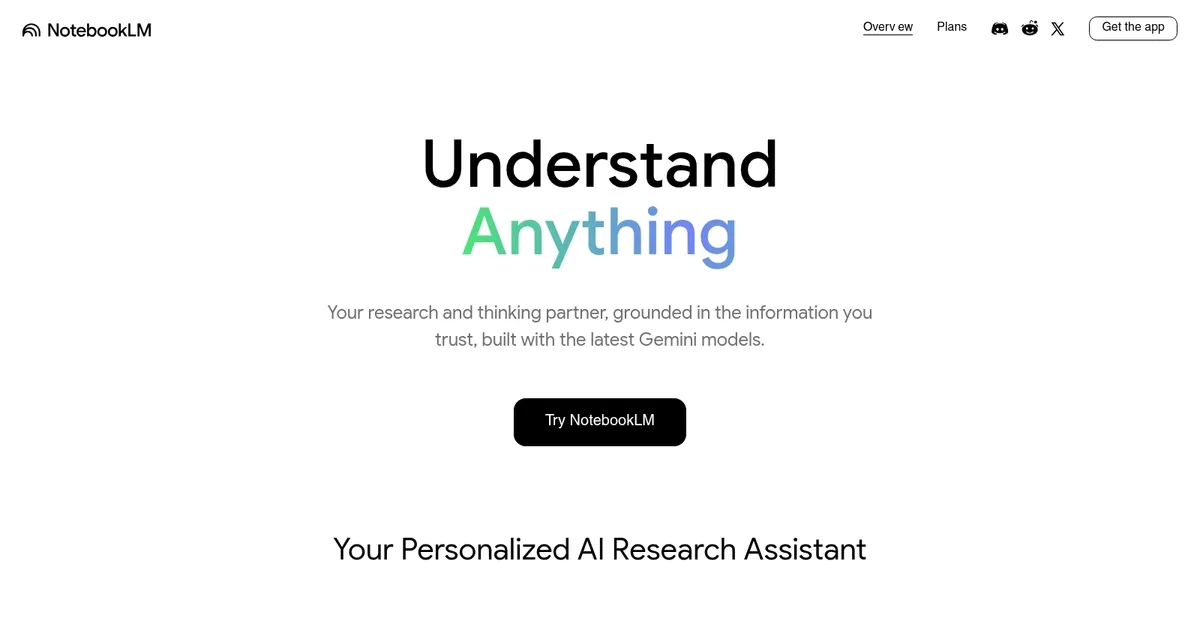
NotebookLM screenshot

Video Overview 🎬

NotebookLM - Video Overview

What are the key features? ✨

  • Source Guides: Automatically generates summaries, key topics, and suggested questions from uploaded documents.
  • Audio Overviews: Creates engaging podcast-style discussions with AI hosts based on your sources.
  • Video Overviews: Produces narrated video summaries with graphics to visualize complex information.
  • Study Guides: Builds flashcards, quizzes, and timelines for effective learning and review.
  • Chat Interactions: Allows natural language queries with cited responses grounded in provided materials.

Who is it for? 🤔

NotebookLM suits students wrestling with dense textbooks or lecture notes, professionals sifting through reports and data for quick insights, researchers needing to synthesize papers without losing context, content creators brainstorming from source piles, and lifelong learners turning hobbies into structured knowledge bases. It empowers anyone overwhelmed by information, offering a grounded AI partner that boosts efficiency without the fluff of general chatbots.

Examples of what you can use it for 💡

  • Student: Uploads class readings to generate quizzes and flashcards for exam prep.
  • Lawyer: Analyzes case files to extract key clauses and create briefing documents.
  • Marketer: Processes competitor reports into timelines and audio overviews for strategy sessions.
  • Writer: Synthesizes research notes into mind maps and FAQ outlines for articles.
  • Business Analyst: Compares financial docs to highlight trends and risks in summaries.

Pros & Cons ⚖️

  • Grounded insights
  • Multimedia outputs
  • Easy interface
  • Free tier access
  • Upload limits free
  • Google ecosystem bias

FAQs 💬

What is NotebookLM?
NotebookLM is an AI tool that helps users organize and interact with their documents through summaries, chats, and generated content like podcasts.
How do I get started with NotebookLM?
Sign in with a Google account, create a new notebook, and upload sources like PDFs or links to begin chatting or generating overviews.
Is NotebookLM free to use?
Yes, the basic version is free with limits; upgrade via Google One for higher quotas and premium features.
What file types does NotebookLM support?
It handles PDFs, text files, Google Docs, web URLs, YouTube videos, and audio files for comprehensive analysis.
Can NotebookLM generate audio content?
Yes, Audio Overviews create podcast-like discussions from your sources with customizable focus areas.
How accurate are NotebookLM's responses?
Responses are grounded in uploaded sources with citations, minimizing hallucinations compared to general AI tools.
Does NotebookLM work on mobile?
Yes, apps for iOS and Android launched in 2025 support core features like chat and overviews.
What is the difference between free and Plus versions?
Plus offers more sources per notebook, advanced customization, and priority access through Google One subscriptions.
Can I share NotebookLM notebooks?
Yes, share links with view or edit access, ideal for team collaboration or student groups.
Is my data private in NotebookLM?
Uploads and chats aren't used for training; stricter policies apply for users under 18.

Ready to try NotebookLM?

Transforms uploaded documents into interactive AI-powered research assistants

Visit NotebookLM ↗
NotebookLM alternatives 🔗

  1. Box AI Box AI An assistant that taps into your enterprise content and documents
  2. Notion AI Notion AI Streamlines work with AI-powered note-taking, app searches, and workflow automation
  3. Semantic Scholar Semantic Scholar A free, AI-powered tool designed to help researchers navigate scientific literature
  4. Glean Glean An AI platform designed to integrate and harness the power of a company's knowledge base
  5. Whimsical Mind Maps Whimsical Mind Maps An AI-powered tool for the quick and collaborative creation of mind maps
  6. Glasp Glasp Organize and highlight quotes and content from the web and summarize them
Share
NotebookLM screenshot enlarged
Promote NotebookLM
light badge
Copy Embed Code
dark badge
Copy Embed Code
neutral badge
Copy Embed Code
Best AI Tools

Discover the best AI tools for any use case

About Us | Contact Us | Suggest an AI Tool
Privacy Policy | Terms of Service
Copyright © 2026 Best AI Tools 415 Mission Street, 37th Floor, San Francisco, CA 94105