logo-darklogo-darklogo-darklogo-dark
  • Tool Categories
    • 🎨Art & Creative Design505
    • 🏢Business Management644
    • 💻Coding & Development515
    • 👮Detection83
    • 🧠General Use727
    • 🏥Health & Wellness55
    • 📷Image & Photo Analysis100
    • 🖼️Image Generation & Editing618
    • 📐Interior & Architectural Design37
    • 🎓Learning & Education483
    • ⚖️Legal & Finance90
    • 🎭Lifestyle & Entertainment236
    • 📢Marketing & Advertising627
    • 🎧Music & Audio138
    • 👔Office & Workplace1,014
    • 🔬Research & Data Analysis372
    • 👥Social Media245
    • 🎥Video Generation & Editing426
    • 👧🏻Virtual Companion135
    • 🎤Voice Generation & Editing381
    • ✍️Writing & Editing808
    • All Categories
    • AI Use Cases
  • News
  • Events
    • Academic Conferences
    • Developer Conferences
    • Expos / Trade Shows
    • Industry Summits
    • Workshops / Training
    • All Events
    • Past Events
  • Saved Tools
  • Suggest a Tool
✕
Home › Office & Workplace › Note Taking› NoteGPT
NoteGPT

NoteGPT

Summarizes content, creates notes, and boosts learning with AI-powered tools

NoteGPT is an AI-powered learning assistant that summarizes content, generates notes, and creates visuals like mind maps and presentations from YouTube videos, PDFs, audio, and more. It offers a free plan with limited usage and paid plans for unlimited access, targeting students, educators, researchers, and professionals.

The YouTube Video Summarizer processes videos up to two hours, providing summaries, transcripts, and mind maps, with AI Chat for deeper exploration. The AI PDF tool summarizes documents, extracts text via OCR, and converts files while preserving layouts. The AI Math & Homework feature solves problems across subjects, offering step-by-step explanations and visual aids like graphs. The AI Presentation tool generates slides from summaries, and the AI Writer assists with paraphrasing and essay drafting. A Chrome extension enhances accessibility for platforms like YouTube and Coursera.

Limitations include the free plan’s 15-quota cap, which restricts heavy use, and the Chrome-only extension, excluding other browsers. Summaries may lack depth for complex content, requiring manual review. Compared to Otter.ai for audio transcription or Fireflies for meeting notes, NoteGPT handles a broader range of content. Notion AI focuses on note organization but lacks specialized summarization.

The platform’s strength lies in its versatility and ease of use. The AI Mind Map Generator creates clear visual diagrams, and the translation feature supports over 40 languages. Free plan users get 15 monthly quotas, while paid plans offer unlimited access and faster responses. The Team Plan suits collaborative groups like schools or research teams.

For best results, use the Chrome extension for quick access, verify summaries for accuracy, and consider upgrading to a paid plan for frequent use. Test the free plan to ensure it meets your needs before committing.

Visit NoteGPT ↗
Categories
👔 Work
🗒️ Note Taking 📝 Note Generation 🤝 Meeting Assistant 📑 PDF Summarizer
🎥 Video
📋 Video Summarizer
👥 Social
📺 YouTube Summary
✍️ Writing
📝 Summarizer
🎓 Education
📰 Article Summarization

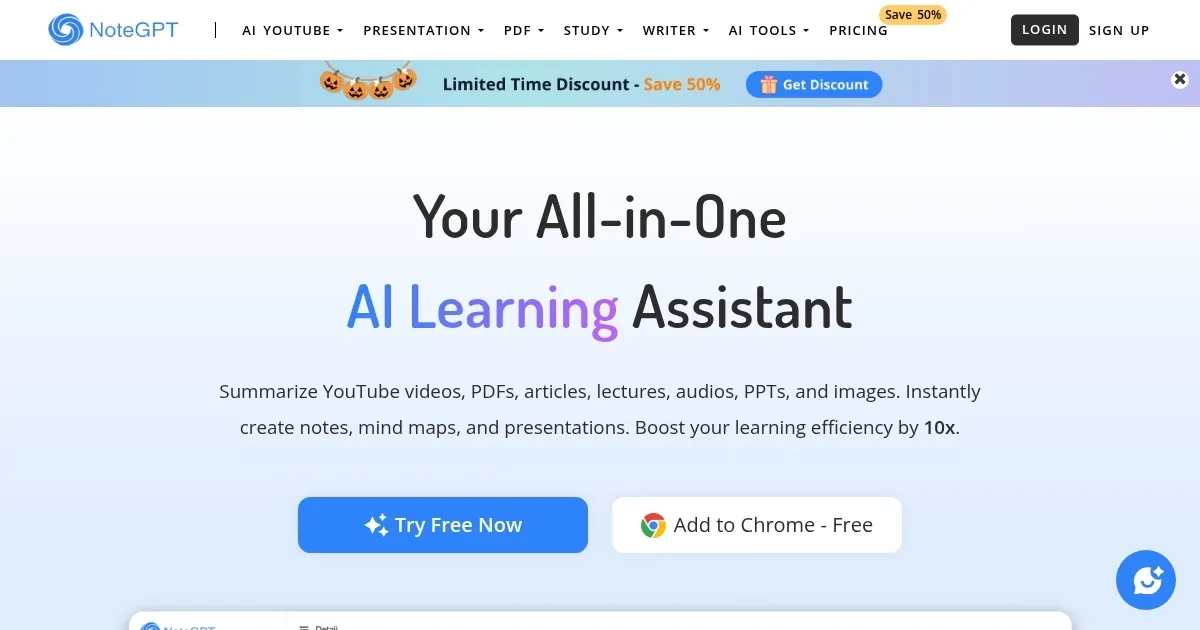
Homepage Screenshot 📸

NoteGPT screenshot

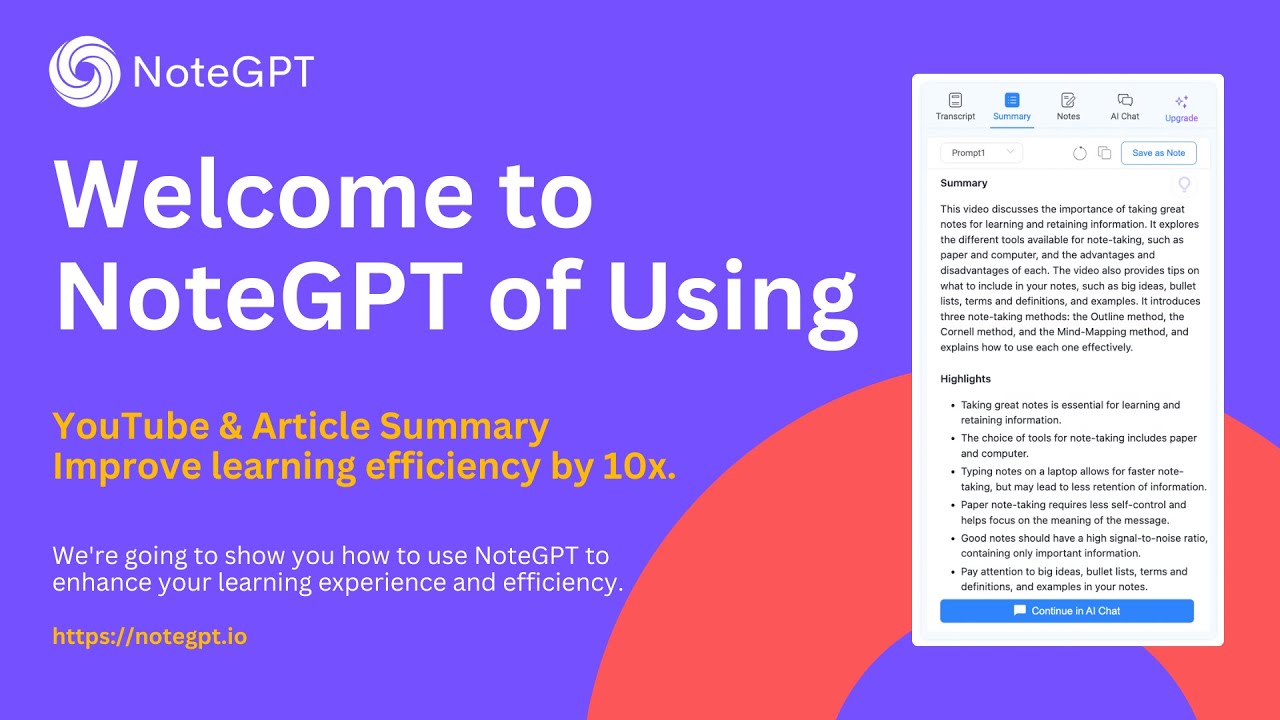
Video Overview 🎬

What are the key features? ✨

  • YouTube Video Summarizer: Summarizes videos with transcripts and mind maps.
  • AI PDF: Extracts insights and converts PDFs while preserving layouts.
  • AI Math & Homework: Solves problems with step-by-step explanations.
  • AI Presentation: Generates slides from summarized content.
  • AI Mind Map Generator: Creates visual diagrams from notes.

Who is it for? 🤔

NoteGPT is ideal for students seeking efficient study aids, researchers summarizing academic papers, educators crafting teaching materials, professionals streamlining reports, and creators organizing content ideas, offering versatile tools to enhance productivity across diverse workflows.

Examples of what you can use it for 💡

  • Student: Summarizes lecture videos and creates flashcards for exam prep.
  • Researcher: Extracts key points from PDFs for literature reviews.
  • Educator: Generates slides and quizzes from course materials.
  • Professional: Converts reports into presentations for client meetings.
  • Creator: Summarizes videos for script ideas and visual planning.

Pros & Cons ⚖️

  • Summarizes diverse content types.
  • Generates visuals like mind maps.
  • Supports 40+ languages.
  • Chrome extension boosts access.
  • Free plan has 15-quota limit.
  • Chrome-only extension.

FAQs 💬

What does NoteGPT do?
Summarizes videos, PDFs, and more, creating notes and visuals.
Is NoteGPT free?
Free plan with 15 quotas; paid plans for unlimited use.
Can it summarize YouTube videos?
Yes, provides summaries, transcripts, and mind maps.
Does it work with PDFs?
Yes, extracts insights and converts files with OCR.
Is there a Chrome extension?
Yes, enhances access on platforms like YouTube.
Can it help with math homework?
Yes, offers step-by-step solutions and graphs.
Does it support other browsers?
No, the extension is Chrome-only.
Can it translate content?
Yes, supports over 40 languages.
Is it good for educators?
Yes, creates slides and quizzes from materials.
How do I upgrade plans?
Visit the pricing page or workspace settings.

Ready to try NoteGPT?

Summarizes content, creates notes, and boosts learning with AI-powered tools

Visit NoteGPT ↗

NoteGPT alternatives 🔗

  1. Slack AI Slack AI Search smarter, summarize conversations instantly, and be at your most productive
  2. FigJam AI FigJam AI Instantly visualize ideas, suggest best practices, and automate tedious tasks
  3. AWS HealthScribe AWS HealthScribe Automatically create clinical notes from patient-clinician conversations using generative AI
  4. ClickUp Brain ClickUp Brain Automates workflows with contextual AI for tasks, meetings, and content creation
  5. Miro AI Miro AI Visual collaboration platform that lets you build the next big thing with a prompt and a chat
  6. Zoom AI Companion Zoom AI Companion Get high-quality results when drafting emails and chat messages, summarizing meetings and chat threads
Share
NoteGPT screenshot enlarged
Promote NoteGPT
light badge
Copy Embed Code
dark badge
Copy Embed Code
neutral badge
Copy Embed Code
Best AI Tools

Discover the best AI tools for any use case

Explore
  • Tool Categories
  • AI Use Cases
  • AI Events
  • AI News
  • Saved Tools
Company
  • About Us
  • Contact Us
  • Media & Partnerships
  • Suggest a Tool
Legal
  • Privacy Policy
  • Terms of Service
Copyright © 2026 Best AI Tools 415 Mission Street, 37th Floor, San Francisco, CA 94105