logo-darklogo-darklogo-darklogo-dark
  • Tool Categories
    • ๐ŸŽจArt & Creative Design505
    • ๐ŸขBusiness Management644
    • ๐Ÿ’ปCoding & Development515
    • ๐Ÿ‘ฎDetection83
    • ๐Ÿง General Use727
    • ๐ŸฅHealth & Wellness55
    • ๐Ÿ“ทImage & Photo Analysis100
    • ๐Ÿ–ผ๏ธImage Generation & Editing618
    • ๐Ÿ“Interior & Architectural Design37
    • ๐ŸŽ“Learning & Education483
    • โš–๏ธLegal & Finance90
    • ๐ŸŽญLifestyle & Entertainment236
    • ๐Ÿ“ขMarketing & Advertising627
    • ๐ŸŽงMusic & Audio138
    • ๐Ÿ‘”Office & Workplace1,014
    • ๐Ÿ”ฌResearch & Data Analysis372
    • ๐Ÿ‘ฅSocial Media245
    • ๐ŸŽฅVideo Generation & Editing426
    • ๐Ÿ‘ง๐ŸปVirtual Companion135
    • ๐ŸŽคVoice Generation & Editing381
    • โœ๏ธWriting & Editing808
    • All Categories
    • AI Use Cases
  • News
  • Events
    • Academic Conferences
    • Developer Conferences
    • Expos / Trade Shows
    • Industry Summits
    • Workshops / Training
    • All Events
    • Past Events
  • Saved Tools
  • Suggest a Tool
โœ•
Home › Writing & Editing › Summarizer› Skimming AI
Skimming AI

Skimming AI

Summarizes documents, videos, and audio, extracting key insights fast

Skimming AI is a versatile AI-powered tool that summarizes and analyzes documents, videos, audio, and images, enabling users to extract key insights quickly. Accessible from the website, a Chrome extension, and an Android app, it processes various formats, including PDFs, Word documents, YouTube videos, and web pages. The platform uses advanced natural language processing (NLP) to deliver summaries and answer specific questions, often with page references for documents. It supports multiple languages, making it accessible for global users, and offers team collaboration on premium plans.

The Chat with Documents feature allows users to upload files like PDFs or DOCX and ask targeted questions, receiving precise answers in seconds. The YouTube Summarizer generates transcripts and extracts key points from videos, supporting multilingual content. The Website Summarizer pulls insights from web pages, while the Audio and Image Summarizers handle podcasts, interviews, and visual data, respectively. Compared to Genei, which focuses on academic research, or Fireflies.ai, which specializes in meeting transcription, Skimming AI offers broader format support but may lack depth in specialized areas.

The free plan supports limited file sizes (up to 5MB) and a small number of questions per document, while paid plans increase file size limits and question quotas, aligning with industry standards. The platform’s clean interface is user-friendly, though the free tier’s restrictions may limit heavy users. The AI occasionally struggles with nuanced or technical queries, particularly in complex videos or jargon-heavy documents. The absence of an iOS app is a notable drawback.

Skimming AI excels for users needing quick summaries across multiple formats, but it may not fully replace specialized tools for niche tasks. The multilingual support and team features are strong selling points for collaborative or international use. The Chrome extension enhances web-based workflows, though compatibility with dynamic sites can be inconsistent.

To get started, try the free plan to test core features. Upload smaller files to avoid hitting limits, and frame questions clearly for better accuracy. If you need more capacity, explore paid plans for group features or larger file support.

Visit Skimming AI ↗
Categories
โœ๏ธ Writing
๐Ÿ“ Summarizer
๐ŸŽ“ Education
๐Ÿ“ฐ Article Summarization ๐Ÿ“š Reading ๐Ÿ“” Book Summarization
๐Ÿ‘” Work
๐Ÿ“‘ PDF Summarizer

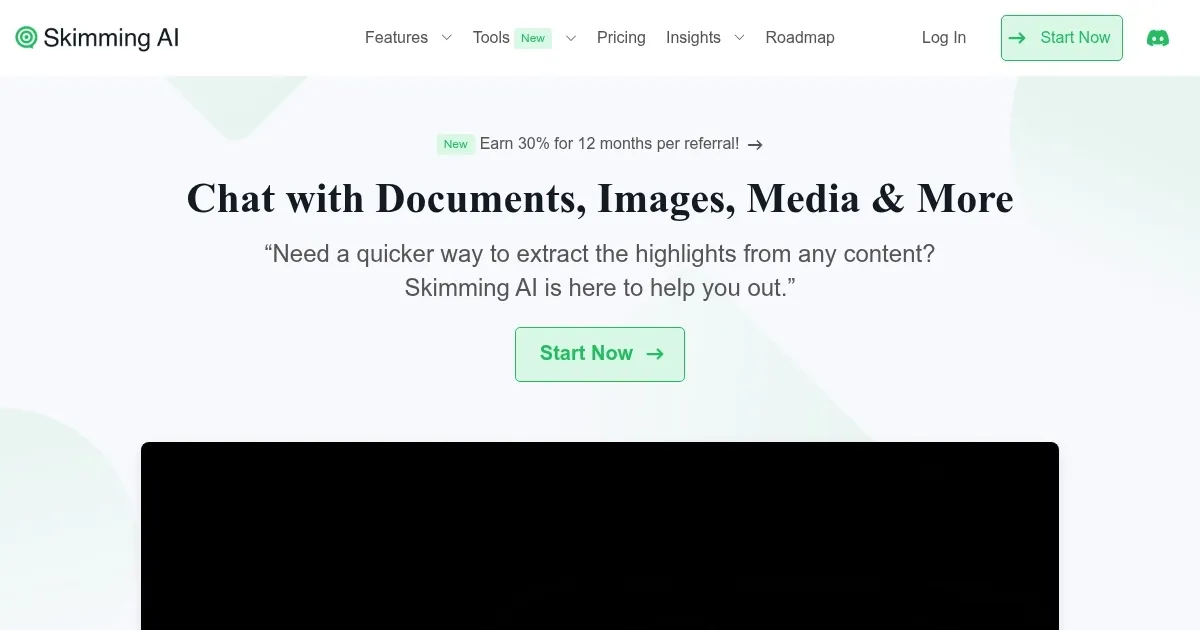
Homepage Screenshot 📸

Skimming AI screenshot

Video Overview 🎬

Skimming AI - Video Overview

What are the key features? ✨

  • Chat with Documents: Upload PDFs or Word files to get summaries and answers with page references.
  • YouTube Summarizer: Extracts key points from YouTube videos with multilingual transcript support.
  • Website Summarizer: Pulls insights from web pages without navigating through irrelevant content.
  • Audio Summarizer: Summarizes podcasts or interviews, delivering key points quickly.
  • Image Summarizer: Extracts text and insights from images like infographics or scanned documents.

Who is it for? 🤔

Skimming AI is designed for students, researchers, content creators, and professionals who need to quickly extract insights from diverse content types like documents, videos, or audio. Its ability to summarize and answer questions across formats suits those managing heavy workloads, while its multilingual support benefits global users.

Examples of what you can use it for 💡

  • Student: Summarizes textbooks or lecture notes for quick study prep.
  • Researcher: Extracts key points from journal articles or research papers.
  • Content Creator: Generates summaries of YouTube videos for content planning.
  • Business Professional: Analyzes reports or meeting recordings for key insights.
  • Educator: Summarizes online resources or videos for lesson planning.

Pros & Cons ⚖️

  • Supports multiple content formats
  • Fast and accurate summaries
  • Multilingual transcript support
  • Free plan has strict limits
  • Struggles with complex queries

FAQs 💬

What file types does Skimming AI support?
Skimming AI supports PDFs, DOCX, TXT, CSV, audio, video, and images.
Is there a free version of Skimming AI?
Yes, a free plan is available with limited file sizes and question quotas.
Can Skimming AI summarize YouTube videos?
Yes, it generates transcripts and summaries for YouTube videos in multiple languages.
Does Skimming AI work with web pages?
The Website Summarizer extracts key insights from web pages efficiently.
Is Skimming AI secure for document uploads?
Documents are stored securely on Amazon Web Services S3 with encryption.
Can I use Skimming AI on mobile devices?
Yes, itโ€™s available via an Android app and browser-based platform.
Does Skimming AI support team collaboration?
Premium plans include team features for shared usage and collaboration.
Can I ask specific questions about my content?
Yes, you can ask targeted questions, and the AI provides precise answers.
Is multilingual support available?
Skimming AI supports multiple languages for transcripts and summaries.
How does Skimming AI compare to competitors?
It offers broader format support than tools like Notion AI or Otter.ai.

Ready to try Skimming AI?

Summarizes documents, videos, and audio, extracting key insights fast

Visit Skimming AI ↗

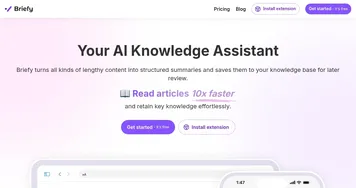
Skimming AI alternatives 🔗

  1. Gemini Gemini Generates responses from text, images, audio, and video inputs using advanced multimodal AI
  2. Claude Claude Assists users in reasoning, coding, writing, and analyzing data with advanced AI models
  3. Brave Leo Brave Leo Assists with web queries, content creation, and document analysis in-browser
  4. Slack AI Slack AI Search smarter, summarize conversations instantly, and be at your most productive
  5. FigJam AI FigJam AI Instantly visualize ideas, suggest best practices, and automate tedious tasks
  6. Box AI Box AI An assistant that taps into your enterprise content and documents
Share
Skimming AI screenshot enlarged
Promote Skimming AI
light badge
Copy Embed Code
dark badge
Copy Embed Code
neutral badge
Copy Embed Code
Best AI Tools

Discover the best AI tools for any use case

Explore
  • Tool Categories
  • AI Use Cases
  • AI Events
  • AI News
  • Saved Tools
Company
  • About Us
  • Contact Us
  • Media & Partnerships
  • Suggest a Tool
Legal
  • Privacy Policy
  • Terms of Service
Copyright © 2026 Best AI Tools 415 Mission Street, 37th Floor, San Francisco, CA 94105