logo-darklogo-darklogo-darklogo-dark
  • Tool Categories
    • ๐ŸŽจArt & Creative Design505
    • ๐ŸขBusiness Management644
    • ๐Ÿ’ปCoding & Development515
    • ๐Ÿ‘ฎDetection83
    • ๐Ÿง General Use727
    • ๐ŸฅHealth & Wellness55
    • ๐Ÿ“ทImage & Photo Analysis100
    • ๐Ÿ–ผ๏ธImage Generation & Editing618
    • ๐Ÿ“Interior & Architectural Design37
    • ๐ŸŽ“Learning & Education483
    • โš–๏ธLegal & Finance90
    • ๐ŸŽญLifestyle & Entertainment236
    • ๐Ÿ“ขMarketing & Advertising627
    • ๐ŸŽงMusic & Audio138
    • ๐Ÿ‘”Office & Workplace1,014
    • ๐Ÿ”ฌResearch & Data Analysis372
    • ๐Ÿ‘ฅSocial Media245
    • ๐ŸŽฅVideo Generation & Editing426
    • ๐Ÿ‘ง๐ŸปVirtual Companion135
    • ๐ŸŽคVoice Generation & Editing381
    • โœ๏ธWriting & Editing808
    • All Categories
    • AI Use Cases
  • News
  • Events
    • Academic Conferences
    • Developer Conferences
    • Expos / Trade Shows
    • Industry Summits
    • Workshops / Training
    • All Events
    • Past Events
  • Saved Tools
  • Suggest a Tool
โœ•
Home › Writing & Editing › Summarizer› AnySummary
AnySummary

AnySummary

Using AI for summarizing long interviews, reports, or lecture videos

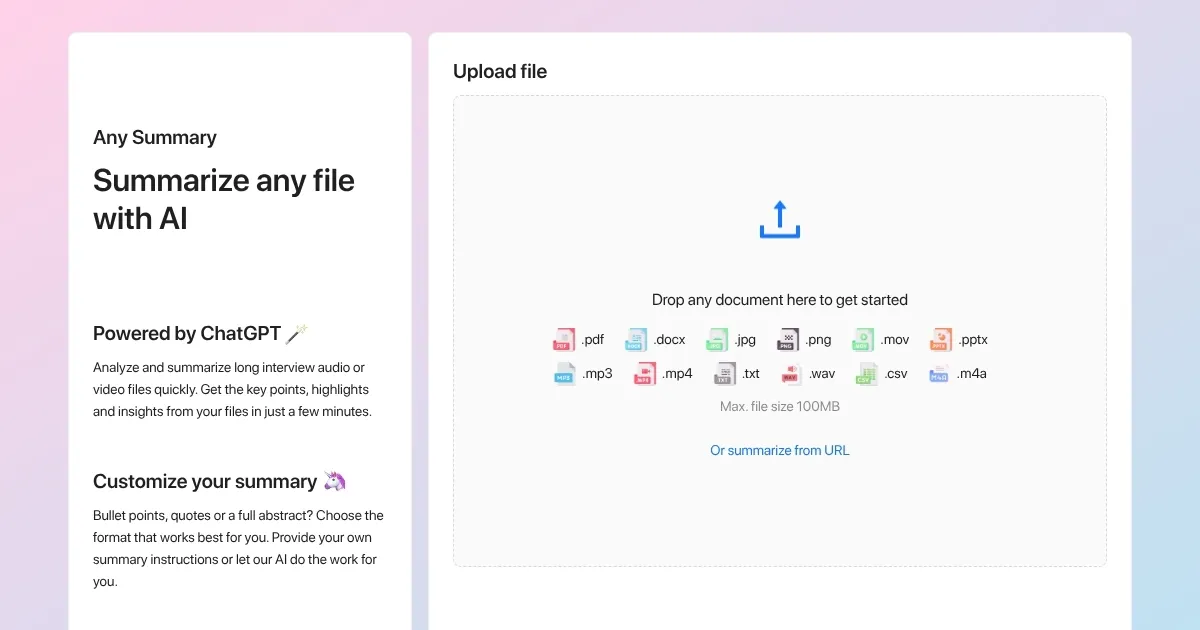
AnySummary is all about summarizing long interviews, reports, or lecture videos. You upload your file, and the AI will quickly dig out the key points, main quotes, and highlights. It’s like a tiny detective inside your computer that reads for you.

This tool runs on ChatGPT tech and is able to handle PDFs, MP3s, MP4s, images, and plain text. Users say it swipes hours off their review time, and that is especially true for teams processing loads of interviews on a weekly basis. In fact, one user mentioned the free plan lets you do five files a day, and that’s enough for quick recaps.

You may also want to know how AnySummary stacks against competing tools, such as AssemblyAI, Summarize Tech, TLDR This, and Genei. AssemblyAI nails transcription but doesn’t polish the summary. In comparison, Skimming AI and Genei offer deeper study tools like note-taking and searching inside text. Also, these competitors spark good ideas — like automatic highlights you won’t hear about often.

As you keep using AnySummary, you’ll pick up neat tricks that only insiders know. For instance, for an interview – you’ll want to choose bulletโ€‘point mode. Want quotes for an article? Go quoteโ€‘mode. It is this flexibility that makes AnySummary super useful. Check it out.

Visit AnySummary ↗
Categories
โœ๏ธ Writing
๐Ÿ“ Summarizer
๐Ÿ‘” Work
๐Ÿ“‘ PDF Summarizer ๐Ÿ“• PDF
๐ŸŽฅ Video
๐Ÿ“‹ Video Summarizer
๐ŸŽ“ Education
๐Ÿ“ฐ Article Summarization ๐Ÿ“” Book Summarization
๐Ÿ‘ฅ Social
๐Ÿ“บ YouTube Summary

Homepage Screenshot 📸

AnySummary screenshot

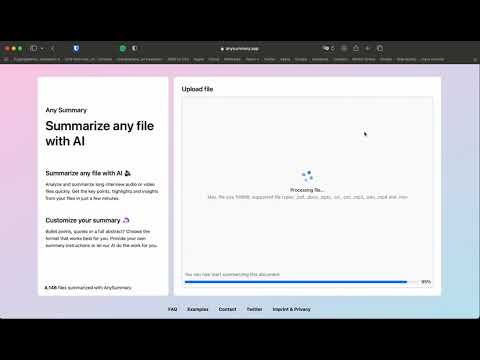
Video Overview 🎬

What are the key features? ✨

  • Multiple file support: AnySummary can handle PDFs, text, MP3, MP4, images, and CSVs. In other words, you can use it on many project types.
  • Custom summary formats: You can pick bullet points, quotes, or abstracts. It will flow the way you want.
  • Speedy ChatGPT engine: The tool can wrap up long content in minutes, saving you a lot of time along the way.
  • Freemium daily plan: AnySummary lets you use it on up to 5 files per day for free. Naturally, the premium plan boosts limits for heavy users.
  • Adjustable tone and language: You can easily tweak the summary tone, which can come in handy for formal emails or casual chats.

Who is it for? 🤔

AnySummary is made for folks who sift through large files and need that "aha!" in seconds. It is perfect for marketing teams, interviewers, researchers, teachers, and journalists. Also, folks who churn through interviews, lectures, or podcasts will get the most. Heck, even busy office staff who hate watching full meetings can cut time in half with AnySummary.

Examples of what you can use it for 💡

  • Employees can use it to digest meeting videos without watching full calls
  • Journalists can pull quotes from interview audio for articles
  • Educators can turn long lectures into study notes for students
  • Researchers can scan through research videos for key insights
  • Marketers are able to create quick social media clips from long podcast transcripts

Pros & Cons ⚖️

  • Ability to handle tons of file types
  • Lets you choose format style
  • Free plan is useful for light users
  • Premium plan can feel pricey vs. some rivals

Ready to try AnySummary?

Using AI for summarizing long interviews, reports, or lecture videos

Visit AnySummary ↗

AnySummary alternatives 🔗

  1. Gemini Gemini Generates responses from text, images, audio, and video inputs using advanced multimodal AI
  2. Claude Claude Assists users in reasoning, coding, writing, and analyzing data with advanced AI models
  3. Brave Leo Brave Leo Assists with web queries, content creation, and document analysis in-browser
  4. Slack AI Slack AI Search smarter, summarize conversations instantly, and be at your most productive
  5. FigJam AI FigJam AI Instantly visualize ideas, suggest best practices, and automate tedious tasks
  6. Box AI Box AI An assistant that taps into your enterprise content and documents
Share
AnySummary screenshot enlarged
Promote AnySummary
light badge
Copy Embed Code
dark badge
Copy Embed Code
neutral badge
Copy Embed Code
Best AI Tools

Discover the best AI tools for any use case

Explore
  • Tool Categories
  • AI Use Cases
  • AI Events
  • AI News
  • Saved Tools
Company
  • About Us
  • Contact Us
  • Media & Partnerships
  • Suggest a Tool
Legal
  • Privacy Policy
  • Terms of Service
Copyright © 2026 Best AI Tools 415 Mission Street, 37th Floor, San Francisco, CA 94105