Frequently Asked Questions
What is the best AI PDF summarizer?
The best AI PDF summarizer depends on the document. NotebookLM is excellent for grounded summaries that cite the source, NoteGPT and similar tools are quick for general reading, and Box AI fits teams summarizing business files. For research papers specifically, tools built for academic PDFs preserve methodology and findings better than general summarizers.
How accurate are AI PDF summaries?
AI PDF summaries are usually accurate on the main points but can miss nuance, caveats, and minor findings. The model compresses the document, so important exceptions sometimes get dropped. For casual reading the accuracy is fine, but for legal, medical, or financial decisions, treat the summary as a guide and verify the details against the original text.
What's the difference between a PDF summarizer and document extraction?
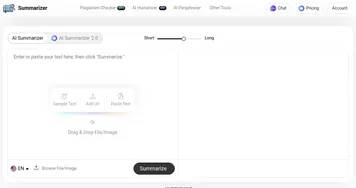
A PDF summarizer gives you the overall gist of a document in a few sentences or bullets. Document extraction pulls out specific structured data instead, like dates, dollar amounts, names, or table rows. Use a summarizer when you want to understand a file quickly, and extraction when you need exact values to copy into a spreadsheet or system.
Can AI summarize a research paper?
Yes, AI tools summarize research papers by condensing the abstract, methods, results, and conclusions into a short overview. Tools built for academic work handle citations, figures, and technical language better than general summarizers. They are great for screening many papers quickly, though you should still read the full method section before citing a study in your own work.
Are AI PDF summarizers free to use?
Most AI PDF summarizers have a free tier that covers a handful of documents or a daily page limit. Larger files, batch summarizing, and saved notebooks usually require a paid plan. Free tiers are enough to summarize the occasional report, and they let you test how well a tool captures the points that matter to you.