ChatPDF by Mathis Lichtenberger und Moritz Lage GbR
An online tool that enables users to interact with their PDF documents as if it were a human
ChatPDF is an online tool that enables users to interact with their PDF documents as if they were a human. Powered by ChatGPT, it analyzes the PDF file to create a semantic index, then presents the relevant paragraphs to a text-generation AI.
So, when you ask a question – the AI will use relevant paragraphs to give you an answer.
ChatPDF can be used to quickly extract information from large PDF files, such as manuals, essays, contracts, books, and research papers. In case you wonder, this extracted data is stored in a secure cloud storage and deleted after 7 days.
The tool could efficiently analyze documents, from financial and sales reports to project and business proposals, training manuals, and legal contracts. It is also a helpful tool for students and other members of the academia.
Also worth noting is that ChatPDF can read PDFs and answer questions in any language. You can upload a PDF in one language and ask questions in another. The greeting message will be in the language of the PDF file, and after that, ChatPDF will answer in the language you ask.
ChatPDF is free for up to 3 PDFs per day, each up to 120 pages. If you need more, you can upgrade to the ChatPDF Plus plan.
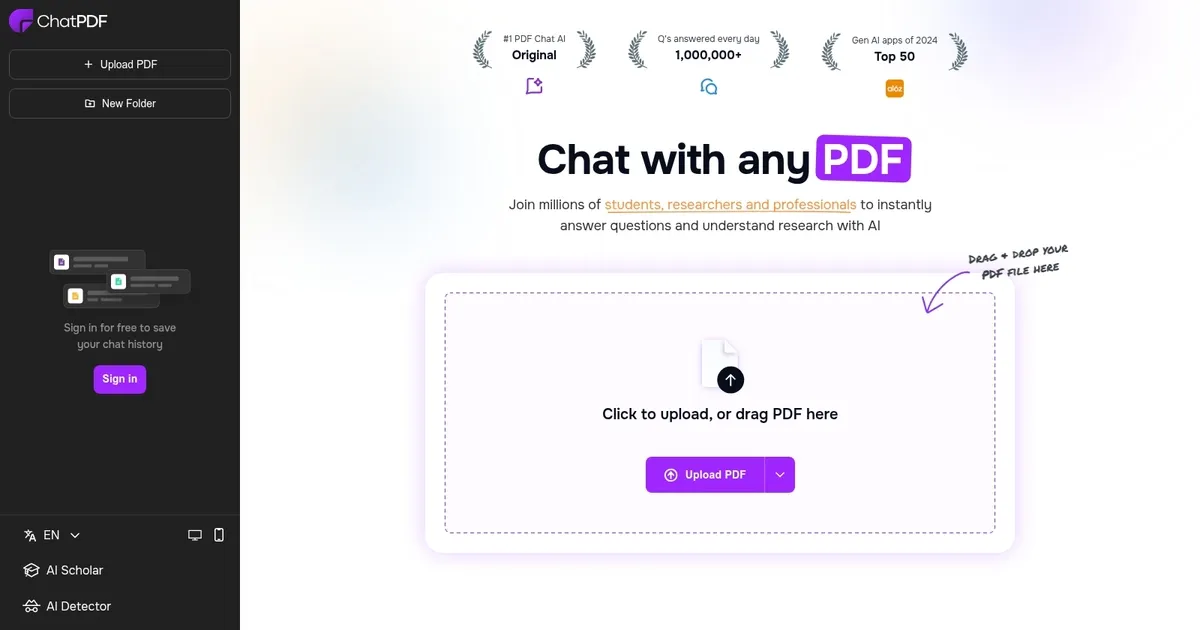
Homepage Screenshot 📸
What are the key features? ✨
- Uncover data in your PDF files: ChatPDF can help you make sense of all those PDF files you/we have been collecting for years. Upload a PDF to the service and start asking questions and getting answers about it.
- Multi-language support: ChatPDF can read PDFs and answer questions in any language. You can also upload a PDF in one language and ask questions in another.
- A learning tool: As a service that can "understand" PDF files, ChatPDF is often used by students who use it as a learning tool to get key details from textbooks, handouts and presentations.
- A work tool: Similarly, professionals use ChatPDF to go through important documents, such as various reports, proposals, manuals, contracts, and more.
Who is it for? 🤔
Examples of what you can use it for 💡
- Uncover data and knowledge in your PDF files that have been standing idle in some folder
- Use it as a learning tool to summarize information from textbooks, handouts and more
- Get meaningful insights from reports, proposals and other business documents
Pros & Cons ⚖️
- Very useful for making sense of PDFs
- Students love it as they get to chat with their textbooks
- And so do professionals who have to go through large documents
- Some people reporting inconsistent results
FAQs 💬
Ready to try ChatPDF?
An online tool that enables users to interact with their PDF documents as if it were a human
Visit ChatPDFChatPDF alternatives 🔗