Best AI Document Extraction Tools

58 toolsRanked by traffic

AI document extraction tools pull specific data out of documents: names, dates, totals, line items, and table values, returned as clean structured fields. Instead of reading the whole file, you ask for the exact information you need and the tool finds it. Tools like Box AI, CoCounsel, ChatPDF, and Humata turn messy documents into data you can use.

This is the workhorse for anyone moving information out of paperwork: finance teams pulling figures from invoices, legal teams gathering clauses from contracts, and ops teams logging fields from forms. The honest catch is that extraction is only as reliable as the document is clean. Crooked scans, odd layouts, and unusual table formats trip it up, so good tools let you verify each field against the source before you trust the output.

Box AI
Box AI - icon
Box AI
An assistant that taps into your enterprise content and documents
ChatRTX
ChatRTX - icon
ChatRTX
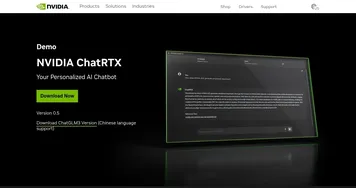
Allows users to create a personalized LLM chatbot by using their own data on their own computer
CoCounsel
CoCounsel - icon
CoCounsel
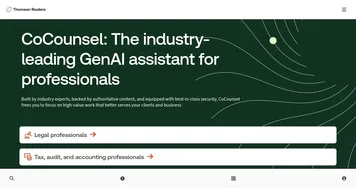
Tool for legal document review, research memos, deposition preparation, and contract analysis
ChatPDF
ChatPDF - icon
ChatPDF
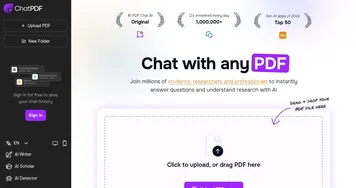
An online tool that enables users to interact with their PDF documents as if it were a human
LightPDF
LightPDF - icon
LightPDF
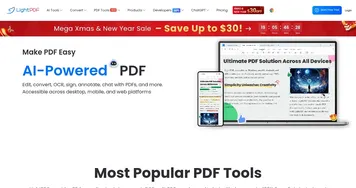
Ask anything about your documents, get summaries, outlines, and answers instantly
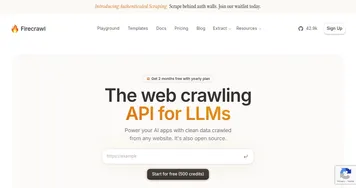
Firecrawl
Firecrawl - icon
Firecrawl
A powerful tool designed to simplify web scraping and crawling
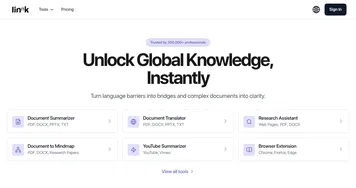
Linnk AI
Linnk AI - icon
Linnk AI
Summarizes and translates documents instantly for efficient research
Humata
Humata - icon
Humata
An AI assistant that uses your files as its data
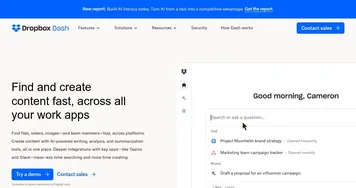
Dropbox Dash
Dropbox Dash - icon
Dropbox Dash
An AI-powered universal search tool that goes through files, connected apps, emails, and more
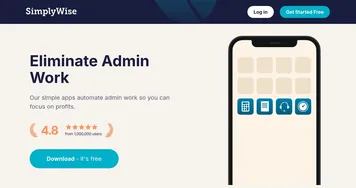
SimplyWise
SimplyWise - icon
SimplyWise
An AI app that streamlines expense tracking and document organization
AskYourPdf
AskYourPdf - icon
AskYourPdf
An AI assistant that uses data from PDFs that you upload
AnythingLLM
AnythingLLM - icon
AnythingLLM
An open-source AI application that lets you interact with your documents using LLMs
PDF.ai
PDF.ai - icon
PDF.ai
Chat with any document, including legal agreements, financial reports, and more
Thunderbit
Thunderbit - icon
Thunderbit
Extracts structured data from websites in two clicks using AI-powered automation
Octoparse
Octoparse - icon
Octoparse
A no-code web scraping tool that effortlessly converts web pages into structured data

Frequently Asked Questions

What is the best AI document extraction tool?
The best AI document extraction tool depends on your documents. Box AI and CoCounsel suit business and legal files, ChatPDF and Humata work well for pulling facts from research and reports, and dedicated invoice tools handle structured financial data. The right pick is whichever one reads your specific document layout accurately, so test it on real samples first.
How does AI extract data from documents?
AI extracts data by reading a document's text and identifying the fields you ask for, using a language model to understand context rather than fixed templates. You request items like invoice total, due date, or party names, and the tool returns them as structured values. For scanned files it runs OCR first to turn the image into readable text.
Can AI extract data from scanned documents?
Yes, AI can extract data from scanned documents when the tool includes OCR to convert the scanned image into text. Accuracy depends on scan quality: clean, high-resolution scans extract reliably, while blurry photos, handwriting, and skewed pages produce errors. Always review extracted fields from scans, since a single misread digit can throw off a total or date.
What's the difference between document extraction and a PDF summarizer?
Document extraction returns exact, structured values like a total amount or a contract date, ready to drop into a spreadsheet. A PDF summarizer gives you the general meaning of a document in plain prose instead. Extraction is about precise data points, summarizing is about overall understanding, and most workflows use one or the other, not both.
Is AI document extraction accurate enough for accounting?
AI document extraction is accurate enough for accounting when paired with a human review step. Modern tools read clean invoices and receipts reliably, but no extractor is perfect, and a single wrong number matters in finance. The standard approach is to let AI pull the fields and have a person confirm totals and dates before posting.