logo-darklogo-darklogo-darklogo-dark
  • Tool Categories
    • 🎨Art & Creative Design505
    • 🏢Business Management644
    • 💻Coding & Development515
    • 👮Detection83
    • 🧠General Use727
    • 🏥Health & Wellness55
    • 📷Image & Photo Analysis100
    • 🖼️Image Generation & Editing618
    • 📐Interior & Architectural Design37
    • 🎓Learning & Education483
    • ⚖️Legal & Finance90
    • 🎭Lifestyle & Entertainment236
    • 📢Marketing & Advertising627
    • 🎧Music & Audio138
    • 👔Office & Workplace1,014
    • 🔬Research & Data Analysis372
    • 👥Social Media245
    • 🎥Video Generation & Editing426
    • 👧🏻Virtual Companion135
    • 🎤Voice Generation & Editing381
    • ✍️Writing & Editing808
    • All Categories
    • AI Use Cases
  • News
  • Events
    • Academic Conferences
    • Developer Conferences
    • Expos / Trade Shows
    • Industry Summits
    • Workshops / Training
    • All Events
    • Past Events
  • Saved Tools
  • Suggest a Tool
✕
Home › Legal & Finance › Legal Assistant› CoCounsel
CoCounsel

CoCounsel by Thomson Reuters

Tool for legal document review, research memos, deposition preparation, and contract analysis

CoCounsel by Casetext is an AI-powered legal assistant that can handle various critical tasks at “superhuman speed,” giving you more time to better serve your clients and grow your business.

Made for law firms of all sizes, the tool can do document review, legal research memos, deposition preparation, and contract analysis in minutes — all with results you can trust.

CoCounsel’s creator, Casetext, has been making a difference for solo and small practices, Am Law 100 firms, and in-house legal departments. Today, its solution has been used by more than 10,000 law firms, which just got the power to up their game with the help of AI. And the product is also available for anyone else.

In that sense, CoCounsel can fast-track legal research and deposition prep, offering complete answers with supporting sources in seconds based on the issue and relevant information such as jurisdiction. It can also identify critical documents in contract databases and key information in discovery and automate contract revisions by identifying relevant clauses, conflicts, and risks.

And that’s just the start, with the technology only getting better and more accurate with time. The question for today’s lawyers is – are they ready to transform their practices? Or be left behind.

Visit CoCounsel ↗
Categories
⚖️ Legal/Finance
⚖️ Legal Assistant 🔎 Contract Review 📁 Contract Management
🔬 Research
🔬 Research
👔 Work
📤 Document Extraction 📕 PDF 📄 Document Generation
✍️ Writing
📝 Summarizer

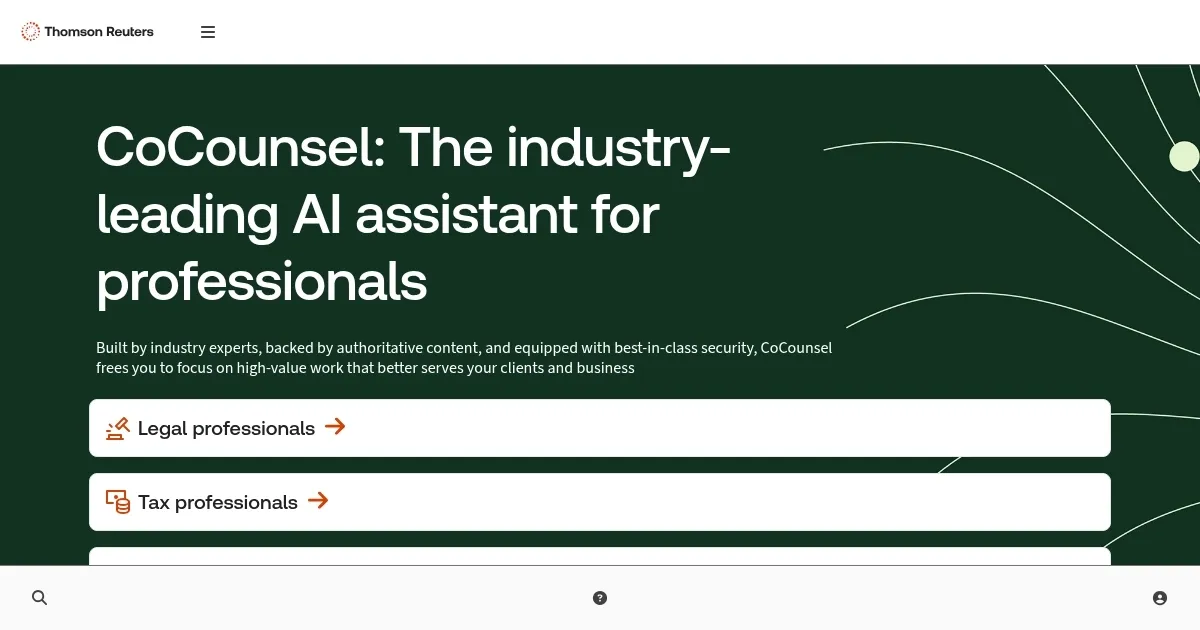
Homepage Screenshot 📸

CoCounsel screenshot

Video Overview 🎬

What are the key features? ✨

  • Review documents: Ask a question about your documents, and CoCounsel will read them in full and answer - with citations to sources. Quickly find everything from critical testimony in voluminous transcripts to key terms in dense contracts.
  • Prepare for a deposition: Get a thorough deposition outline in no time. Describe the deponent and what's at issue in the case, and CoCounsel identifies multiple highly relevant topics to address and drafts questions for each.
  • Search a database: CoCounsel can search through your documents, read the relevant ones, and provide relevant answers. Find only what you need, like the right template or precedent, previous work product, or internal know-how.
  • Legal research memo: Ask a research question with as much detail as you like, and CoCounsel will retrieve on-point resources and provide an answer with explanations and supporting sources.
  • Summarize: Interpret and condense critical information in any type of document, including dense agreements, complex contracts, and lengthy opinions - faster than humanly possible and without missing key details.
  • Extract contract data: Similarly, CoCounsel can get you answers and a complete list of relevant clauses from every contract in a set based on your questions - making it easier to track deal terms, dollar amounts, and dates accurately.
  • Contract policy compliance: The tool can capture every single clause in a set of contracts that doesn't comply with a policy or set of policies, report the risks of using non-compliant language, and recommend revisions.

Who is it for? 🤔

CoCounsel is made for lawyers. It is designed to make them more efficient while making their practices that much better. In a way, it's like having a super smart junior staff member who can do the research, fact-finding, and other tedious tasks for you with ease. What's more, it will do that in minutes, if not seconds - and provide all supporting details and references you may need in a case. It is easy to imagine that, at one point, every practice will rely on AI for tasks the technology could handle. And the number of those tasks is growing fast.

Examples of what you can use it for 💡

  • Review all kinds of legal documents with ease
  • Extract key information from contracts, memos, and other paperwork
  • Summarize and condense critical information in dense agreements, complex contracts, and lengthy opinions
  • Get a helping hand as you prepare for a deposition
  • Chat with legal documents to quickly get relevant information

Pros & Cons ⚖️

  • Makes lawyers 10x more efficient
  • Tedious tasks are no longer the problem - they are automated
  • Makes deposition preparation much easier
  • What will happen to the junior staff?

FAQs 💬

What is CoCounsel, and who is it built for?
CoCounsel is an AI-powered assistant that handles research, document analysis, and drafting for professionals, mainly lawyers and tax experts. It uses agentic and generative AI to automate tasks like legal memos or tax reviews, grounded in trusted sources like Westlaw and Checkpoint. It’s ideal for firms wanting to cut down on routine work while keeping high accuracy, with over 20,000 law firms already using it, including most Am Law 100 ones.
How does CoCounsel integrate with tools like Westlaw or Microsoft 365?
It connects seamlessly with Westlaw for research, Practical Law for drafting playbooks, Checkpoint for tax insights, and Microsoft 365 apps like Word and Teams for direct edits or queries. This lets you pull context from your daily tools without switching apps, saving time on things like contract reviews in Word. Users report it feels like a natural extension of their workflow.
What are the main features of CoCounsel for legal work?
Key skills include Deep Research for multi-step legal plans, document comparison for spotting differences in contracts, deposition prep by analyzing transcripts, and drafting with built-in citations. It excels at summarizing long docs or building chronologies, often finishing in minutes what takes hours manually. Recent betas add agentic workflows for end-to-end tasks like complaint drafting.
How does the tax version of CoCounsel work, and does it save time?
CoCounsel Tax automates research memos from IRS codes and Checkpoint, reviews returns for issues, drafts letters like penalty abatements, and spots savings opportunities like cost-segregation studies. A tax partner from a top U.S. firm said it handles 80% of a one-hour process, leaving room for judgment. It integrates with Excel and DMS for smooth tax planning.
What about pricing—how much does CoCounsel cost?
CoCounsel Core starts at $225 per user per month, with volume discounts for firms; full access via Westlaw Precision bundles it cheaper for subscribers. Tax versions vary, but expect $400+ monthly for advanced features, billed annually. Trials last 2-3 months, though some users note the "free" part ties into longer contracts. Smaller firms get Essentials plans scaled to growth.
Is CoCounsel secure for handling sensitive client data?
Yes, it uses TLS 1.2 for transit, AES-256 encryption at rest, and zero-retention API calls so prompts aren’t stored or used for training. Data stays in the U.S. (with options in UK, Australia, Canada), and partners like OpenAI can’t access it. Retention follows your policy, and you can delete anytime. Guardrails limit outputs to verified content to cut bias.
How accurate is CoCounsel compared to other AI tools like Harvey?
In 2025 benchmarks, CoCounsel scored high on document Q&A (89.6%) and summarization (77.2%), beating human baselines by over 10 points in some tasks, though Harvey led overall. It’s grounded in Westlaw’s authoritative content to minimize hallucinations, but users still verify outputs. I think it shines for research-heavy work, while Harvey might edge out on custom models.
What do users say about CoCounsel’s pros and cons?
Pros: Speeds up tasks (e.g., contract diffs in minutes), catches errors in briefs, and integrates well; Reddit users call it a game-changer for solos. Cons: Pricey at $679/month for some quotes, occasional slowdowns post-acquisition, and needs verification to avoid rare hallucinations. Overall, it boosts efficiency by 10x for many, but test a trial first.
Can small firms or solos afford and use CoCounsel effectively?
Absolutely, with Essentials plans starting lower and scaling up—no need for Westlaw to start, though bundling saves money. It handles 500-page contract reviews or brief proofreading solo-style, and a 2-month trial lets you test without commitment. Users in small practices praise its document focus over basic research.
What’s new with CoCounsel in late 2025, like agentic AI?
Recent betas include agentic workflows for delegating full tasks (e.g., bulk review of 10,000 docs), customizable plans, and Deep Research on Practical Law. Rollouts continue into 2026, aiming for custom agents. It’s shifting from prompts to execution, with users seeing 63-80% time cuts on reviews.

Ready to try CoCounsel?

Tool for legal document review, research memos, deposition preparation, and contract analysis

Visit CoCounsel ↗

CoCounsel alternatives 🔗

  1. Filevine Filevine Streamlines legal case management with AI-powered tools for efficiency
  2. Harvey Harvey Powers legal research, document analysis, drafting, and workflows for professionals
  3. Spellbook Spellbook A tool that helps users draft, review and suggest contract terms 3x faster
  4. DoNotPay DoNotPay Chatbot that provides users with an AI-powered "robot lawyer"
  5. Smokeball Smokeball Legal practice management software designed to help law firms run more efficiently and profitably
  6. Macro Macro Streamlines document editing with AI-powered tools for seamless workflow
Share
CoCounsel screenshot enlarged
Promote CoCounsel
light badge
Copy Embed Code
dark badge
Copy Embed Code
neutral badge
Copy Embed Code
Best AI Tools

Discover the best AI tools for any use case

Explore
  • Tool Categories
  • AI Use Cases
  • AI Events
  • AI News
  • Saved Tools
Company
  • About Us
  • Contact Us
  • Media & Partnerships
  • Suggest a Tool
Legal
  • Privacy Policy
  • Terms of Service
Copyright © 2026 Best AI Tools 415 Mission Street, 37th Floor, San Francisco, CA 94105