Best AI Image & Photo Analysis Tools

100 toolsRanked by traffic

AI image and photo analysis tools read and understand the contents of a picture instead of creating one. They detect objects, recognize faces, read text inside an image, classify scenes, and answer questions about what's there. This is the vision side of AI rather than the generation side. The category includes model hubs like Hugging Face and DeepAI, homework helpers like Gauth and Google Lens Homework that solve a problem from a photo, and specialized apps for face and image recognition.

Students, developers, researchers, and accessibility users rely on these to extract text from a screenshot, identify what's in an image, moderate content, or describe a scene out loud. When you're choosing, think about the specific task you need (OCR, object detection, face matching, and captioning are different jobs) and check the tool's accuracy and privacy terms, since analyzing faces and personal photos carries real data-handling stakes.


Hugging Face
Hugging Face - icon
Hugging Face
Hosts and collaborates on machine learning models, datasets, and apps
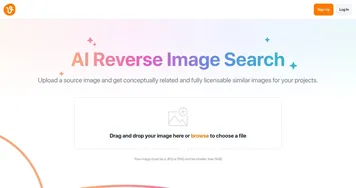
Vecteezy AI
Vecteezy AI - icon
Vecteezy AI
A reverse image search engine that generates related and fully licensable similar images
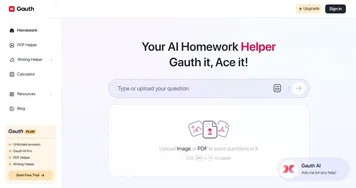
Gauth
Gauth - icon
Gauth
A useful mobile app designed to assist students in solving complex math problems
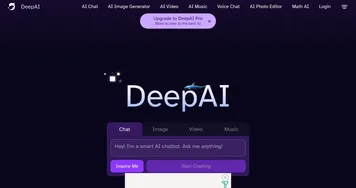
DeepAI
DeepAI - icon
DeepAI
Generates images, videos, text, and music from simple text prompts
AI Face Swap
AI Face Swap - icon
AI Face Swap
An online tool designed for easy and fun face-swapping experiences
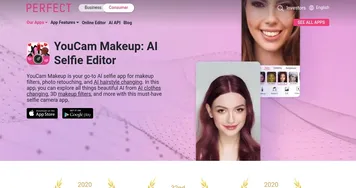
YouCam Makeup
YouCam Makeup - icon
YouCam Makeup
One of the most popular mobile apps for makeup, hairstyle, and retouching
Google Lens Homework
Google Lens Homework - icon
Google Lens Homework
A mobile app that uses AI to help students by providing visual explanations of concepts
Goodnotes
Goodnotes - icon
Goodnotes
Captures, organizes, and enhances handwritten and typed notes across devices
StudyX
StudyX - icon
StudyX
An AI-powered platform designed to assist students in tackling challenging homework questions
PictureThis
PictureThis - icon
PictureThis
Identifies plants from photos, offering care tips and species info
Image-to-Prompt
Image-to-Prompt - icon
Image-to-Prompt
Generate captions from images instantly with one click.
Lenso.ai
Lenso.ai - icon
Lenso.ai
An AI-powered reverse image search platform
LightPDF
LightPDF - icon
LightPDF
Ask anything about your documents, get summaries, outlines, and answers instantly
ImagePrompt.org
ImagePrompt.org - icon
ImagePrompt.org
Helping users create detailed prompts for AI art generation

How can AI tools improve photos?

They can do wonders, even generate new photos from a simple text input. Here are some of the most popular use cases for AI in photography you should know about:
  • Image quality enhancement

    AI tools can improve the resolution of photos, sharpen blurred elements, and restore old or damaged photographs. This feature is used both for restoring historical images as well as for enhancing contemporary shots.
  • Automated editing

    AI can automate the editing process - adjusting brightness, contrast, and saturation optimally. This can save a ton of time and effort, especially for large batches of photos. As a result, the editing process is much more efficient and accessible.
  • Style transformation

    Some AI tools for photography allow users to alter the stylistic elements of their photos, emulating the techniques of famous artists or applying unique filters. As a result, users can get completely new images from their photos.
  • Photomontage

    Or they can be used to generate realistic photomontages by blending different images seamlessly. This feature has found its use case for the creation of cool compositions for advertising, digital art, and even personal creative projects.
  • Categorization and tagging

    Because of its ability to "know" what's on the photo, AI-powered photo management tools can automatically categorize and tag photos based on their content. As a result, it is much easier to organize and retrieve images in large libraries.
  • Smart curation

    Related to the previous point, AI can take a step further and curate vast galleries of photos. Google Photos is already doing this, grouping photos based on different criteria and reminding users on a regular basis about the time they had in the past.
  • Facial recognition

    You have probably seen how Facebook is doing it when it can tag you on a photo uploaded by your friend. It's AI that helps identify and group photos of the same person, streamlining the organization of personal and professional photo albums. It could also lead to privacy issues, but that's another story.
AI has made a huge impact on the way we manage photos. It allows us to edit, categorize, and tag them with ease - while also bringing along new features that were previously deemed impossible. And that's pretty cool!

Frequently Asked Questions

What does an AI photo analysis tool actually do?
An AI photo analysis tool examines an image and reports what it contains. Depending on the tool, that means detecting and labeling objects, recognizing faces, reading printed or handwritten text, identifying landmarks or products, or writing a plain-language caption. It's the opposite of an image generator: it interprets existing pictures rather than making new ones.
Can AI extract text from an image or photo?
Yes, that's optical character recognition, and most analysis tools handle it well. You upload a photo of a document, sign, receipt, or screenshot, and the tool returns editable, searchable text. Accuracy is high for clear printed type and improving for handwriting, though messy or low-light captures still trip it up.
Can AI identify what's in a picture?
Yes, object and scene recognition is a core feature of these tools. Upload an image and the AI lists the things it sees (animals, products, plants, landmarks), often with a confidence score for each. Some can answer follow-up questions about the photo, like counting items or describing where they are.
How accurate is AI face recognition?
Modern face recognition is highly accurate on clear, front-facing photos but degrades with poor lighting, odd angles, or partial coverage. Accuracy has also historically varied across skin tones and ages, so results should be treated as a strong guess rather than proof of identity. Always check a tool's stated error rates for sensitive use.
Are AI photo analysis tools safe for private images?
It depends entirely on the provider's data policy. Some process images on your device or delete them immediately, while others upload and may retain them. Before sending personal photos, ID documents, or anything with faces, read how the tool stores and uses uploads, and prefer ones that promise no retention.