logo-darklogo-darklogo-darklogo-dark
  • Tool Categories
    • 🎨Art & Creative Design505
    • 🏢Business Management644
    • 💻Coding & Development515
    • 👮Detection83
    • 🧠General Use727
    • 🏥Health & Wellness55
    • 📷Image & Photo Analysis100
    • 🖼️Image Generation & Editing618
    • 📐Interior & Architectural Design37
    • 🎓Learning & Education483
    • ⚖️Legal & Finance90
    • 🎭Lifestyle & Entertainment236
    • 📢Marketing & Advertising627
    • 🎧Music & Audio138
    • 👔Office & Workplace1,014
    • 🔬Research & Data Analysis372
    • 👥Social Media245
    • 🎥Video Generation & Editing426
    • 👧🏻Virtual Companion135
    • 🎤Voice Generation & Editing381
    • ✍️Writing & Editing808
    • All Categories
    • AI Use Cases
  • News
  • Events
    • Academic Conferences
    • Developer Conferences
    • Expos / Trade Shows
    • Industry Summits
    • Workshops / Training
    • All Events
    • Past Events
  • Saved Tools
  • Suggest a Tool
✕
Home › Writing & Editing › Prompt Generation› ImagePrompt.org
ImagePrompt.org

ImagePrompt.org by EchoFlow

Helping users create detailed prompts for AI art generation

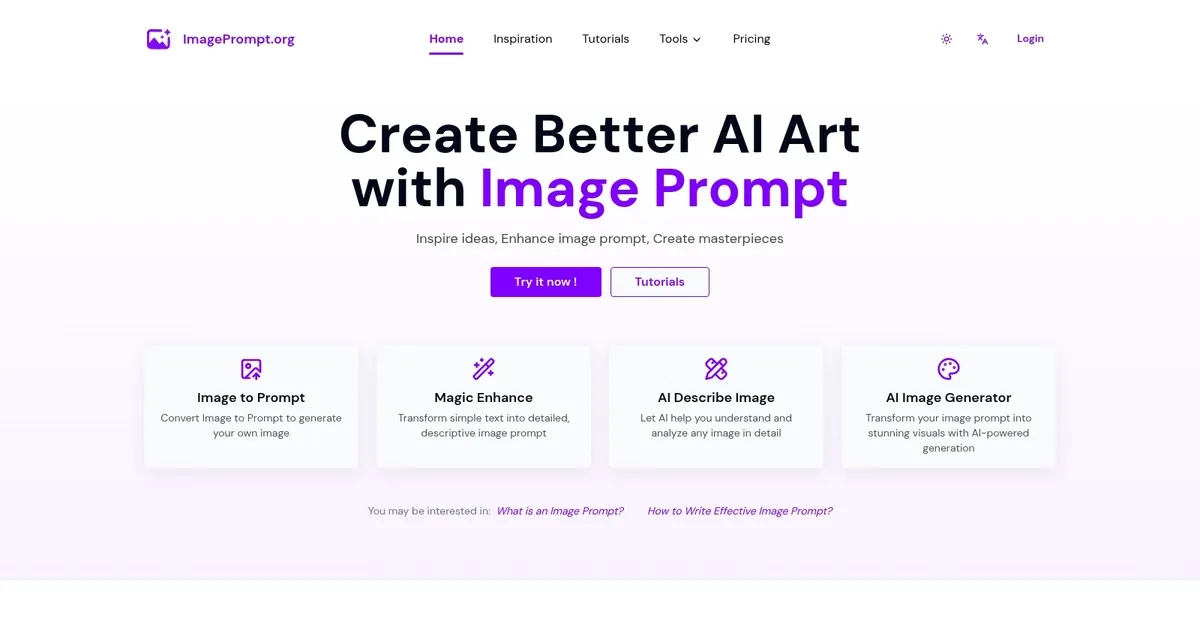
ImagePrompt.org is a useful platform that helps users create detailed prompts for AI art generation. The website has a clean layout, making navigating and discovering its various features easy.

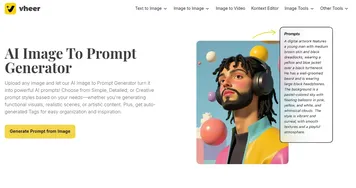
One of the features, Image to Prompt, lets you upload a photo and returns a detailed textual description of it. This description tends to capture the essence of the image and, as such, could have different applications — accessibility being one of them.

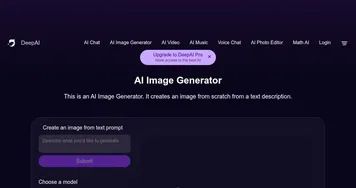
There is also the AI Image Generator, which creates images from text prompts. As that’s usually the case with such features/services, the more details you provide – the better result you will get. So, make sure to think it through before submitting your prompt. Or not – you may want to see how it works first.

Then there’s the Image Prompt Generator, which transforms basic ideas into detailed prompts. For instance, you can input something like “a peaceful beach” and get more details that you may or may not want to include in the prompt for AI image generation.

Overall, ImagePrompt.org could be a valuable tool for anyone looking to bridge the gap between textual ideas and visual representation. In other words, it’s useful to anyone looking to create images with AI.

Visit ImagePrompt.org ↗
Categories
✍️ Writing
💡 Prompt Generation 🛠️ Prompt Engineering
🖼️ Image
🖼️ Image Generation 🪄 Text to Image
📷 Image Analysis
🗣️ Image Describing
🎨 Art
🎨 Art Generation 🧑‍🎨 Design Assistant

Homepage Screenshot 📸

ImagePrompt.org screenshot

What are the key features? ✨

  • Image to prompt: Upload an image, and the AI will generate a detailed textual description - helping you understand and recreate visuals.
  • AI Image Generator: Input a prompt, and the AI produces a corresponding image.
  • Image prompt generator: Transform simple ideas into detailed prompts, aiding in refining concepts for AI image generation.
  • Multi-language support: The platform supports multiple languages, making it accessible to a global audience.
  • User-friendly interface: The intuitive design ensures that users can easily navigate and utilize the tools.

Who is it for? 🤔

ImagePrompt.org is made for a diverse audience. Artists and designers can use it to brainstorm and visualize concepts. Content creators benefit from generating unique visuals without extensive design skills. Educators and students can enhance learning materials with illustrative content. Hobbyists find joy in exploring their creativity through AI-generated art.

Examples of what you can use it for 💡

  • Generate visual ideas and concepts for projects
  • Create unique visuals for blogs, social media, or marketing materials
  • Develop illustrative content for educational purposes
  • Visualize concepts for presentations or assignments
  • Explore creative ideas and bring them to life through AI-generated art

Pros & Cons ⚖️

  • Easy to use website
  • Provides tools to transform ideas into visuals
  • Supports multiple languages
  • Free users have limited daily uses (makes sense)

FAQs 💬

What is ImagePrompt.org?
ImagePrompt.org is an AI-powered platform that helps users craft detailed text prompts for generating images with AI tools. It offers features like converting ideas or uploaded images into optimized prompts, making it easier to create art without expert writing skills. This tool shines for beginners who want quick, effective results in digital creation.
How does the Image to Prompt feature work?
You upload an image, and the AI analyzes it to generate a descriptive text prompt covering elements like subjects, styles, and lighting. It's great for reverse-engineering visuals to recreate similar ones elsewhere. Users report high accuracy, though occasional tweaks help for perfect matches.
Can ImagePrompt.org generate images directly?
Yes, it includes an AI Image Generator that turns your text prompts into visuals right on the site. This saves time by handling both prompt creation and output in one flow. It's especially useful for testing ideas fast.
Is multilingual support available for prompt generation?
Absolutely, it handles inputs in English and other languages to create optimized prompts. This makes it accessible for non-native speakers experimenting with global creative ideas. I think this broadens its appeal in diverse communities.
What privacy measures does ImagePrompt.org use?
Uploaded images process in real-time and delete immediately after generating the prompt, so nothing gets stored. This focus on security builds trust for users sharing personal or sensitive visuals. No long-term data retention means peace of mind.
How accurate are the generated prompts for AI image tools?
Prompts include key details like subjects, settings, and moods, leading to strong results in tools like Midjourney. Accuracy runs high, but results vary by the target generator's quirks. Probably worth testing a few to see what clicks best.
Who benefits most from using ImagePrompt.org?
Creators, designers, and hobbyists who struggle with prompt wording find it transformative. It bridges the gap between vague ideas and polished AI art, empowering non-experts. Even pros use it to speed up workflows.
Does it offer free usage options?
Core text-to-prompt tools run unlimited for free, with daily limits on image-based features like five uses for uploads. This lets newcomers dive in without commitment. Upgrades exist for heavier needs, but basics cover most casual tries.
Can prompts from ImagePrompt.org work with other AI generators?
Yes, they're designed for compatibility with popular tools like Stable Diffusion or DALL-E. Just copy the output and paste it in. This flexibility turns it into a versatile sidekick for any AI art setup.
What makes ImagePrompt.org stand out from similar tools?
Its all-in-one suite—from image analysis to direct generation—streamlines the process without switching apps. Plus, the emphasis on learning prompt structure helps users improve over time. It feels more like a creative coach than just a generator.

Ready to try ImagePrompt.org?

Helping users create detailed prompts for AI art generation

Visit ImagePrompt.org ↗

ImagePrompt.org alternatives 🔗

  1. Google AI Studio Google AI Studio Prototypes AI solutions using Gemini models in a browser-based IDE
  2. OpenArt OpenArt A versatile AI-powered platform for generating and enhancing images and art.
  3. FlowGPT FlowGPT Discovers and shares AI prompts for enhanced ChatGPT interactions
  4. Image-to-Prompt Image-to-Prompt Generate captions from images instantly with one click.
  5. AIPRM AIPRM Browser extension that helps with curated ChatGPT prompts
  6. A1.art A1.art An AI platform that allows users to create and customize various digital artwork effortlessly
Share
ImagePrompt.org screenshot enlarged
Promote ImagePrompt.org
light badge
Copy Embed Code
dark badge
Copy Embed Code
neutral badge
Copy Embed Code
Best AI Tools

Discover the best AI tools for any use case

Explore
  • Tool Categories
  • AI Use Cases
  • AI Events
  • AI News
  • Saved Tools
Company
  • About Us
  • Contact Us
  • Media & Partnerships
  • Suggest a Tool
Legal
  • Privacy Policy
  • Terms of Service
Copyright © 2026 Best AI Tools 415 Mission Street, 37th Floor, San Francisco, CA 94105