Frequently Asked Questions
What is the best AI makeup app?
The best AI makeup app depends on your goal. YouCam Makeup leads for realistic virtual try-on across a huge range of products, AirBrush is strong for natural retouching and light makeup, and BeautyPlus bundles makeup with broader photo editing. Most are free to try, so test how natural each one looks on your own selfie.
How does AI virtual makeup try-on work?
AI virtual makeup try-on works by mapping the key points of your face, like your lips, eyes, and cheeks, then layering digital makeup that follows your features and lighting. The realistic apps match the shade to your skin tone and adjust as you move, so a live video try-on looks close to how the real product would sit.
Are AI beauty apps free?
Most AI beauty apps are free to download with a useful set of makeup and retouching tools, then sell a premium tier. Paid plans unlock more shades, advanced skin smoothing, watermark removal, and ad-free use. The free version is usually enough to test products and edit casual photos before you decide to upgrade.
Do AI beauty filters look realistic?
The best AI beauty filters look realistic because they map makeup to your facial structure and respect your lighting, rather than pasting a flat overlay. Quality varies a lot between apps, though. Heavy smoothing can erase real skin texture and look fake, so the natural-looking ones keep pores and shadows and only adjust what you ask them to.
What is the difference between beauty and hairstyle apps?
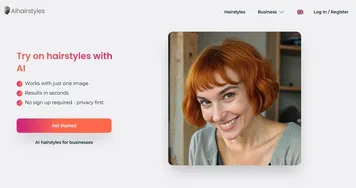
Beauty apps focus on your face: virtual makeup, skin retouching, and cosmetic try-on. Hairstyle apps focus on your hair, letting you preview new cuts, colors, and styles on your photo. Some all-in-one editors do both, but a dedicated makeup app handles shades and skin better while a hair tool gives you more cut and color options.