logo-darklogo-darklogo-darklogo-dark
  • Tool Categories
    • ๐ŸŽจ Art
    • ๐Ÿข Business
    • ๐Ÿ’ป Coding
    • ๐Ÿ‘ฎ Detection
    • ๐Ÿง  General
    • ๐Ÿฅ Health
    • ๐Ÿ“ท Image Analysis
    • ๐Ÿ–ผ๏ธ Image
    • ๐Ÿ“ Architecture
    • ๐ŸŽ“ Education
    • โš–๏ธ Legal/Finance
    • ๐ŸŽญ Lifestyle
    • ๐Ÿ“ข Advertising
    • ๐ŸŽง Music
    • ๐Ÿ‘” Work
    • ๐Ÿ”ฌ Research
    • ๐Ÿ‘ฅ Social
    • ๐ŸŽฅ Video
    • ๐Ÿ‘ง๐Ÿป Companion
    • ๐ŸŽค Voice
    • โœ๏ธ Writing
    • All Categories
    • AI Use Cases
  • News
  • Events
    • Academic Conferences
    • Developer Conferences
    • Expos / Trade Shows
    • Industry Summits
    • Online Events
    • Workshops / Training
    • All Events
    • Past Events
  • Saved Tools
  • Suggest a Tool
โœ•
Home › Image Generation & Editing › Photo Editing› Retoucher
Retoucher

Retoucher

Removes image backgrounds instantly and adds custom ones for professional photos

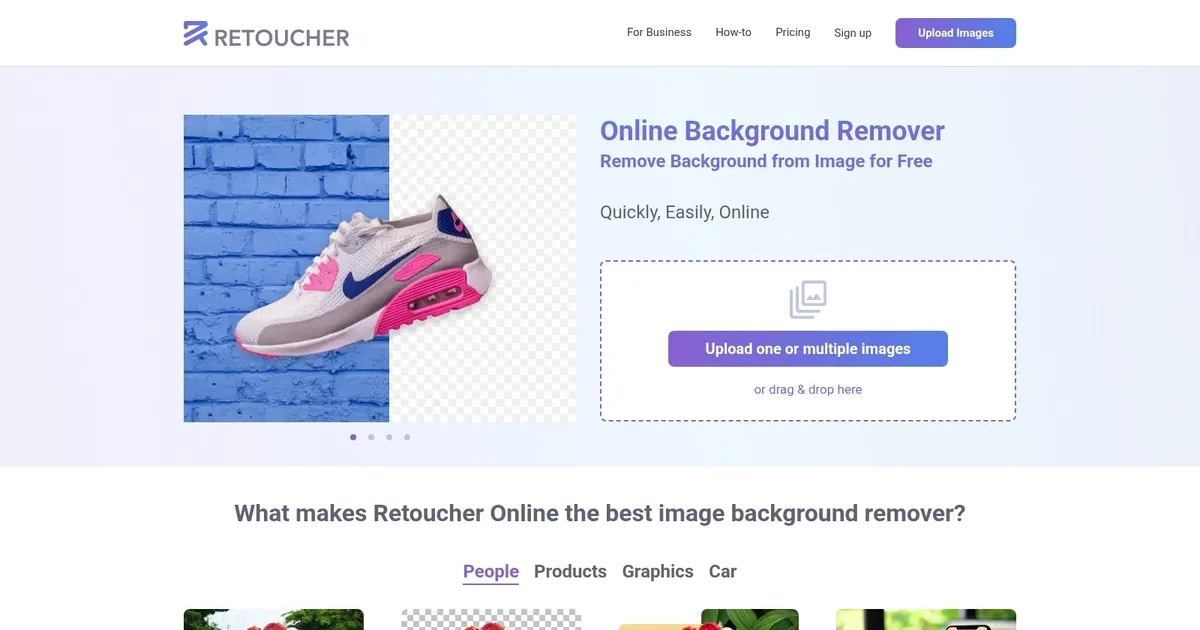
Retoucher is designed to effortlessly remove backgrounds from images using artificial intelligence, offering a swift and free solution for both personal and business use. It can process various types of images — including personal photos, products, graphics, and cars — enabling users to edit photos to fit different platforms like Instagram, Facebook, TikTok, and more.

The tool allows for removing the original background while offering options to keep it transparent or add a new background, thus catering to a wide range of editing needs. Users can download the edited images in different formats and resolutions or further refine them using the built-in Retoucher editor.

Beyond background removal, Retoucher Online enhances images for online marketplaces by adding shadows to make objects appear more realistic, thus increasing their appeal to potential buyers. It supports batch processing for rapid editing, does not require sign-up or account creation, and is optimized for a user-friendly experience.

The tool is designed to save users time and money by eliminating the need for professional photography skills, design tools like Adobe Photoshop, or installing advanced software.

With its AI-driven capabilities, Retoucher Online promises high-quality, ready-to-use images in just a few clicks — making it an efficient solution for enhancing product photos, digital ads, and personal images for various online platforms.

Visit Retoucher ↗

Categories

๐Ÿ–ผ๏ธ Image

โœ๏ธ Photo Editing ๐ŸŒŸ Photo Enhancing ๐Ÿ’Ž Image Enhancing ๐ŸŽž๏ธ Photo Filtering ๐Ÿงน Object Removal

๐ŸŽจ Art

๐Ÿ“ท Photography ๐Ÿ’„ Beauty

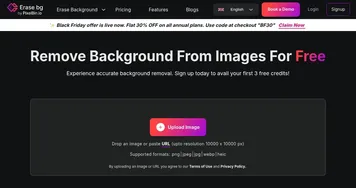
Screenshot 📸

Retoucher screenshot

What are the key features? ✨

  • Background Removal: AI instantly erases unwanted backgrounds from any image with high precision around edges like hair or objects.
  • Background Replacement: Add white, transparent, or custom backgrounds to make photos ready for social media or marketplaces.
  • Batch Processing: Upload and edit up to 100 images at once for efficient workflow in professional settings.
  • Built-in Editor: Adjust colors, add shadows, crop, or resize images directly in the tool without extra software.
  • High-Resolution Downloads: Export in PNG or JPG formats with original quality preserved for print or online use.

Who is it for? 🤔

Retoucher.online is helpful for e-commerce sellers who need clean product photos for online stores, photographers preparing client images quickly, bloggers creating polished social media content, and small business owners making professional graphics without design skills. Its simple interface suits beginners, while batch features aid busy pros.

Examples of what you can use it for 💡

  • E-commerce Seller: Remove cluttered backgrounds from product photos and add white ones to meet Amazon's requirements for professional listings.
  • Photographer: Quickly clean up portrait backgrounds for client proofs, saving hours on manual editing.
  • Blogger: Erase distracting elements from lifestyle shots and replace with custom backgrounds for eye-catching Instagram posts.
  • Social Media Influencer: Make selfies pop by removing messy rooms and adding trendy gradients or colors.
  • Small Business Owner: Prepare logos or icons with transparent backgrounds for websites and marketing materials effortlessly.

Pros & Cons ⚖️

  • Free basic use
  • Fast AI removal
  • Batch processing
  • Easy editor included
  • Limited free exports
  • Needs tweaks sometimes

FAQs 💬

Is Retoucher.online completely free?
Yes, basic background removal and downloads are free with no signup required. Paid plans unlock unlimited batches and advanced features.
What file formats can I upload?
You can upload JPG, PNG, and most common image formats. The tool supports high-resolution files up to 100MB.
Does it work on mobile devices?
Yes, the web-based tool is fully responsive and works on smartphones, tablets, and desktops.
Can I add my own background image?
Absolutely, upload a custom background from your device or choose from suggested options.
How accurate is the AI removal?
It's highly accurate for most images, especially products and portraits, but complex edges might need minor manual adjustments.
Is there a limit on image size?
Free users can process images up to 10MB; paid plans allow larger files.
Do I need to install anything?
No, it's entirely online with no downloads needed.
Can I use it for commercial purposes?
Yes, edited images are yours to use freely for personal or business needs.
What if the result isn't perfect?
Use the built-in eraser or editor to fine-tune before downloading.
How long does processing take?
Most images process in seconds, even in batches.

Ready to try Retoucher?

Removes image backgrounds instantly and adds custom ones for professional photos

Visit Retoucher ↗

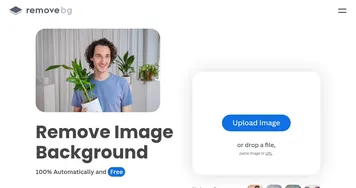
Retoucher alternatives 🔗

  1. Imagen Imagen Generates photorealistic images from detailed text prompts
  2. Black Forest Labs Black Forest Labs Generates high-quality images from text prompts with precision and speed
  3. Stable Diffusion Stable Diffusion Generates high-quality images from text prompts with versatile styles
  4. Adobe Express Adobe Express Creates on-brand content with AI-driven design and video tools
  5. Adobe Firefly Adobe Firefly Generates images, videos, audio, and vectors using AI.
  6. Freepik AI Freepik AI Creates AI images and videos with fluid motion, detailed textures, and synced audio up to 1080p
Share
Retoucher screenshot enlarged
Promote Retoucher
light badge
Copy Embed Code
dark badge
Copy Embed Code
neutral badge
Copy Embed Code
Best AI Tools

Discover the best AI tools for any use case

About Us | Contact Us | Suggest an AI Tool
Privacy Policy | Terms of Service
Copyright © 2026 Best AI Tools 415 Mission Street, 37th Floor, San Francisco, CA 94105