logo-darklogo-darklogo-darklogo-dark
  • Tool Categories
    • ๐ŸŽจArt & Creative Design505
    • ๐ŸขBusiness Management644
    • ๐Ÿ’ปCoding & Development515
    • ๐Ÿ‘ฎDetection83
    • ๐Ÿง General Use727
    • ๐ŸฅHealth & Wellness55
    • ๐Ÿ“ทImage & Photo Analysis100
    • ๐Ÿ–ผ๏ธImage Generation & Editing618
    • ๐Ÿ“Interior & Architectural Design37
    • ๐ŸŽ“Learning & Education483
    • โš–๏ธLegal & Finance90
    • ๐ŸŽญLifestyle & Entertainment236
    • ๐Ÿ“ขMarketing & Advertising627
    • ๐ŸŽงMusic & Audio138
    • ๐Ÿ‘”Office & Workplace1,014
    • ๐Ÿ”ฌResearch & Data Analysis372
    • ๐Ÿ‘ฅSocial Media245
    • ๐ŸŽฅVideo Generation & Editing426
    • ๐Ÿ‘ง๐ŸปVirtual Companion135
    • ๐ŸŽคVoice Generation & Editing381
    • โœ๏ธWriting & Editing808
    • All Categories
    • AI Use Cases
  • News
  • Events
    • Academic Conferences
    • Developer Conferences
    • Expos / Trade Shows
    • Industry Summits
    • Workshops / Training
    • All Events
    • Past Events
  • Saved Tools
  • Suggest a Tool
โœ•
Home › Image Generation & Editing › Background Removal› Remove.bg
Remove.bg

Remove.bg by Kaleido AI GmbH

A free online tool that automatically removes backgrounds from images

Remove.bg is a free online tool that can automatically remove backgrounds from images. With a single click, you can erase the background in as little as five seconds, thanks to the tool’s use of AI. As a result, Remove.bg can significantly reduce your editing time, allowing you to focus more on the other parts of your projectโ€‹.

The tool can make a background transparent or add a white background to a photo. This, in turn, makes it useful for different types of image editing needs — from personal projects to more complex professional workโ€‹.

Beyond offering a web-based service, Remove.bg can also be integrated with your software workflow. To that end, it offers tools and plugins for some of the most popular design programs, e-commerce sites, and more. Also, there’s an API that could bring Remove.bg’s capabilities to your own apps.

To sum it up, if you need a background removed from one or more photos, you’ll want to try out Remove.bg. It’s free, versatile, efficient, and will do the hard work for you. You can use it through the tool’s web-based interface or by installing one of its plugins. Heck, you can even try their API to see whether it can be integrated in your own software.

Visit Remove.bg ↗
Categories
๐Ÿ–ผ๏ธ Image
โœ‚๏ธ Background Removal โœ๏ธ Photo Editing ๐Ÿงน Object Removal ๐Ÿž๏ธ Background Generation ๐Ÿ›๏ธ Product Photography
๐ŸŽจ Art
๐Ÿ–Œ๏ธ Graphic Design

Homepage Screenshot 📸

Remove.bg screenshot

Video Overview 🎬

Remove.bg - Video Overview

What are the key features? ✨

  • Automatic background removal: Remove.bg uses AI to automatically remove the background from an image in as little as 5 seconds. This can significantly speed up your editing process.
  • Versatility: You can either make a background transparent or add a white background to a photo. This means you can use it for different image editing needsโ€‹.
  • Integration: Beyond working as a standalone tool, Remove.bg can be integrated with your software workflow. This is made possible with the help of the provided tools and plugins for popular design programs and e-commerce platforms.
  • API access: And if you need a more custom solution, Remove.bg offers an API that could bring the service right into your own app or service.
  • Greeting cards: This is one of the use cases Remove.bg emphasizes on its website. By removing the background of an image, you can insert your desired background or add special effects to personalize your card.

Who is it for? 🤔

Remove.bg is made for everyone who needs to remove a background from their photos. This could include just about any user out there struggling to make a perfect shot (selfie) for social networks and other platforms. Also, the tool is used by photographers, web designers, marketing, and other professionals looking to speed up their photo editing process. Finally, developers may use it to add background removal capabilities to their apps.

Examples of what you can use it for 💡

  • Quick editing of photos
  • Creating greeting cards with ease
  • Creating product images for online stores

Pros & Cons ⚖️

  • It works like magic for removing backgrounds from images
  • You can process many images per minute
  • There are plugins for Photoshop, Gimp and Figma
  • Free account is somewhat limited

FAQs 💬

What is remove.bg and how does it work?
remove.bg is an AI tool that automatically detects and removes image backgrounds in seconds; upload a photo, and it isolates the foreground for a clean PNG or JPG output.
Is the free version of remove.bg sufficient for basic use?
Yes, the free tier allows unlimited low resolution downloads, perfect for quick tests or social media, though HD requires credits.
How accurate is the background removal?
It achieves high accuracy on most images, especially with clear foregrounds, but complex scenes may need Magic Brush tweaks.
Does remove.bg support video background removal?
Yes, through the sister tool Unscreen, which handles videos similarly with AI precision.
What integrations does remove.bg offer?
It includes Photoshop extension, API for custom apps, and plugins for Figma, PowerPoint, and desktop apps for Windows, Mac, Linux.
How does the credit system work?
Credits fuel HD downloads and API calls; free users get 50 API credits monthly, with subscriptions providing 40 to 500 monthly based on plan.
Can I cancel my remove.bg subscription?
Yes, access your dashboard, go to Credit & Plans, and click Cancel Subscription to stop renewals immediately.
Is remove.bg safe for uploading images?
Absolutely, it processes images securely without storing them unless you opt in for AI training, complying with privacy standards.
What file formats does remove.bg support?
It handles inputs like JPG, PNG, WebP up to 12MB, outputting in PNG, JPG, WebP, or ZIP for transparency.
How does remove.bg compare to PhotoRoom?
Both excel in AI removal, but remove.bg focuses on core extraction with strong API, while PhotoRoom adds more editing tools.

Ready to try Remove.bg?

A free online tool that automatically removes backgrounds from images

Visit Remove.bg ↗

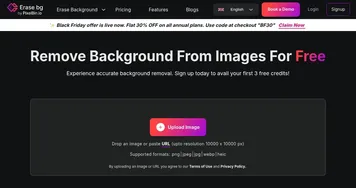
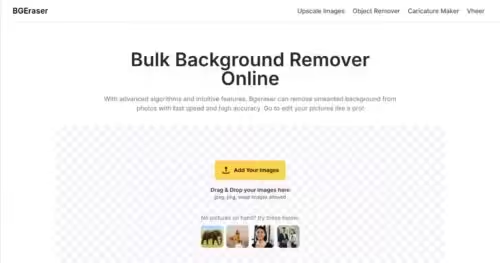
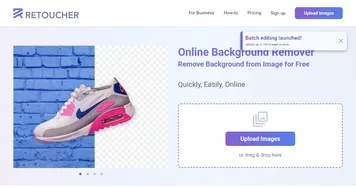
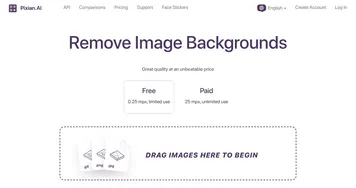
Remove.bg alternatives 🔗

  1. Runway Runway Generates and edits AI-powered videos from text prompts
  2. Adobe Express Adobe Express Creates on-brand content with AI-driven design and video tools
  3. Freepik AI Freepik AI Creates AI images and videos with fluid motion, detailed textures, and synced audio up to 1080p
  4. Pixelcut Pixelcut A suite of AI-powered image editing and upscaling tools
  5. PhotoRoom PhotoRoom An AI-powered photo editing tool that removes backgrounds and enhances photos with user-friendly features.
  6. Fotor Fotor Enhances and edits photos with AI-powered tools and creative features
Share
Remove.bg screenshot enlarged
Promote Remove.bg
light badge
Copy Embed Code
dark badge
Copy Embed Code
neutral badge
Copy Embed Code
Best AI Tools

Discover the best AI tools for any use case

Explore
  • Tool Categories
  • AI Use Cases
  • AI Events
  • AI News
  • Saved Tools
Company
  • About Us
  • Contact Us
  • Media & Partnerships
  • Suggest a Tool
Legal
  • Privacy Policy
  • Terms of Service
Copyright © 2026 Best AI Tools 415 Mission Street, 37th Floor, San Francisco, CA 94105