Best AI Background Removal Tools

96 toolsRanked by traffic

AI background removal tools cut out the background of an image to isolate the subject, leaving a clean transparent or replaceable backdrop. You upload a picture and the model detects the main subject, then erases everything behind it in seconds. Well-known options include Remove.bg, Adobe Express, Pixelcut, and Freepik AI.

Online sellers reach for these to drop products onto a plain white background, and social and design teams use them to lift a person or object out for a thumbnail or composite. The part that still trips models up is fine edges like hair, fur, and glass, where automatic cutouts can leave a fringe. Tools with a manual brush to refine those edges give you the cleanest result, and many let you swap in a new background right after the cutout.

Runway
Runway - icon
Runway
Generates and edits AI-powered videos from text prompts
Adobe Express
Adobe Express - icon
Adobe Express
Creates on-brand content with AI-driven design and video tools
Freepik AI
Freepik AI - icon
Freepik AI
Creates AI images and videos with fluid motion, detailed textures, and synced audio up to 1080p
Remove.bg
Remove.bg - icon
Remove.bg
A free online tool that automatically removes backgrounds from images
Pixelcut
Pixelcut - icon
Pixelcut
A suite of AI-powered image editing and upscaling tools
PhotoRoom
PhotoRoom - icon
PhotoRoom
An AI-powered photo editing tool that removes backgrounds and enhances photos with user-friendly features.
Fotor
Fotor - icon
Fotor
Enhances and edits photos with AI-powered tools and creative features
Cutout.Pro
Cutout.Pro - icon
Cutout.Pro
An AI-powered automatic visual design platform that saves time & money
Picsart
Picsart - icon
Picsart
A platform for creating, customizing, and sharing images and videos
Pixlr
Pixlr - icon
Pixlr
An AI-powered online photo editing and design platform, enabling everyone to create stunning designs
Remaker AI
Remaker AI - icon
Remaker AI
Online platform offering media manipulation, such as face swapping, AI portraits, and video enhancements
Media.io
Media.io - icon
Media.io
An online platform offering AI-powered video, audio, and image editing tools
BeFunky
BeFunky - icon
BeFunky
AI-powered photo editing and graphic design tool made for everyone
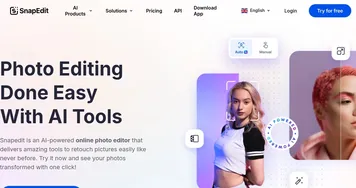
SnapEdit
SnapEdit - icon
SnapEdit
Automated AI photo editor, background remover, and enhancer
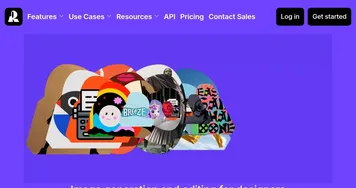
Recraft
Recraft - icon
Recraft
A premium AI-powered image generation and editing tool made for designers

Frequently Asked Questions

What is the best AI background remover?
The best AI background remover depends on your subject. Remove.bg is fast and reliable for people and products, Adobe Express and Pixelcut bundle removal with editing and background swaps, and Freepik AI fits design workflows. For tricky edges like hair, pick a tool that offers manual touch-up, since fully automatic cutouts can leave a fringe.
How do I remove the background from an image for free?
You can remove a background for free by uploading your image to a tool with a free tier, which detects the subject and deletes everything behind it automatically. Free versions usually export at standard resolution, sometimes with a watermark. For full-resolution transparent files or bulk processing, most tools ask you to upgrade to a paid plan.
What is the difference between background removal and object removal?
Background removal cuts out the entire backdrop to isolate the main subject, leaving it on a transparent or new background. Object removal instead erases one unwanted item from inside the picture and fills the gap so it looks untouched. One isolates the subject; the other deletes something within the scene while keeping everything else.
Can AI remove backgrounds from hair and fine edges?
AI handles most background removal cleanly, but fine edges like hair, fur, and transparent glass remain the hardest part and can leave a slight outline. The better tools detect strands automatically and offer a refine or brush mode to clean up edges by hand. For studio-quality cutouts, that manual touch-up step is worth using.
Can I replace the background after removing it?
Yes, most background removal tools let you replace the backdrop right after the cutout. Once the subject is isolated on transparency, you can drop in a solid color, a studio scene, or your own image. Many tools include preset backgrounds and AI-generated scenes, which is handy for product listings that need a consistent look.