logo-darklogo-darklogo-darklogo-dark
  • Tool Categories
    • 🎨Art & Creative Design505
    • 🏢Business Management644
    • 💻Coding & Development515
    • 👮Detection83
    • 🧠General Use727
    • 🏥Health & Wellness55
    • 📷Image & Photo Analysis100
    • 🖼️Image Generation & Editing618
    • 📐Interior & Architectural Design37
    • 🎓Learning & Education483
    • ⚖️Legal & Finance90
    • 🎭Lifestyle & Entertainment236
    • 📢Marketing & Advertising627
    • 🎧Music & Audio138
    • 👔Office & Workplace1,014
    • 🔬Research & Data Analysis372
    • 👥Social Media245
    • 🎥Video Generation & Editing426
    • 👧🏻Virtual Companion135
    • 🎤Voice Generation & Editing381
    • ✍️Writing & Editing808
    • All Categories
    • AI Use Cases
  • News
  • Events
    • Academic Conferences
    • Developer Conferences
    • Expos / Trade Shows
    • Industry Summits
    • Workshops / Training
    • All Events
    • Past Events
  • Saved Tools
  • Suggest a Tool
✕
Home › Image Generation & Editing › Image Generation› Recraft
Recraft

Recraft

A premium AI-powered image generation and editing tool made for designers

Recraft is a premium AI-powered image generation and editing tool which has managed to gain traction among professional designers, illustrators, and marketers. It offers a suite of features that streamline the creative process, enabling users to easily produce high-quality visuals. With over 3 million users across 200 countries, Recraft has helped create more than 350 million images.

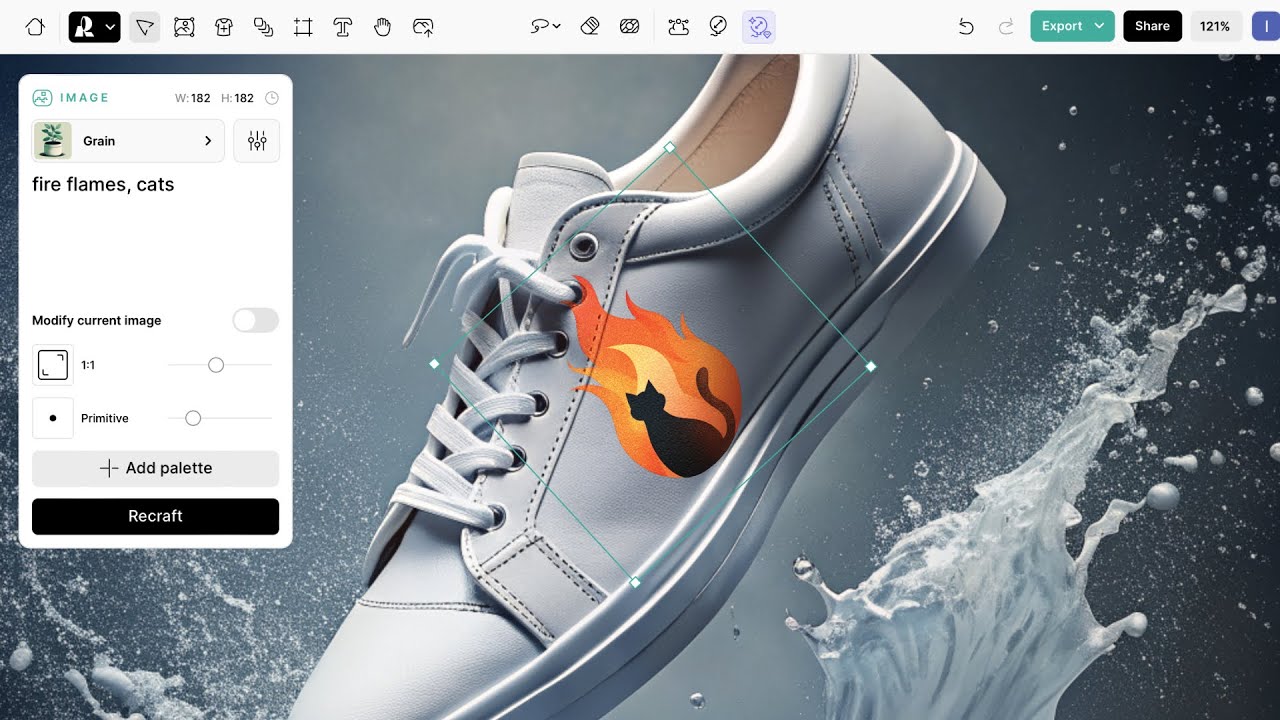
Recraft’s AI Image Generator allows users to create customized digital illustrations and art using advanced AI tech. This tool ensures high-quality and unique outputs tailored to individual needs.

There is also the AI Vector Generator, which enables the production of scalable vector graphics suitable for different design purposes, from logos to marketing materials. The platform also offers a Mockup Generator for the quick creation of realistic mockups for presentations or promotional content.

Combined, these tools aim to enhance efficiency and creativity — making sophisticated design accessible to users of all skill levels.

Furthermore, there are a few additional AI features we should mention — including the AI Eraser, Background Remover, and Image Upscaler. Plus, the platform’s Infinite Canvas supports real-time collaboration, allowing teams to share projects, receive immediate feedback, and observe live navigation within the workspace.

However, while Recraft offers a solid set of features, some users have identified areas for improvement. For instance, the free version makes all user creations public, necessitating a paid plan for private projects. Also, a learning curve is associated with mastering all the platform’s features, which might require time and practice.

Nevertheless, Recraft remains a powerful tool for those seeking to enhance their digital design capabilities. Check it out.

Visit Recraft ↗
Categories
🖼️ Image
🖼️ Image Generation 🪄 Text to Image ✂️ Background Removal
🎨 Art
🖼️ Design Generation 🌅 Illustration Generation 💠 Logo Generation 🖌️ Graphic Design 🔣 Icon Generation 📐 Mockup Generation

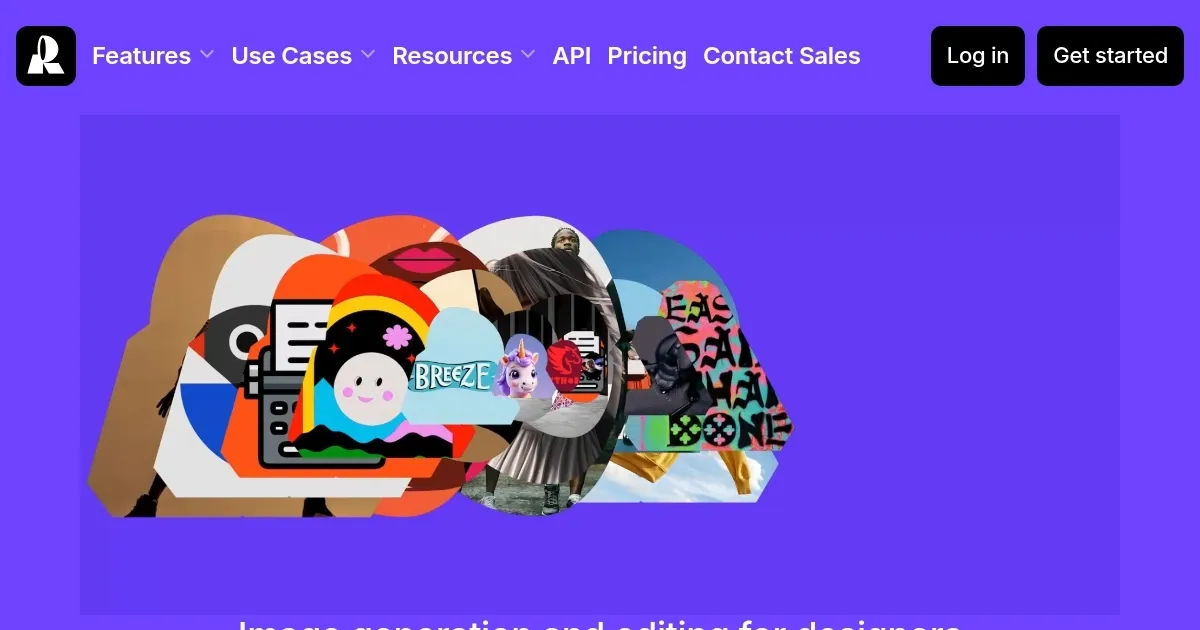
Homepage Screenshot 📸

Recraft screenshot

Video Overview 🎬

Recraft - Video Overview

What are the key features? ✨

  • AI Image Generator: Create customized digital illustrations and art using advanced AI technology.
  • AI Vector Generator: Produce scalable vector graphics suitable for various design purposes, from logos to marketing materials.
  • Mockup Generator: Quickly create realistic mockups for presentations or promotional content.
  • AI editing tools: Utilize features like the AI Eraser, Background Remover, and Image Upscaler to fine-tune your designs.
  • Infinite Canvas for collaboration: Engage in real-time collaboration with team members, sharing projects and receiving immediate feedback within a live workspace.

Who is it for? 🤔

Recraft is primarily designed for professional designers, illustrators, and marketers seeking an efficient and versatile platform for their creative projects. Its AI-driven tools cater to those looking to streamline their workflows without compromising on quality. Moreover, businesses looking to maintain brand consistency and educators requiring customized visual aids will find Recraft's features particularly beneficial. Finally, the platform's emphasis on collaboration also makes it ideal for teams working on joint projects, ensuring seamless integration and communication.

Examples of what you can use it for 💡

  • Designers can craft unique logos, icons, and promotional materials that align with brand identity
  • Marketers can generate engaging visuals tailored for various social media platforms
  • Educators can create illustrative content to aid in teaching
  • Product designers can visualize concepts through realistic mockups
  • Teams can work simultaneously on design projects to streamline workflows

Pros & Cons ⚖️

  • A range of features, from image generation to vector creation and mockup design
  • High-quality outputs that meet the standards for commercial use
  • Real-time collaboration through Infinite Canvas
  • Public creations on the free plan

FAQs 💬

What is Recraft, and who is it for?
Recraft is a generative AI platform built for creating and editing images, vectors, and 3D graphics with a focus on brand consistency. It uses its own V3 model to turn text prompts into professional visuals. It suits designers, marketers, creatives, and teams who need quick, scalable assets like logos or ads, but beginners can jump in too since the interface feels like familiar tools such as Figma.
How does Recraft’s free plan work, and is it enough to start?
The free plan gives you 50 credits daily for generations, unlimited styles, and access to core features like image and vector creation. Images are public in the community gallery, and you don’t own them fully for commercial use yet. It’s solid for testing ideas or small projects, though pros often upgrade for privacy and ownership; many users say it sparks creativity without upfront cost.
What are the main features that set Recraft apart?
Key strengths include vector generation for editable SVGs, style consistency to match brand colors and looks, precise text in images, photorealistic outputs, and tools like inpainting or upscaling. You can create sets of matching images or mockups easily. Unlike broader tools, it prioritizes design workflows with layers and an infinite canvas.
How much does Recraft cost for paid plans?
Pro starts at $20 monthly (or less annually with 20% off), offering full ownership, private images, and more credits that don’t roll over. Teams plans scale for collaboration. API credits are buy-as-you-go. It’s positioned as pro-level pricing, and users find it worth it for the control, especially with promos like 50% off yearly Pro until early December.
Is Recraft easy for beginners to learn?
Yes, the intuitive canvas and prompt-based editing make it approachable, even if you’re not tech-savvy. Tutorials on their blog cover basics like prompt writing and vectorizing images. Some say the learning curve is gentle compared to code-heavy alternatives, but expect a bit of trial for advanced styles.
How does Recraft handle brand consistency?
It lets you upload images or palettes to create reusable styles, ensuring colors, fonts, and vibes stay uniform across projects. This shines for marketing teams generating ad sets. Feedback highlights it as a top perk over tools like Midjourney, where outputs can vary wildly.
What are common limitations or issues with Recraft?
Occasional artifacts in hands or text, no video generation yet, and rare bugs like project loading delays pop up in reviews. Mobile app performance varies, and free tier images aren’t private. Still, the team updates often, like the V3 model boost in late 2024.
Can I use Recraft for commercial work?
Absolutely, paid plans grant full commercial rights and ownership, even after canceling. Free tier allows limited commercial use but not stock sales. It’s trained on non-copyrighted data, so outputs are safe for pros, as confirmed in their terms and user tests.
How does Recraft compare to Midjourney in 2025?
Recraft wins on predictability, vectors, and brand tools, making it better for pros needing consistent edits. Midjourney edges in raw artistic quality but feels less controlled, like an “unruly child” per one designer. Recraft’s free tier and web app also beat Midjourney’s Discord setup for accessibility.
Is Recraft worth the investment in 2025?
For designers or teams, yes, it saves hours on assets while keeping quality high, especially with V3’s benchmarks topping DALL-E. Casual users might stick to free, but the Pro unlock feels essential for scale. Reviews call it a “creative co-pilot” that pays off in efficiency.

Ready to try Recraft?

A premium AI-powered image generation and editing tool made for designers

Visit Recraft ↗

Recraft alternatives 🔗

  1. ChatGPT ChatGPT All-round AI assistant generating human-like responses to user queries and tasks
  2. Grok Grok Delivers witty, real-time AI responses with advanced reasoning and image generation
  3. Imagen Imagen Generates photorealistic images from detailed text prompts
  4. Black Forest Labs Black Forest Labs Generates high-quality images from text prompts with precision and speed
  5. Kling AI Kling AI Generates cinematic videos from text or images with realistic motion
  6. Runway Runway Generates and edits AI-powered videos from text prompts
Share
Recraft screenshot enlarged
Promote Recraft
light badge
Copy Embed Code
dark badge
Copy Embed Code
neutral badge
Copy Embed Code
Best AI Tools

Discover the best AI tools for any use case

Explore
  • Tool Categories
  • AI Use Cases
  • AI Events
  • AI News
  • Saved Tools
Company
  • About Us
  • Contact Us
  • Media & Partnerships
  • Suggest a Tool
Legal
  • Privacy Policy
  • Terms of Service
Copyright © 2026 Best AI Tools 415 Mission Street, 37th Floor, San Francisco, CA 94105