Skip to content
logo-darklogo-darklogo-darklogo-dark
  • Tool Categories
    • 🎨Art & Creative Design505
    • 🏢Business Management644
    • 💻Coding & Development514
    • 👮Detection83
    • 🧠General Use728
    • 🏥Health & Wellness55
    • 📷Image & Photo Analysis100
    • 🖼️Image Generation & Editing618
    • 📐Interior & Architectural Design37
    • 🎓Learning & Education483
    • ⚖️Legal & Finance90
    • 🎭Lifestyle & Entertainment236
    • 📢Marketing & Advertising627
    • 🎧Music & Audio138
    • 👔Office & Workplace1,014
    • 🔬Research & Data Analysis373
    • 👥Social Media245
    • 🎥Video Generation & Editing426
    • 👧🏻Virtual Companion135
    • 🎤Voice Generation & Editing381
    • ✍️Writing & Editing808
    • All Categories
    • AI Use Cases
  • News
  • Events
    • Academic Conferences
    • Developer Conferences
    • Expos / Trade Shows
    • Industry Summits
    • Workshops / Training
    • All Events
    • Past Events
  • Saved Tools
  • Suggest a Tool
    ✕
    Home › Image Generation & Editing › Image Generation› Krea
    Krea

    Krea

    Empowering users to generate and enhance images and videos using advanced AI

    Krea is a fancy AI platform that empowers users to generate and enhance images and videos using advanced artificial intelligence. In that sense, it can transform your imaginative ideas into stunning visuals with minimal effort.

    Users can input text prompts or sketches, and the platform will instantly bring these concepts to life — allowing for dynamic adjustments on the fly. This immediacy streamlines the creative process and fosters a more interactive and engaging experience.

    Krea also offers video generation from text prompts, enabling users to craft fancy clips without extensive video editing skills. By simply describing a scene or sequence, the AI produces videos that align with the specified theme. This feature can be particularly beneficial for content creators seeking to diversify their media without investing significant time or resources.

    It is also worth adding that Krea incorporates an image upscaling and enhancement tool, allowing users to transform low-resolution images into detailed, high-resolution visuals that are suitable for various applications — from digital art displays to print media.

    The platform also provides features like AI Patterns and Logo Illusions, which enable users to generate intricate patterns and creatively integrate logos into diverse sceneries. Such functionalities make Krea a tool and even a smart companion for artists, designers, and marketers alike.

    In summary, Krea is an innovative platform that aims to democratize the creative process through advanced AI capabilities. Check it out.

    Visit Krea ↗
    Categories
    🖼️ Image
    🖼️ Image Generation 🪄 Text to Image 💎 Image Enhancing ⬆️ Image Upscaling 🌟 Photo Enhancing 🎨 Style Transferring
    🎨 Art
    🎨 Art Generation 🧑‍🎨 Design Assistant 🌅 Illustration Generation 🧊 3D Modeling
    🎥 Video
    📹 Video Generation 📝 Text to Video

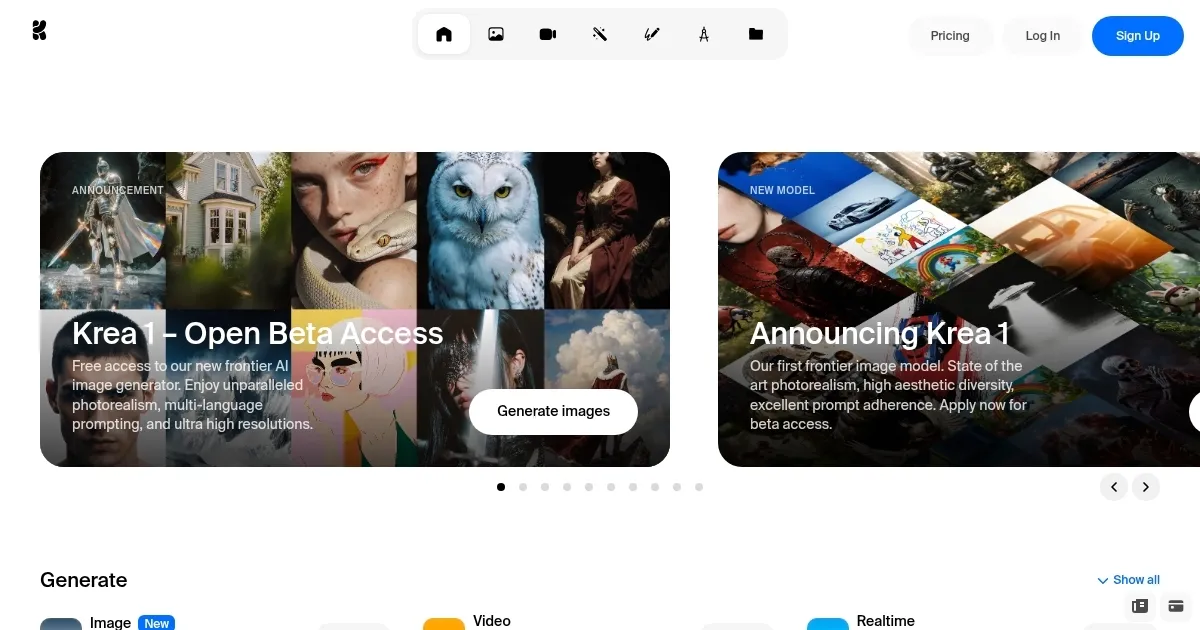
    Homepage Screenshot 📸

    Krea screenshot

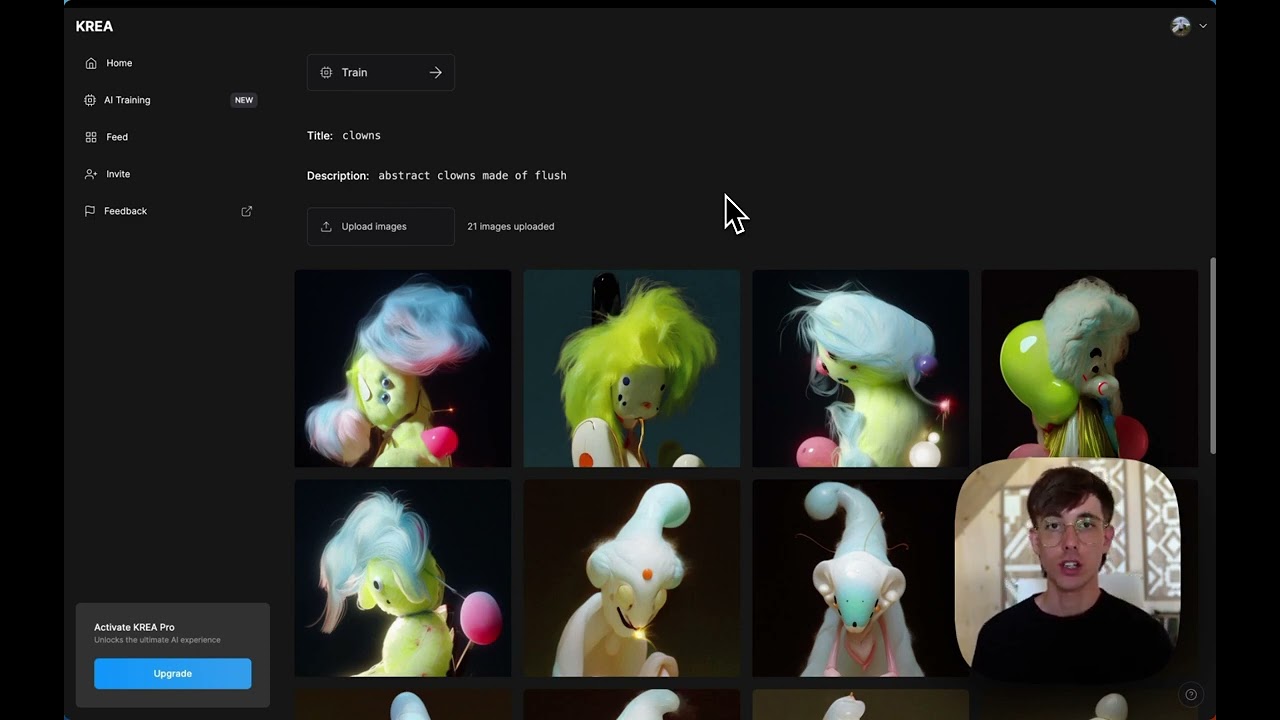
    Video Overview 🎬

    Krea - Video Overview

    What are the key features? ✨

    • Near real-time image generation: Allows users to create images instantly from text prompts or sketches.
    • Video generation: Enables the creation of video clips based on textual descriptions, simplifying video content creation for everyone.
    • Image upscaling & enhancement: Transforms low-resolution images into high-quality visuals to ensure clarity and detail suitable for different applications.
    • AI patterns: Generates unique patterns from text prompts, offering designers a tool to create intricate and customizable designs.
    • Logo illusions: Integrates logos into diverse sceneries, allowing brands to present their identity in creative ways.

    Who is it for? 🤔

    Krea is designed for creatives, marketers, and businesses seeking to enhance their visual content creation processes. Its user-friendly interface and versatile features cater to both novices and professionals, enabling them to produce high-quality visuals without requiring extensive technical expertise. By automating aspects of the creative process, Krea allows users to focus more on ideation and strategy, making it a valuable asset across various industries.

    Examples of what you can use it for 💡

    • Designers can swiftly generate unique visuals and patterns
    • Creators can produce engaging videos and images based on textual ideas
    • Marketers can craft distinctive visuals and integrate logos creatively
    • Educators can develop illustrative materials and dynamic content to enhance teaching materials and presentations
    • Online retailers can generate high-quality product images and promotional videos

    Pros & Cons ⚖️

    • Designed for all skill levels
    • Enables quick generation of visuals with customization options
    • Variety of AI models available
    • Limited fine-grained controls (kinda expected)

    FAQs 💬

    What is Krea.ai, and what does it do?
    Krea.ai is an AI-powered platform for generating, editing, and enhancing images, videos, and 3D assets. You describe visuals in text prompts, and it creates high-quality content in real-time, using models like Krea 1 for ultra-realistic results or Veo 3 for videos. It's great for designers, marketers, or hobbyists wanting fast, professional visuals.
    Is there a free version of Krea.ai, and what are the limits?
    Yes, the free plan gives daily generations, basic access to tools like real-time image creation, and upscaling, but with watermarks and lower resolution caps. It's perfect for testing, though heavy users might hit compute limits quickly. Paid plans unlock unlimited features and no watermarks.
    How do I get started with Krea.ai as a beginner?
    Sign up on krea.ai with email or Google, then head to the dashboard. Start with the real-time generator: type a prompt like "sunset over mountains," tweak styles, and watch images form instantly. Tutorials in the docs cover basics, and no prior AI knowledge needed, it feels like doodling with superpowers.
    Can Krea.ai generate videos, and how good are they?
    Absolutely, it handles text-to-video with models like Runway or Kling, creating short clips up to 10 seconds or animating images. Outputs are smooth for social media, but longer videos might need editing elsewhere. Users love the lip-sync and keyframe controls for quick prototypes.
    What are the pricing plans for Krea.ai?
    Free for basics, Basic at $10/month for ~1,000 images and some training, Pro at $35/month for heavier use like 5,000+ generations, and Max at $60/month for pros. Enterprise adds teams and custom support. It's compute-based, so value depends on your output needs, probably worth it for frequent creators.
    Does Krea.ai let you train custom models?
    Yep, upload 10-20 images to fine-tune models like LoRAs for your style or face, great for consistent characters in books or branding. It takes minutes, but free tier limits jobs. This sets it apart for personalized work, though results vary with your dataset quality.
    What are the main pros and cons of using Krea.ai?
    Pros include blazing real-time speed, intuitive UI, and access to 60+ models under one sub, making it 50x cheaper than juggling tools. Cons? Occasional inconsistencies with humans or complex prompts, and free limits might frustrate. Overall, it's a creator's dream if you like experimenting.
    Is Krea.ai safe for commercial use?
    Yes, all plans include a commercial license, so generated assets are yours to sell or use in business. They have a no-train policy for proprietary data, keeping things secure. Just check outputs don't infringe copyrights, as with any AI tool.
    How does Krea.ai compare to Midjourney or Leonardo.ai?
    Krea's real-time canvas beats Midjourney's wait times for interactive edits, and it's more affordable than Leonardo for video. But Midjourney edges on community styles, while Leonardo offers deeper customization. Pick Krea if speed and all-in-one (images/videos/3D) matter most.
    Can I cancel my Krea.ai subscription easily?
    Sure, log in, go to settings, and cancel anytime, access lasts till billing ends. No long-term lock-in, which users appreciate. If unsure, the free tier lets you test without commitment.

    Ready to try Krea?

    Empowering users to generate and enhance images and videos using advanced AI

    Visit Krea ↗


    Krea alternatives 🔗

    1. Kling AI Kling AI Generates cinematic videos from text or images with realistic motion
    2. Freepik AI Freepik AI Creates AI images and videos with fluid motion, detailed textures, and synced audio up to 1080p
    3. Imagine Imagine Enter a prompt, choose a style, and watch an AI art generator bring your ideas to life
    4. SeaArt SeaArt An AI-driven art creation platform with features including various styles, face swaps, and image upscaling.
    5. Flux AI Flux AI Uses AI to generate images and videos from textual prompts and images
    6. Gencraft Gencraft An AI-powered platform that transforms text and photo inputs into unique art and video creations
    Share
    Krea screenshot enlarged
    Best AI Tools

    Discover the best AI tools for any use case

    Explore
    • Tool Categories
    • AI Use Cases
    • AI Events
    • AI News
    • Saved Tools
    Company
    • About Us
    • Contact Us
    • Media & Partnerships
    • Suggest a Tool
    Legal
    • Privacy Policy
    • Terms of Service
    Copyright © 2026 Best AI Tools 415 Mission Street, 37th Floor, San Francisco, CA 94105