logo-darklogo-darklogo-darklogo-dark
  • Tool Categories
    • 🎨Art & Creative Design505
    • 🏢Business Management644
    • 💻Coding & Development515
    • 👮Detection83
    • 🧠General Use727
    • 🏥Health & Wellness55
    • 📷Image & Photo Analysis100
    • 🖼️Image Generation & Editing618
    • 📐Interior & Architectural Design37
    • 🎓Learning & Education483
    • ⚖️Legal & Finance90
    • 🎭Lifestyle & Entertainment236
    • 📢Marketing & Advertising627
    • 🎧Music & Audio138
    • 👔Office & Workplace1,014
    • 🔬Research & Data Analysis372
    • 👥Social Media245
    • 🎥Video Generation & Editing426
    • 👧🏻Virtual Companion135
    • 🎤Voice Generation & Editing381
    • ✍️Writing & Editing808
    • All Categories
    • AI Use Cases
  • News
  • Events
    • Academic Conferences
    • Developer Conferences
    • Expos / Trade Shows
    • Industry Summits
    • Workshops / Training
    • All Events
    • Past Events
  • Saved Tools
  • Suggest a Tool
✕
Home › Image Generation & Editing › Image Generation› Flux AI
Flux AI

Flux AI

Uses AI to generate images and videos from textual prompts and images

Flux AI is a fancy platform that offers advanced AI-driven image and video generation tools, enabling users to create high-quality visuals from textual prompts and images. Utilizing state-of-the-art models like Flux.1 Pro and Flux.1 Dev – it provides a neat solution for producing diverse and realistic content.

What makes Flux AI great is that it can generate both images and videos. The platform supports various styles and formats, allowing users to craft all kinds of visuals, from artistic renditions to photorealistic scenes. Its AI models can render intricate details, ensuring outputs are accurate and aesthetically pleasing.

Flux AI operates on a flexible pricing model, offering free and premium plans to cater to different user needs. The free tier includes access to basic features, while premium subscriptions unlock advanced capabilities such as higher-quality outputs, priority processing, and expanded usage limits.

Flux AI is easy to use, featuring a UI that is accessible to users without requiring extensive technical expertise. The platform also emphasizes community engagement and support, offering tutorials and resources to help users maximize its features.

So, if you need to generate some fancy images and/or videos, you may want to give Flux AI a try. Check it out.

Visit Flux AI ↗
Categories
🖼️ Image
🖼️ Image Generation 🪄 Text to Image
🎨 Art
🎨 Art Generation 🖼️ Design Generation 🌅 Illustration Generation
🧠 General
🦙 Open Source Model

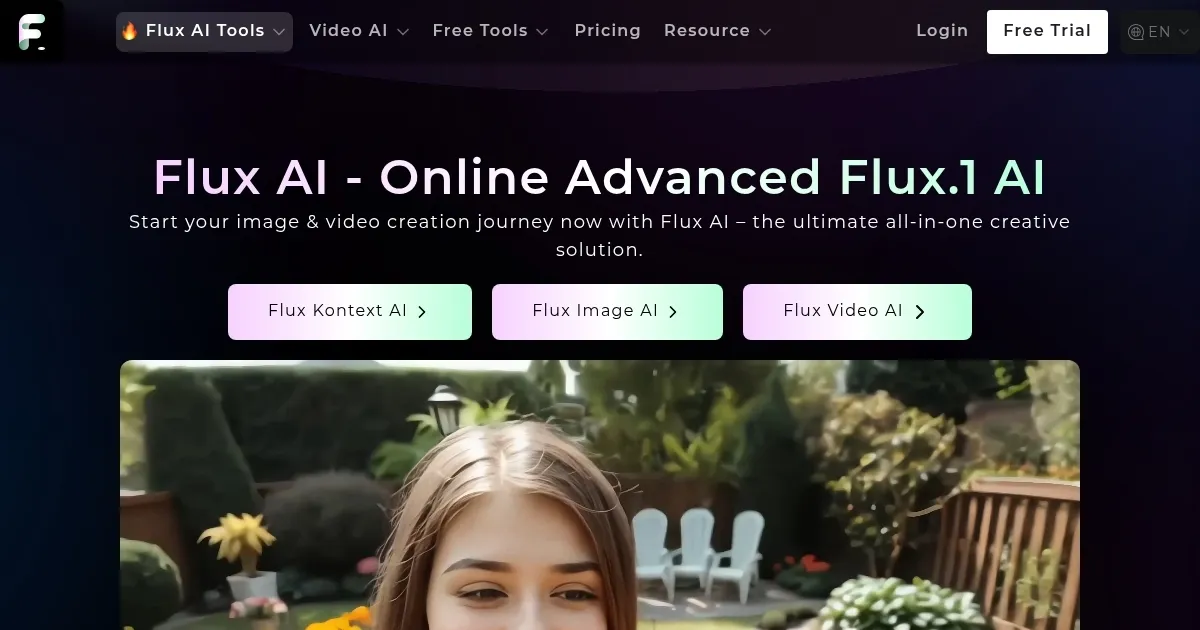
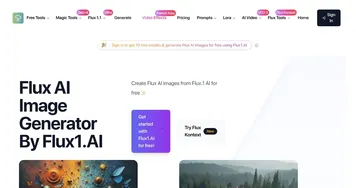
Homepage Screenshot 📸

Flux AI screenshot

Video Overview 🎬

Flux AI - Video Overview

What are the key features? ✨

  • AI image generation models: Flux AI offers state-of-the-art models, including Flux 1.1 Pro, Flux.1 Pro, Flux.1 Dev, and Flux.1 Schnell, enabling users to generate high-quality images from textual prompts and images.
  • Creative tools: Beyond image generation, Flux AI provides tools such as an AI Video Generator, AI Anime Generator, and AI Medal Generator.
  • Easy to use & flexible pricing: Flux AI caters to both beginners and professionals, offering a free plan with 40 welcome credits and daily bonuses, as well as premium subscription options for enhanced features.
  • Customizations & integrations: Users can fine-tune outputs to meet specific needs, and the platform supports integration with various applications to enhance workflow efficiency.
  • Community support: Flux AI offers a supportive community for sharing insights and receiving assistance.

Who is it for? 🤔

Flux AI is designed for a broad range of users, including digital artists, content creators, marketers, educators, and individuals seeking to explore AI-generated visuals. Its tools and models cater to both novices and professionals, making it accessible for personal projects and commercial applications. By providing a comprehensive suite of AI-driven creative tools, Flux AI empowers users to produce diverse and high-quality multimedia content.

Examples of what you can use it for 💡

  • Generate unique visuals for blogs, social media, and websites to enhance audience engagement
  • Produce compelling images and videos for promotional materials, social media campaigns, and ads
  • Explore various artistic styles and mediums, from anime to photorealistic images
  • Develop illustrative content for educational purposes to make learning materials more engaging and interactive
  • Create custom images and designs for personal use or to sell as merchandise

Pros & Cons ⚖️

  • Generates very detailed, high-res images
  • It is amazing how well it can interpret your prompts
  • Multiple image and video generating models
  • Free version is rather limited

FAQs 💬

What is Flux AI?
Flux AI is an online platform that uses advanced Flux.1 and Flux.2 models from Black Forest Labs to generate and edit images and videos from text prompts or uploaded images. It targets creators and professionals who want high-quality visuals without needing complex software, and I think it's especially useful for quick prototyping in design or marketing.
How does Flux AI generate images from text?
You enter a detailed text prompt describing your idea, select a model like Flux.1 Pro or Flux.2 Dev, and the tool processes it using a hybrid transformer-diffusion architecture to create photorealistic or stylized outputs. Results appear in seconds to minutes, depending on the queue, and it handles complex details like anatomy and lighting better than many rivals.
What image editing features does Flux AI offer?
It includes tools like inpainting to fill or remove parts of an image, background changers, object removal, and color adjustments via natural language instructions. With Flux Kontext, you can even edit multiple elements in one go while keeping consistency, which makes it great for refining concepts without starting over.
Can beginners use Flux AI easily?
Yes, the web interface is straightforward with prompt examples and trending tags to get you started, plus mobile apps for iOS and Android. No coding required, though advanced users can tweak settings like resolution or style for more control, and it probably feels intuitive after a few tries.
What types of images can Flux AI create?
From photorealistic portraits and product shots to cartoons, anime, or Ghibli-style art, it supports diverse styles including specialized generators for avatars, headshots, and even action figures. Flux.2 adds multi-reference editing for consistent characters across scenes, which shines in storytelling or branding.
Is Flux AI suitable for professional work?
Absolutely, it produces up to 4MP resolutions with accurate text rendering and commercial rights in premium modes, making it ideal for ads, UI designs, or marketing visuals. Reviews highlight its prompt adherence and speed, though complex hand gestures might still need tweaks.
How does Flux AI compare to Midjourney or DALL-E?
Flux AI stands out with open-weight models for local runs, better anatomy like hands, and faster generation in the Schnell variant, often matching or exceeding closed models in realism. It's more accessible for developers via Hugging Face, but Midjourney edges out in some artistic flair, based on recent benchmarks.
Can I run Flux AI models offline?
Yes, open-source variants like Flux.1 Dev and Flux.2 Dev work on your hardware through tools like ComfyUI or Hugging Face, requiring a decent GPU for best results. This gives full control and no queues, though the online platform handles everything seamlessly for casual use.
What about video generation in Flux AI?
It offers text-to-video and image-to-video tools for short clips or animations, integrating models like Flux Video AI for smooth motion and effects. Users praise the lip-sync and consistency in recent updates, but it's still evolving compared to dedicated video AIs like Kling.
Are there free options with Flux AI?
The platform provides daily free credits for basic generations and tools like image-to-prompt conversion, with no signup needed for trials. Limits apply to queues and history storage, but it's a solid way to test before committing, and external hosts like fal.ai offer credit-based access.

Ready to try Flux AI?

Uses AI to generate images and videos from textual prompts and images

Visit Flux AI ↗

Flux AI alternatives 🔗

  1. ChatGPT ChatGPT All-round AI assistant generating human-like responses to user queries and tasks
  2. Grok Grok Delivers witty, real-time AI responses with advanced reasoning and image generation
  3. Imagen Imagen Generates photorealistic images from detailed text prompts
  4. Black Forest Labs Black Forest Labs Generates high-quality images from text prompts with precision and speed
  5. Kling AI Kling AI Generates cinematic videos from text or images with realistic motion
  6. Runway Runway Generates and edits AI-powered videos from text prompts
Share
Flux AI screenshot enlarged
Promote Flux AI
light badge
Copy Embed Code
dark badge
Copy Embed Code
neutral badge
Copy Embed Code
Best AI Tools

Discover the best AI tools for any use case

Explore
  • Tool Categories
  • AI Use Cases
  • AI Events
  • AI News
  • Saved Tools
Company
  • About Us
  • Contact Us
  • Media & Partnerships
  • Suggest a Tool
Legal
  • Privacy Policy
  • Terms of Service
Copyright © 2026 Best AI Tools 415 Mission Street, 37th Floor, San Francisco, CA 94105