
Best AI Open Source Model Tools
123 toolsRanked by traffic
An open source AI model is one whose weights you can download, self-host, fine-tune, or run locally, rather than reaching it only through a closed provider's API. This openness is the whole point of the category, and it spans language models like DeepSeek and Qwen and image models like Stable Diffusion.
People choose open models for control, privacy, and cost: you can run them on your own hardware so your data never leaves, adapt them to a niche task, and avoid per-call fees at scale. The tradeoff is that you handle the setup and the compute yourself. Hubs like Hugging Face host thousands of these models with the tools to download and deploy them, which is usually where any open-model project starts.

DeepSeek
Delivers advanced AI models for coding and reasoning at low costs


Black Forest Labs
Generates high-quality images from text prompts with precision and speed


Stable Diffusion
Generates high-quality images from text prompts with versatile styles

Amazon Bedrock
The easiest way to build and scale generative AI applications with foundation models
ChatRTX
Allows users to create a personalized LLM chatbot by using their own data on their own computer

Qwen Chat
Alibaba's AI assistant, designed to handle text, images, audio, and video

LMArena
Test large language models (LLMs) by comparing their performance in real-time, side-by-side

Hugging Face
Hosts and collaborates on machine learning models, datasets, and apps

Civitai
An open-source hub where users can share, discover, and collaborate on AI art models
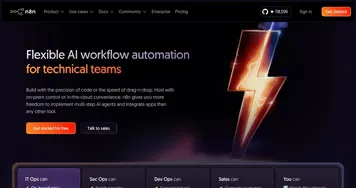

n8n
An open-source automation tool that helps you connect different apps and services
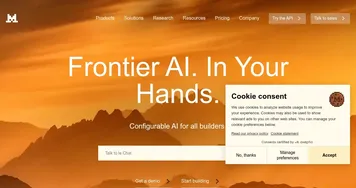

Mistral AI
Builds and deploys customizable AI models and agents for various tasks


Venice
An AI platform offering private and uncensored interactions without concerns about privacy

Z.ai
Generates presentations, writing, and code via AI chat
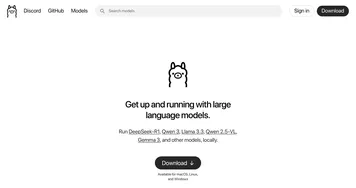
Ollama
Run large language models locally for private, customizable AI interactions

LangChain
Simplifies building AI apps with large language models
Frequently Asked Questions
What's the difference between open source and closed AI models?
Open source models publish their weights so you can download, run, and modify them yourself, while closed or proprietary models like GPT stay locked behind a provider's API. Open models give you control, privacy, and no per-call fees but require your own setup; closed models are easier to start with and often lead on raw capability.
What is the best open source AI model?
The best open source AI model depends on the task and your hardware. DeepSeek and Qwen are strong open language models, and Stable Diffusion leads for open image generation. New releases shift the rankings often, so browsing a hub like Hugging Face and testing a few against your own use case beats trusting any single leaderboard.
Can I run open source AI models locally?
Yes, running open source models on your own machine is the main reason to use them. Smaller models run on a decent laptop, while large ones want a capable GPU and plenty of memory. Running locally keeps your data fully private and removes usage fees, at the cost of setup effort and your own compute.
Are open source AI models free?
The model weights are typically free to download and use, but running them isn't free of cost. You pay in hardware and electricity to self-host, or in rented cloud GPUs if you deploy at scale. Licenses also vary, so check whether a given model permits commercial use before building a product on it.
Can I fine-tune an open source model on my own data?
Yes, fine-tuning is a key advantage of open models. Because you have the weights, you can train a model further on your own examples to specialize it for a domain, tone, or task. This needs some technical skill and compute, but it produces a model tuned to your needs that runs entirely under your control.
Are open source AI models good for privacy?
Open source models are strong for privacy because you can run them entirely on your own infrastructure, so your prompts and data never leave your control. Nothing is sent to a third-party API. That makes them appealing for sensitive or regulated work, as long as you secure the hardware and environment you run them on.