Best AI Work Productivity Tools

293 toolsRanked by traffic

AI work productivity tools help you get more done across the whole workday, from writing and editing to summarizing threads and cleaning up code. It's a broad bucket that covers almost any task at a desk, with widely used options including Claude for drafting and reasoning, Grammarly for polishing writing, and GitHub Copilot for code.

Because the category is so wide, most people end up using a few of these side by side: a general assistant for thinking, a writing checker for emails, and something like Slack AI to keep up with team chatter. When you're choosing, the practical questions are which apps you already live in and where a small time saving repeated all day adds up. Start with the one task that eats your hours, then expand from there.

Claude
Claude - icon
Claude
Assists users in reasoning, coding, writing, and analyzing data with advanced AI models
GitHub Copilot
GitHub Copilot - icon
GitHub Copilot
Enhances coding with AI-driven completions and chat assistance
Brave Leo
Brave Leo - icon
Brave Leo
Assists with web queries, content creation, and document analysis in-browser
Slack AI
Slack AI - icon
Slack AI
Search smarter, summarize conversations instantly, and be at your most productive
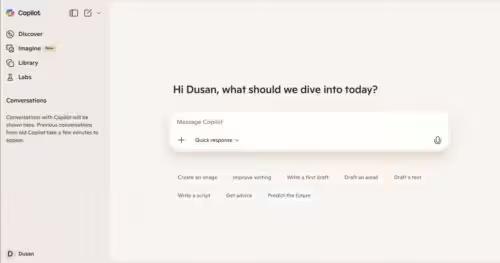
Microsoft Copilot
Microsoft Copilot - icon
Microsoft Copilot
Boosts productivity with AI-driven answers, writing, and image creation
FigJam AI
FigJam AI - icon
FigJam AI
Instantly visualize ideas, suggest best practices, and automate tedious tasks
Box AI
Box AI - icon
Box AI
An assistant that taps into your enterprise content and documents
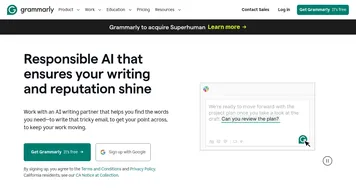
Grammarly
Grammarly - icon
Grammarly
Enhances writing with grammar, tone, and style suggestions.
Vimeo AI
Vimeo AI - icon
Vimeo AI
Creates polished videos from single recordings using AI edits and scripts
Asana AI
Asana AI - icon
Asana AI
An AI helper built into the Asana platform to make managing projects and tasks easier
ClickUp Brain
ClickUp Brain - icon
ClickUp Brain
Automates workflows with contextual AI for tasks, meetings, and content creation
Miro AI
Miro AI - icon
Miro AI
Visual collaboration platform that lets you build the next big thing with a prompt and a chat
Gamma
Gamma - icon
Gamma
An AI tool for creating presentations, documents, or webpages.
Zoom AI Companion
Zoom AI Companion - icon
Zoom AI Companion
Get high-quality results when drafting emails and chat messages, summarizing meetings and chat threads
Loom AI
Loom AI - icon
Loom AI
Record better video messages with automatic titles, summaries, share messages, and more

Frequently Asked Questions

What are AI productivity tools?
AI productivity tools are programs that use artificial intelligence to speed up everyday work tasks, such as drafting emails, summarizing documents, catching writing errors, suggesting code, and pulling key points out of long threads. They cover a wide range of jobs, and most people combine a few to handle the different kinds of work they do each day.
Do AI productivity tools actually save time?
AI productivity tools save real time on repetitive, text-heavy work like writing first drafts, summarizing, and tidying up code, where they remove minutes that add up across a week. They save less on tasks that need your judgment or specific knowledge. The biggest wins come from automating the boring parts so you focus on the decisions.
What is the best AI tool for work productivity?
The best AI productivity tool depends on where your time goes. A general assistant like Claude is the most flexible starting point, a writing tool helps if you send a lot of email, and a coding assistant pays off for developers. Pick the one that targets your biggest daily task rather than chasing an all-in-one.
Are AI productivity tools free?
Most AI productivity tools offer a free tier with limits, then charge for heavier use, usually around ten to twenty dollars a month per tool. Costs add up if you stack several, so it helps to pick the ones that save you the most and keep the rest on free plans until you genuinely need more.
Can AI productivity tools work together?
Many AI productivity tools connect to the apps you already use, like your inbox, chat, and documents, so they can pull context and act in place. Integration quality varies, though, and not every tool talks to every app. Before committing, check that a tool plugs into your existing stack rather than forcing you to copy and paste.