logo-darklogo-darklogo-darklogo-dark
  • Tool Categories
    • 🎨 Art
    • 🏢 Business
    • 💻 Coding
    • 👮 Detection
    • 🧠 General
    • 🏥 Health
    • 📷 Image Analysis
    • 🖼️ Image
    • 📐 Architecture
    • 🎓 Education
    • ⚖️ Legal/Finance
    • 🎭 Lifestyle
    • 📢 Advertising
    • 🎧 Music
    • 👔 Work
    • 🔬 Research
    • 👥 Social
    • 🎥 Video
    • 👧🏻 Companion
    • 🎤 Voice
    • ✍️ Writing
    • All Categories
    • AI Use Cases
  • News
  • Events
    • Academic Conferences
    • Developer Conferences
    • Expos / Trade Shows
    • Industry Summits
    • Workshops / Training
    • All Events
    • Past Events
  • Saved Tools
  • Suggest a Tool
✕
Home › Business Management › Project Management› Asana AI
Asana AI

Asana AI

An AI helper built into the Asana platform to make managing projects and tasks easier

Asana AI is a fancy helper built into the Asana platform to make managing projects and tasks easier. With Asana AI, you can get summaries of your projects, create tasks automatically, and even get suggestions for improving your workflow.

Asana AI is designed to help users keep track of who’s doing what in a project. It does that by showing you a clear picture of the project’s progress, reminding you of deadlines, and suggesting ways to work more efficiently. In a way, it acts as an assistant who keeps everything in order.

As a smart assistant, Asana AI is able to understand what you’re working on and give you helpful tips. For instance, if you’re writing a report, it can suggest better ways to phrase your sentences. Or, if you’re planning an event, it can help you create a checklist of things to do.

All these features are meant to help everyone stay on the same page by providing updates and alerts. So, if someone finishes a task, Asana AI can let the rest of the team know. Or if there’s a problem, it can alert the right people to fix it.

All in all, Asana AI is a powerful tool that makes managing projects easier and more efficient. Whether you’re working alone or with a team, it helps you stay organized, meet deadlines, and achieve your goals — making your use of Asana that much better. Love it.

Visit Asana AI ↗
Categories
🏢 Business
📋 Project Management 🔄 Workflow 🏢 Enterprise
👔 Work
✅ Task Management ⚡ Work Productivity 💼 Workplace Assistant 🔗 Agent 🤖 Copilot 📊 Report Generation 🕒 Scheduling

Screenshot 📸

Asana AI screenshot

Video Overview 🎬

Asana AI - Video Overview

What are the key features? ✨

  • Smart summaries: Asana AI can read through your project details and give you a quick summary to help you understand what's going on without reading everything.
  • Task automation: It can create tasks for you based on your project needs, saving time and ensuring nothing is forgotten.
  • Workflow suggestions: Asana AI analyzes your work patterns and suggests ways to improve your workflow.
  • Real-time updates: It provides instant updates on project progress and alerts you to any issues.
  • Integration with other tools: Asana AI works well with other apps like Slack and Google Workspace.

Who is it for? 🤔

Asana AI is designed for anyone who wants to manage tasks and projects more effectively. This includes students, teachers, professionals, and families. It can be especially useful for teams who need to collaborate and stay organized. Lastly, existing Asana users will get a smart assistant to keep up with what's going on with their project(s).

Examples of what you can use it for 💡

  • Students can use Asana AI to organize tasks, set deadlines, and collaborate with classmates
  • Event planners can use it to create checklists, assign tasks, and track progress
  • Coaches can use Asana AI to schedule practices, track player attendance, and plan games
  • Families can assign chores, set reminders, and track completion using Asana AI
  • Individuals can set personal goals, create action plans, and monitor progress with Asana AI

Pros & Cons ⚖️

  • Automated features reduce the time spent on repetitive tasks
  • Helps keep tasks and projects neatly organized
  • Facilitates better communication among team members
  • Asana AI's alerts can be annoying sometimes

FAQs 💬

What is Asana AI?
Asana AI embeds intelligent features into the platform to automate tasks and provide insights based on your Work Graph data.
How does AI Teammates work?
Users prompt or select agents to handle specific roles, like content creation, with full visibility into actions for review.
Is Asana AI secure for enterprise use?
Yes, it includes audit logs, access controls, and compliance tools to maintain data privacy and transparency.
Can I customize workflows without coding?
Absolutely, AI Studio lets you describe needs in natural language to build and deploy automations quickly.
What integrations does it support?
Over 200, including Slack, Google Workspace, and Jira, for seamless data flow across tools.
How does it compare to ClickUp AI?
Asana focuses on secure, context-driven agents, while ClickUp offers more views but less emphasis on enterprise controls.
Is there a free trial for Asana AI features?
Basic AI tools are available on free plans, with advanced ones in paid tiers offering trials upon signup.
Does it handle video or meeting summaries?
Smart Assists processes transcripts to extract action items and updates, integrating them into projects.
Who uses Asana AI successfully?
Companies like Morningstar and Figma report faster processes and reduced manual work in case studies.
How do I get started with Smart Workflow Gallery?
Browse templates in the gallery, import one, and customize fields to fit your team's process.

Ready to try Asana AI?

An AI helper built into the Asana platform to make managing projects and tasks easier

Visit Asana AI ↗

Asana AI alternatives 🔗

  1. ClickUp Brain ClickUp Brain Automates workflows with contextual AI for tasks, meetings, and content creation
  2. Miro AI Miro AI Visual collaboration platform that lets you build the next big thing with a prompt and a chat
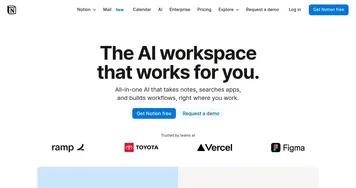
  3. Notion AI Notion AI Streamlines work with AI-powered note-taking, app searches, and workflow automation
  4. Motion Motion AI tool that intelligently plans your day, schedules meetings, and creates to-do lists
  5. Creately AI Creately AI An AI-powered tool that aims to revolutionize how users create and manage visual content
  6. Lucidspark Lucidspark A virtual whiteboard platform made to facilitate team collaboration and brainstorming
Share
Asana AI screenshot enlarged
Promote Asana AI
light badge
Copy Embed Code
dark badge
Copy Embed Code
neutral badge
Copy Embed Code
Best AI Tools

Discover the best AI tools for any use case

About Us | Contact Us | Suggest an AI Tool
Privacy Policy | Terms of Service
Copyright © 2026 Best AI Tools 415 Mission Street, 37th Floor, San Francisco, CA 94105