Frequently Asked Questions
What is the best AI workflow automation tool?
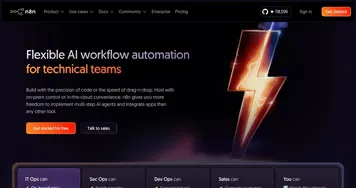
The best AI workflow automation tool depends on how technical your team is. n8n suits people who want deep control and self-hosting, ClickUp Brain works when your tasks already live in a project tool, and Salesforce Einstein fits teams running their operations inside Salesforce. Most start with whatever platform holds their data.
How do AI workflow tools work?
AI workflow tools watch for a trigger, such as a new form submission or a status change, then run a chain of steps you define across connected apps. The AI layer adds judgment to those steps: summarizing a message, classifying a request, or drafting a reply, so the automation handles decisions a fixed rule could not.
What is the difference between CRM and workflow automation?
A CRM stores and enriches your customer and deal data, while workflow automation moves work between apps and triggers actions across them. CRM tools answer who your contacts are and what is happening in the pipeline; workflow tools handle the steps that follow, like routing a lead, updating records, or notifying a teammate automatically.
Can AI automate an entire business process?
AI can automate a full process when the steps are clear and the data is structured, like onboarding a customer or routing a support ticket end to end. Messier processes that need human judgment work best as a mix: AI handles the repetitive parts and hands off to a person at the points that genuinely need a decision.
Do AI workflow tools require coding?
Many do not. Tools like n8n and ClickUp Brain offer visual builders where you connect steps by clicking, and the AI handles tasks that once needed scripts. Coding still helps for custom integrations or unusual logic, but most everyday automations, like syncing two apps or auto-tagging requests, can be built without writing any code.