logo-darklogo-darklogo-darklogo-dark
  • Tool Categories
    • 🎨Art & Creative Design505
    • 🏢Business Management644
    • 💻Coding & Development515
    • 👮Detection83
    • 🧠General Use727
    • 🏥Health & Wellness55
    • 📷Image & Photo Analysis100
    • 🖼️Image Generation & Editing618
    • 📐Interior & Architectural Design37
    • 🎓Learning & Education483
    • ⚖️Legal & Finance90
    • 🎭Lifestyle & Entertainment236
    • 📢Marketing & Advertising627
    • 🎧Music & Audio138
    • 👔Office & Workplace1,014
    • 🔬Research & Data Analysis372
    • 👥Social Media245
    • 🎥Video Generation & Editing426
    • 👧🏻Virtual Companion135
    • 🎤Voice Generation & Editing381
    • ✍️Writing & Editing808
    • All Categories
    • AI Use Cases
  • News
  • Events
    • Academic Conferences
    • Developer Conferences
    • Expos / Trade Shows
    • Industry Summits
    • Workshops / Training
    • All Events
    • Past Events
  • Saved Tools
  • Suggest a Tool
✕
Home › Business Management › CRM› Zia
Zia

Zia

AI-powered business assistant from Zoho

The popular web-based online office suite and an alternative to the offerings of Microsoft and Google has its own AI tool.

Called Zia, it is dubbed the “AI-powered assistant for your business.” Whether you’re collecting customer data, writing a document, or just looking for some sales numbers – Zia works hard to make your job easy.

You could think of Zia as your omnipresent AI assistant that works across Zoho’s suite of apps. As such, it will aid multiple departments in your organization, including your sales team(s), customer support, managers, and other office workers.

The Zia chat is always there, ready to answer any query you throw at it. It will go through your own data as well as the Internet to provide you with relevant information, whenever and wherever.

If your organization is using Zoho, it makes perfect sense to enable or upgrade and start using Zia, as well. After all, it’s meant to make you and your entire team much more productive.

Visit Zia ↗
Categories
🏢 Business
👥 CRM 🏢 Enterprise 🔄 Workflow
🧠 General
🤖 Assistant 💬 Chatbot
👔 Work
💼 Workplace Assistant ✉️ Email Assistant
📢 Advertising
🛍️ Sales Assistant 💼 Sales
🔬 Research
📊 Data Analytics 🔮 Prediction

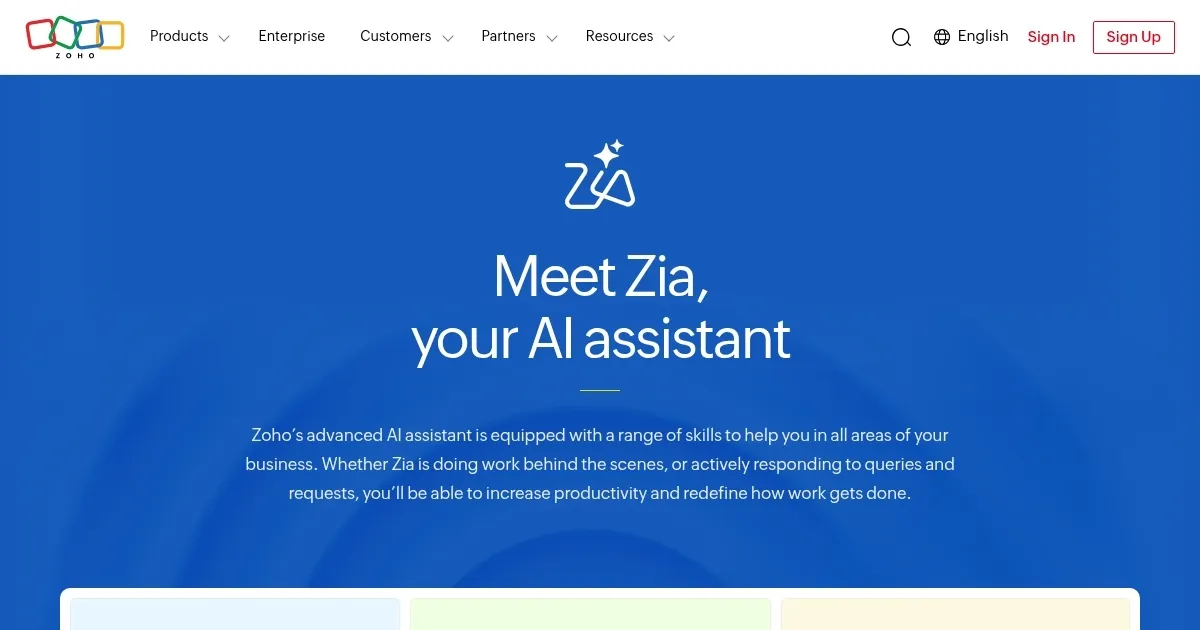
Homepage Screenshot 📸

Zia screenshot

Video Overview 🎬

What are the key features? ✨

  • AI for sales teams: Zia will help you increase sales productivity and improve your bottom line. It will help you cross-sell, get in touch with (potential) customers soon, reduce busywork by suggesting new workflows, and get you more information on your leads. You also get to chat with Zia to uncover details from Zoho's CRM.
  • AI for sales managers: With Zia, you can make smarter predictions and delegate more effectively. For instance, it will find the deals that are likely to close so sales reps can focus on the highest-value customers. Or, you can use Zia to respond faster to respond faster when the system detects anomalies like a sharp drop in new leads or a sudden increase in calls. Or you can use it to delegate efficiently by distributing leads to the best sales rep based on their availability and how well they handled similar leads in the past.
  • Business intelligence: You can ask Zia to generate charts or pivot tables from your spreadsheet. Or you can ask it to do the same for reports. Moreover, it will help you make more accurate predictions by analyzing trends, seasonal patterns, and other data.
  • One search for everything: Zia can search through your entire business on Zoho to provide useful information. It can tune into emails, support requests, documents, spreadsheets, presentations, and more to get you back relevant results.
  • AI-powered productivity: Ultimately, Zia is made to help you and your team be more productive and get more done. You can use it for all kinds of tasks, such as organizing your notes, translation, and a second pair of eyes to proofread all your documents, emails and more. Similarly, it will do wonders for customer experience, freeing up support agents while improving response times.

Who is it for? 🤔

Zia is (obviously) made for existing users of the Zoho suite of apps and services, but it could also help the company attract new clients to its platform. No matter who uses it, the benefits are the same - Zia is always there to provide relevant information using your own data stored across Zoho apps and services, as well as the rest of the Internet. From what we're getting, Zia is especially helpful to sales and customer support teams, but anyone else in the organization could benefit from it just as well.

Examples of what you can use it for 💡

  • Increase sales by getting actionable information right on time
  • Improve customer support by providing relevant information
  • Increase productivity throughout the organization
  • Quickly find and access different information from your own data
  • Provide sales managers with a new tool that will increase their results

Pros & Cons ⚖️

  • Zia is present across Zoho's suite of apps and services
  • Especially useful for sales and customer support teams
  • It makes the company's data easily accessible to all (or select) employees
  • The free version of Zoho Zia has limited features

FAQs 💬

What is Zia?
Zia is Zoho’s AI assistant, integrated across its apps to automate tasks and provide data insights.
Which Zoho apps support Zia?
Zia works with apps like Zoho CRM, Desk, Books, and more, depending on your plan.
Do I need coding skills to use Zia?
No, Zia’s features like Ask Zia and Vision are designed for non-technical users.
Is Zia available in all Zoho plans?
Zia’s basic features are in most plans, but advanced tools require higher tiers.
Can Zia work with non-Zoho tools?
Zia is optimized for Zoho’s ecosystem and has limited functionality with external tools.
How does Zia handle data privacy?
Zoho’s in-house tech stack ensures your data stays secure without third-party exposure.
What’s Zia Vision used for?
Zia Vision extracts data from documents like invoices, speeding up manual processes.
Can Zia predict business trends?
Yes, Zia’s predictive analytics flags trends like customer churn or sales opportunities.
Is Zia’s voice mode widely available?
Voice mode is limited to select Zoho apps and not universally supported.
How do I start using Zia?
Check your Zoho plan, enable Zia in supported apps, and start with Ask Zia queries.

Ready to try Zia?

AI-powered business assistant from Zoho

Visit Zia ↗

Zia alternatives 🔗

  1. Salesforce Einstein Salesforce Einstein Generative AI for CRM, designed to supercharge your productivity
  2. Zendesk AI Zendesk AI An AI tool built on billions of real customer service interactions that understands customer experience
  3. HubSpot Breeze HubSpot Breeze Streamlines business growth with AI tools for marketing, sales, and service
  4. ZoomInfo ZoomInfo Streamlines B2B sales with data-driven insights and automation
  5. Apollo.io Apollo.io A sales intelligence and engagement platform that leverages AI to enhance B2B sales processes
  6. Fireflies Fireflies Bring ChatGPT to meetings to transcribe, search, and analyze voice conversations
Share
Zia screenshot enlarged
Promote Zia
light badge
Copy Embed Code
dark badge
Copy Embed Code
neutral badge
Copy Embed Code
Best AI Tools

Discover the best AI tools for any use case

Explore
  • Tool Categories
  • AI Use Cases
  • AI Events
  • AI News
  • Saved Tools
Company
  • About Us
  • Contact Us
  • Media & Partnerships
  • Suggest a Tool
Legal
  • Privacy Policy
  • Terms of Service
Copyright © 2026 Best AI Tools 415 Mission Street, 37th Floor, San Francisco, CA 94105