logo-darklogo-darklogo-darklogo-dark
  • Tool Categories
    • 🎨Art & Creative Design505
    • 🏢Business Management644
    • 💻Coding & Development515
    • 👮Detection83
    • 🧠General Use727
    • 🏥Health & Wellness55
    • 📷Image & Photo Analysis100
    • 🖼️Image Generation & Editing618
    • 📐Interior & Architectural Design37
    • 🎓Learning & Education483
    • ⚖️Legal & Finance90
    • 🎭Lifestyle & Entertainment236
    • 📢Marketing & Advertising627
    • 🎧Music & Audio138
    • 👔Office & Workplace1,014
    • 🔬Research & Data Analysis372
    • 👥Social Media245
    • 🎥Video Generation & Editing426
    • 👧🏻Virtual Companion135
    • 🎤Voice Generation & Editing381
    • ✍️Writing & Editing808
    • All Categories
    • AI Use Cases
  • News
  • Events
    • Academic Conferences
    • Developer Conferences
    • Expos / Trade Shows
    • Industry Summits
    • Workshops / Training
    • All Events
    • Past Events
  • Saved Tools
  • Suggest a Tool
✕
Home › Office & Workplace › Note Taking› Pineify
Pineify

Pineify

Generates error-free Pine Script indicators and strategies without coding

Pineify is an AI-driven platform for generating and editing Pine Script code on TradingView. It enables users to create indicators and strategies without programming knowledge through visual tools and chat-based AI. The tool supports Pine Script v6 and integrates 149 technical indicators, including built-ins and community favorites.

Key components include the Visual Editor for drag-and-drop script building, which combines indicators and adds conditions error-free. Import Custom Code allows uploading existing scripts for AI-enhanced modifications, such as adding backtesting or converting to strategies. The DIY Strategy Builder facilitates visual setup of entry and exit rules, incorporating market orders, take profits, stop losses, and trailing stops.

The Pine Script Screener scans multiple symbols and timeframes, delivering color-coded long and short signals with customizable columns from 149 indicators. Pineify AI offers chat-driven code generation with real-time editing and version control. PineifyGPT provides unlimited queries using GPT-5, enhanced by Pine Script references for accurate responses.

Invite-only features like Signals & Overlays apply Dow Theory for trend and reversal detection across assets. The Strategy Optimizer performs multi-parameter grid searches, supporting various input types and exporting results to CSV. Pricing involves one-time payments for lifetime access, with monthly AI credits varying by plan: 500 for Plus, 1000 for Advanced, and 2000 for Expert. This structure contrasts with subscription-based competitors like ChartPrime, offering cost savings over time.

Users appreciate the no-code accessibility and speed, with testimonials noting creation of multiple indicators in hours versus days. Some report occasional AI inconsistencies on complex prompts, though less frequent than in general tools like ChatGPT. The platform requires no premium TradingView account and supports unlimited scripts on charts, bypassing platform limits. For optimal use, begin with simple visual builds before advancing to AI refinements.

Visit Pineify ↗
Categories
👔 Work
🗒️ Note Taking 📝 Note Generation ⚡ Work Productivity
🎓 Education
🗂️ Knowledge Management 📖 Knowledge Base 🗺️ Mind Mapping

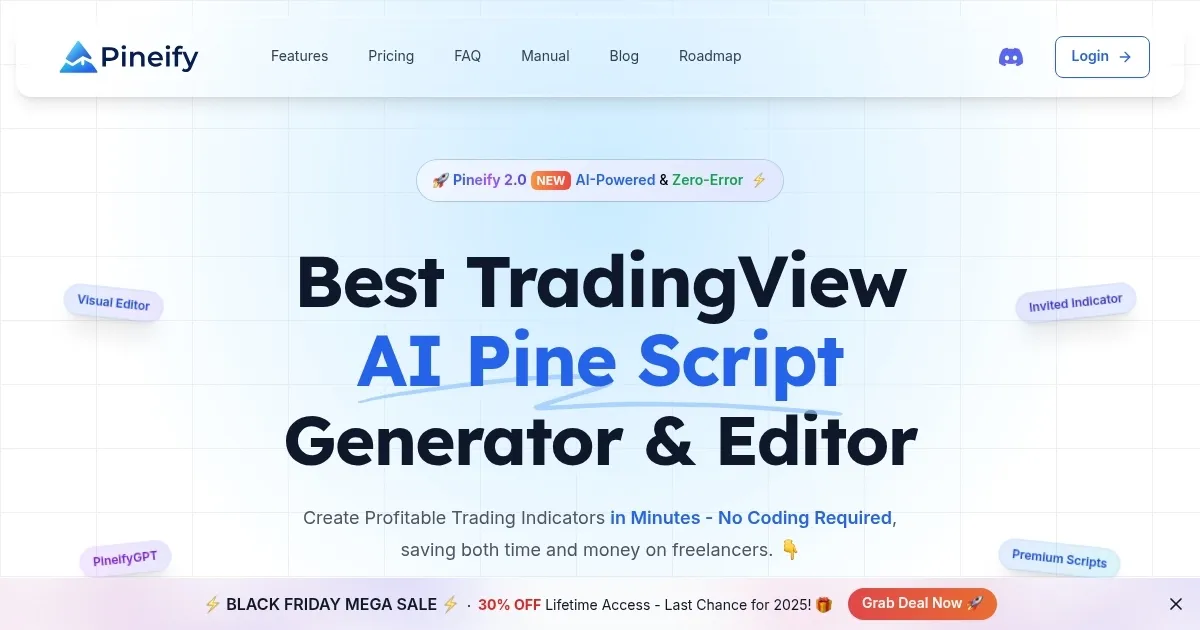
Homepage Screenshot 📸

Pineify screenshot

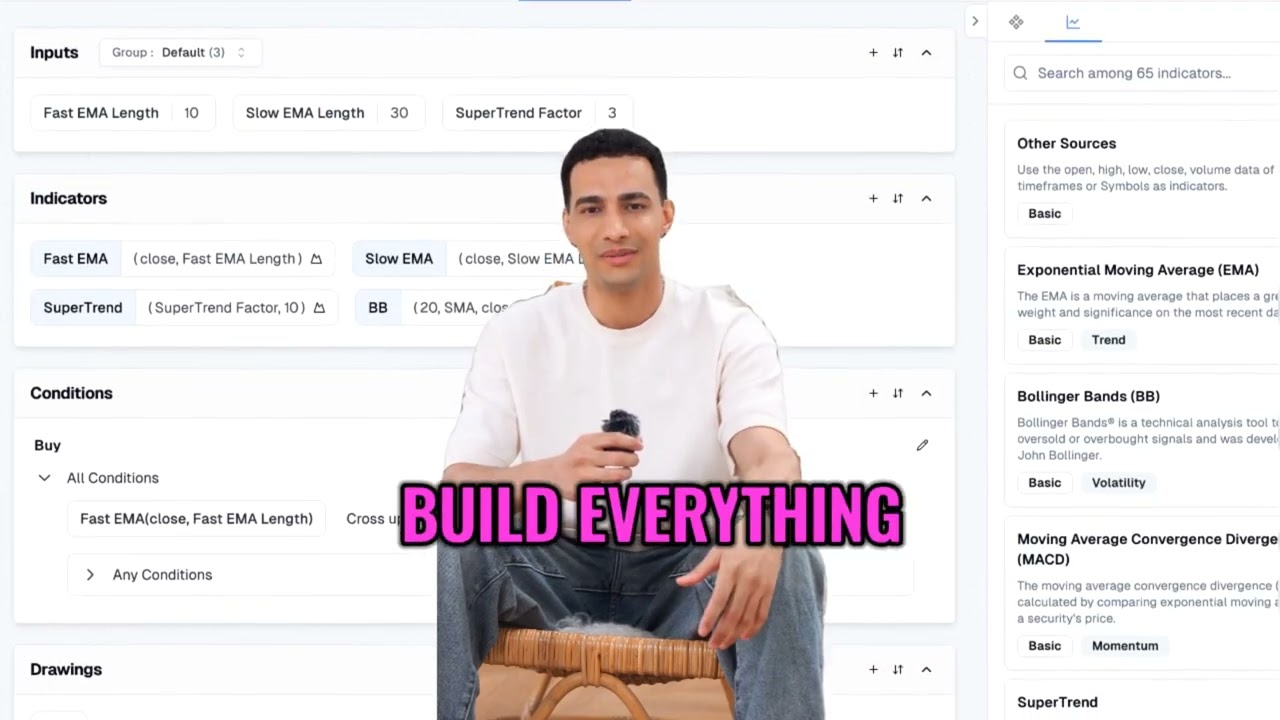
Video Overview 🎬

Pineify - Video Overview

What are the key features? ✨

  • Visual Editor: Builds indicators and strategies by combining 149+ technical tools without coding.
  • Pineify AI: Generates and edits Pine Script via chat with error-free outputs and version control.
  • Strategy Builder: Sets visual entry/exit rules and backtests with risk management features.
  • Pine Script Screener: Scans symbols and timeframes for instant long/short signals.
  • PineifyGPT: Offers unlimited AI assistance powered by GPT-5 for code and queries.

Who is it for? 🤔

Pineify suits traders at all levels who want to customize TradingView setups without coding expertise, from beginners overwhelmed by syntax to pros seeking faster iterations on complex strategies. Its ideal for day traders scanning signals, swing traders building multi-timeframe tools, and analysts optimizing backtests, saving time and costs while empowering non-programmers to develop proprietary edges.

Examples of what you can use it for 💡

  • Day Trader: Scans dozens of forex pairs across timeframes for quick long/short signals to enter high-probability trades.
  • Swing Trader: Builds custom momentum strategies with trailing stops to capture trends over days or weeks.
  • Portfolio Manager: Imports existing indicators and adds multi-symbol backtesting to evaluate asset correlations.
  • Beginner Analyst: Uses AI chat to generate simple RSI divergence scripts and learn Pine basics through examples.
  • Algo Developer: Optimizes parameters via grid search on strategies for refined entry/exit rules before live deployment.

Pros & Cons ⚖️

  • No coding required
  • Error-free generation
  • Lifetime one-time pay
  • Fast multi-symbol scans
  • AI occasional tweaks
  • Credit limits on free

FAQs 💬

What makes Pineify different from ChatGPT for Pine Script?
Pineify specializes in TradingView with error-free v6 code, visual building, and Pine-specific knowledge, unlike ChatGPTs general responses that often need fixes.
Do I need a paid TradingView plan to use Pineify?
No, it works fully with TradingViews free tier, adding unlimited indicators beyond platform limits.
How do AI credits work in paid plans?
Plans provide monthly auto-refreshed credits based on token usage for generations; extras can be topped up one-time.
Can I import and modify my own Pine Scripts?
Yes, upload code to the editor for AI variable generation, strategy conversion, or backtest addition.
Is there a free version to try Pineify?
The free plan offers limited access to visual tools and basic AI for testing core features.
What indicators does the screener support?
It includes 149+ technical indicators with customizable rules for multi-symbol and timeframe scans.
How accurate is the AI code generation?
Powered by advanced models, it produces reliable, executable code, outperforming general AIs in Pine-specific tasks.
Can Pineify handle multi-timeframe strategies?
Yes, the builder and screener support multi-timeframe analysis for comprehensive signal confirmation.
What support is available for users?
Paid plans include priority Discord access, with quick responses for setup and troubleshooting.
Does it integrate with other trading platforms?
Designed for TradingView, but exported scripts can inspire adaptations for platforms like MetaTrader.

Ready to try Pineify?

Generates error-free Pine Script indicators and strategies without coding

Visit Pineify ↗

Pineify alternatives 🔗

  1. Slack AI Slack AI Search smarter, summarize conversations instantly, and be at your most productive
  2. FigJam AI FigJam AI Instantly visualize ideas, suggest best practices, and automate tedious tasks
  3. AWS HealthScribe AWS HealthScribe Automatically create clinical notes from patient-clinician conversations using generative AI
  4. ClickUp Brain ClickUp Brain Automates workflows with contextual AI for tasks, meetings, and content creation
  5. Miro AI Miro AI Visual collaboration platform that lets you build the next big thing with a prompt and a chat
  6. Zoom AI Companion Zoom AI Companion Get high-quality results when drafting emails and chat messages, summarizing meetings and chat threads
Share
Pineify screenshot enlarged
Promote Pineify
light badge
Copy Embed Code
dark badge
Copy Embed Code
neutral badge
Copy Embed Code
Best AI Tools

Discover the best AI tools for any use case

Explore
  • Tool Categories
  • AI Use Cases
  • AI Events
  • AI News
  • Saved Tools
Company
  • About Us
  • Contact Us
  • Media & Partnerships
  • Suggest a Tool
Legal
  • Privacy Policy
  • Terms of Service
Copyright © 2026 Best AI Tools 415 Mission Street, 37th Floor, San Francisco, CA 94105