Glide
Makes it easy to build and deploy custom apps your business needs, and the team will love
Glide is an AI-powered, no-code platform made to simplify app development by leveraging Google Sheets for data management, making it accessible for users without programming skills. It provides a wide array of templates, facilitating the creation of diverse apps, from business tools to social networks — with some limitations in terms of customization and real-time updates.
The platform offers a tiered pricing model, including a free option for basic use and paid plans for more advanced features and professional use. These plans cater to different needs, offering expanded data storage, custom branding, and additional integrations.
In terms of security, Glide complies with major regulations such as GDPR and HIPAA, ensuring user data is handled responsibly. Users are also encouraged to practice good security hygiene to bolster protection.
While Glide excels at creating MVPs and internal tools, its reliance on Google Sheets may pose challenges for apps requiring complex logic or real-time data synchronization. This makes it well-suited for specific use cases but less ideal for applications needing advanced features or extensive customization.
Compared to other no-code platforms like Bubble, Glide offers ease of use with its template-driven approach, although it may limit design freedom. Bubble, conversely, provides greater flexibility through a drag-and-drop interface, accommodating a broader range of app development needs but requiring more time to master.
Despite these limitations, Glide represents a significant step forward in democratizing software development.
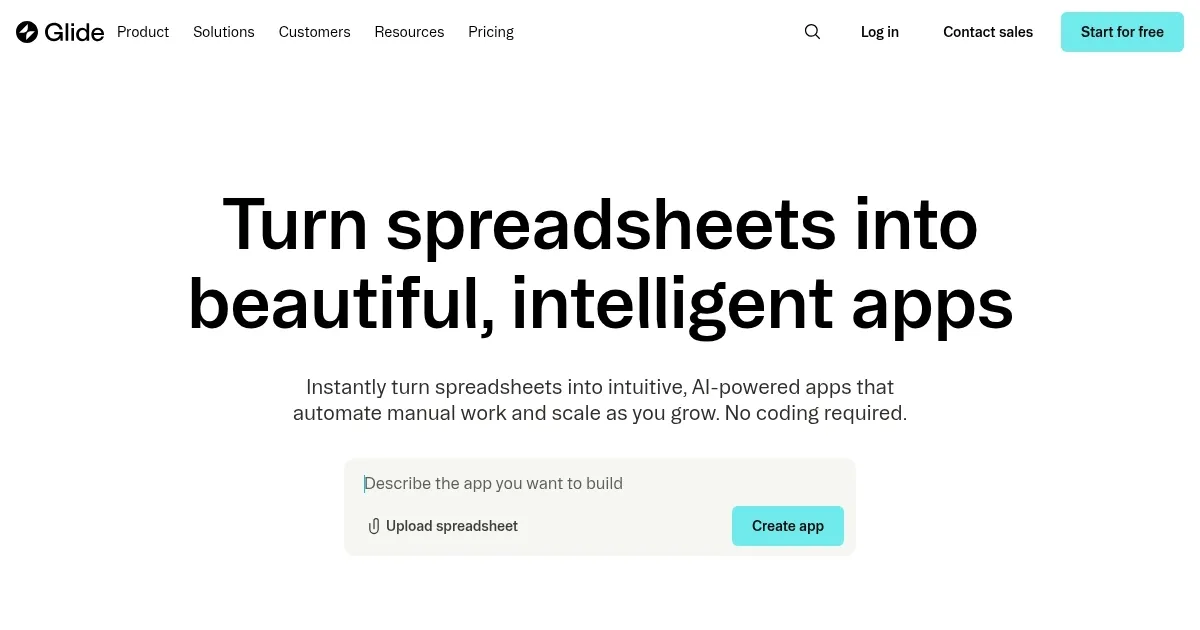
Homepage Screenshot 📸
Video Overview 🎬

What are the key features? ✨
- Templates: Glide offers a variety of templates that serve as a starting point for your app. You can pick a template that is similar to your idea and customize it to fit your needs, speeding up the development process significantly.
- Google Sheets as a database: This integration allows you to manage your app's data directly from a Google Sheet, making it incredibly easy to update and maintain your app without any coding required.
- No-code app building: Glide provides a truly no-code experience, enabling users to create fully functional apps through a visual interface. You can add features, design your app, and connect it to your data, all without writing a single line of code.
- Real-time data sync: Any changes you make to your connected Google Sheet are reflected in your app in real time.
- Customization and scalability: You can tailor the look and feel of your app, choose how data is displayed, and scale your app to support more users or more complex functionalities as needed.
Who is it for? 🤔
Examples of what you can use it for 💡
- Companies can use Glide to create custom apps that help streamline internal operations
- Educators and trainers can use Glide to develop interactive learning platforms
- Planning and managing events becomes easier with Glide
- Artists, designers, and businesses can use Glide to create digital portfolios or product catalogs
- Small businesses can build custom CRM apps to manage customer interactions, sales, and feedback
Pros & Cons ⚖️
- Make your own app without coding
- You get to manage the data with Google Sheets
- Great for building fast prototypes for different use cases
- As with any no-code tool, Glide has its limits
FAQs 💬
Ready to try Glide?
Makes it easy to build and deploy custom apps your business needs, and the team will love
Visit Glide