Grammarly by Grammarly Inc.
Enhances writing with grammar, tone, and style suggestions.
Grammarly is an AI-powered writing assistant that refines your text with real-time grammar, tone, and style suggestions, making it a go-to for professionals, students, and teams. It integrates effortlessly into tools like Gmail, Slack, and Word, catching errors and offering rewrites to make your writing clear and impactful. The Free plan covers basic grammar and tone detection, while the Pro plan (around $12/month annually) adds full-sentence rewrites, brand style alignment, and up to 2,000 AI prompts. For larger organizations, the Enterprise plan includes unlimited prompts, granular permissions, and robust security features, such as data loss prevention. Trusted by over 50,000 organizations, including Zoom and Salesforce, it’s built for both solo users and big teams.
The tool’s strength lies in its seamless integration. Whether you’re drafting a proposal in Google Docs or a ticket in Zendesk, Grammarly’s suggestions appear instantly, keeping your workflow smooth and efficient. The tone detection feature is a standout, letting you adjust your writing to sound confident, friendly, or formal, depending on your audience. I like how it predicts reader reactions, which is great for fine-tuning emails or reports to avoid missteps. The AI prompt feature, especially in the Pro and Enterprise plans, enables you to generate ideas or rephrase text, saving time on brainstorming and editing.
Compared to competitors, Grammarly strikes a balance between ease of use and powerful features. CoWriter dives deeper into style for creative writers, offering detailed reports, while Linguix is a budget-friendly alternative but lacks Grammarly’s polish. Hemingway Editor focuses on clarity and brevity, which suits minimalist writers but lacks Grammarly’s versatility. Grammarly’s clean interface and cross-platform support make it a strong choice for most users, though its suggestions can sometimes lean conservative, nudging you toward safer phrasing that might feel generic.
Security is a big plus, especially for Enterprise users. With certifications such as SOC 2 and ISO 27001, Grammarly ensures that your data remains private, and its confidential mode adds an extra layer of protection for sensitive work. The Free plan is great for casual users, but its 100-prompt limit for AI generation feels restrictive. Pro and Enterprise plans unlock additional features, although the cost may seem steep compared to Linguix’s lower price point. Still, the value lies in Grammarly’s ability to adapt to your style over time, making suggestions feel more personalized.
One potential downside is that Grammarly can overcorrect, particularly with idiomatic or creative phrases, suggesting changes that may not always fit the context. This can frustrate writers who want to keep a unique voice. The reader reaction feedback, while innovative, isn’t always spot-on, but it’s a helpful starting point for refining your message. The tool’s AI learns from your edits, which improves suggestions over time, a small but welcome touch for frequent users.
To make Grammarly work for you, start with the Free plan to test its core features. Install the browser extension for seamless use across platforms. If you’re a professional or a team, consider the Pro or Enterprise plans for advanced tools, such as brand style guides. Use tone detection to match your audience’s expectations, and experiment with AI prompts for quick drafts. Always review suggestions to ensure they align with your voice.
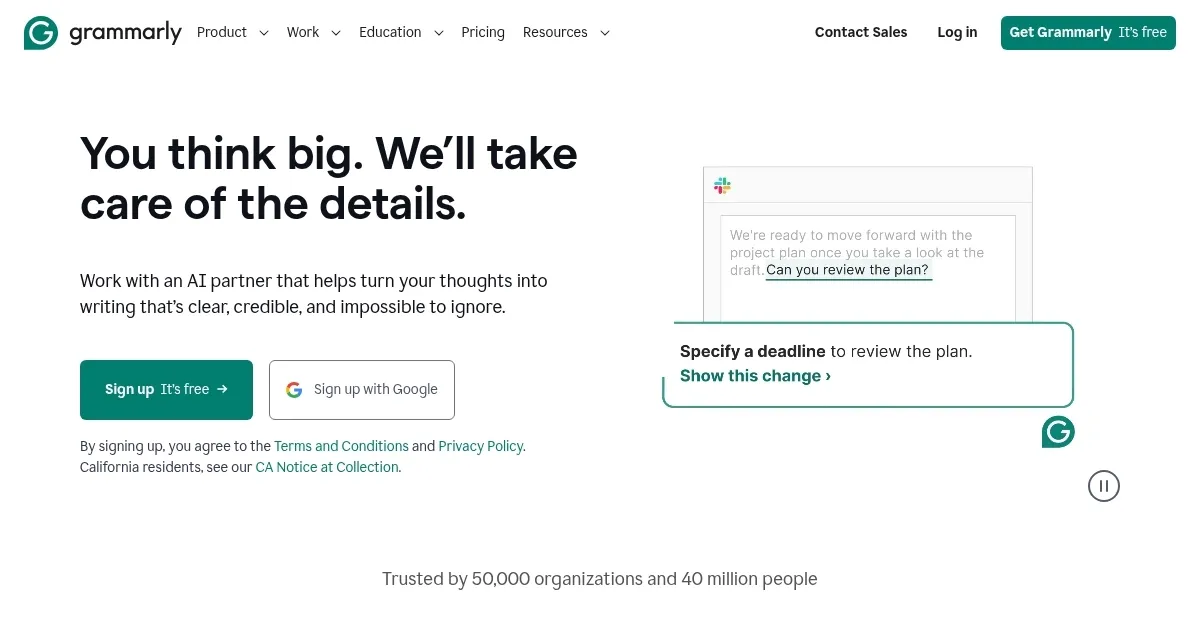
Homepage Screenshot 📸
Video Overview 🎬
What are the key features? ✨
- Real-time Suggestions: Fixes grammar, punctuation, and style as you type.
- Tone Detection: Analyzes and adjusts your writing’s tone for the audience.
- Reader Reaction Feedback: Predicts how your audience might perceive your text.
- AI Text Generation: Creates or rephrases text with up to 2,000 prompts in Pro.
- Brand Style Guide: Ensures writing aligns with your brand’s voice.
Who is it for? 🤔
Examples of what you can use it for 💡
- Student: Refines essays with grammar and tone suggestions for clarity.
- Marketer: Aligns content with brand style for consistent messaging.
- Professional: Polishes emails to sound confident and professional.
- Team Lead: Uses Enterprise plan for secure, team-wide writing consistency.
- Blogger: Generates ideas and refines posts with AI prompts.
Pros & Cons ⚖️
- Seamless cross-platform integration
- Accurate grammar and tone fixes
- Strong security for Enterprise
- Intuitive, clean interface
- Free plan limits advanced features
- Occasional overcorrections
FAQs 💬
Grammarly alternatives 🔗