logo-darklogo-darklogo-darklogo-dark
  • Tool Categories
    • ๐ŸŽจArt & Creative Design505
    • ๐ŸขBusiness Management644
    • ๐Ÿ’ปCoding & Development515
    • ๐Ÿ‘ฎDetection83
    • ๐Ÿง General Use727
    • ๐ŸฅHealth & Wellness55
    • ๐Ÿ“ทImage & Photo Analysis100
    • ๐Ÿ–ผ๏ธImage Generation & Editing618
    • ๐Ÿ“Interior & Architectural Design37
    • ๐ŸŽ“Learning & Education483
    • โš–๏ธLegal & Finance90
    • ๐ŸŽญLifestyle & Entertainment236
    • ๐Ÿ“ขMarketing & Advertising627
    • ๐ŸŽงMusic & Audio138
    • ๐Ÿ‘”Office & Workplace1,014
    • ๐Ÿ”ฌResearch & Data Analysis372
    • ๐Ÿ‘ฅSocial Media245
    • ๐ŸŽฅVideo Generation & Editing426
    • ๐Ÿ‘ง๐ŸปVirtual Companion135
    • ๐ŸŽคVoice Generation & Editing381
    • โœ๏ธWriting & Editing808
    • All Categories
    • AI Use Cases
  • News
  • Events
    • Academic Conferences
    • Developer Conferences
    • Expos / Trade Shows
    • Industry Summits
    • Workshops / Training
    • All Events
    • Past Events
  • Saved Tools
  • Suggest a Tool
โœ•
Home › Writing & Editing › Writing Assistant› CoWriter
CoWriter

CoWriter by ProtonLabs Technology

Boosts writing with AI-driven suggestions and editing tools

CoWriter is a neat AI tool that feels like a writing coach who never sleeps. The platform, accessible at cowriter.ai, greets you with a sleek, no-nonsense interface that’s all about getting words on the page. I started typing a blog post, and within seconds, greyed-out suggestions popped up, nudging me toward sharper phrases. Accepting them with a quick Tab felt like cheating, in a good way. The tool’s AI autocompletion is smooth, almost like it’s reading your mind, though I’ll admit, it took a few tries to get suggestions that really matched my vibe.

The Outline Builder caught my eye right away. I used it to sketch out a quick essay, and it was like laying down a roadmap for my thoughts, no more mental traffic jams. The citation formatting tool is another standout, it handles MLA and APA like a pro, which saved me from digging through style guides. I also liked the bibliography library, where I could stash references for later. It’s not flashy, but it’s practical, especially for anyone drowning in research. Compared to ChatGPT, which is great for brainstorming but less focused on structure, CoWriter feels like it’s built for serious writing tasks.

That said, I hit a couple snags. The suggestions sometimes leaned toward clichรฉs, which was a bit annoying when I wanted something fresh. You have to be specific with your inputs to avoid that. Also, the interface, while clean, feels a tad bland next to ProWritingAid, which has a more engaging design. I was surprised by how much I had to guide the AI to get the tone just right, it’s not as intuitive as I’d hoped for a quick session. Still, once I dialed in the settings, it started to click.

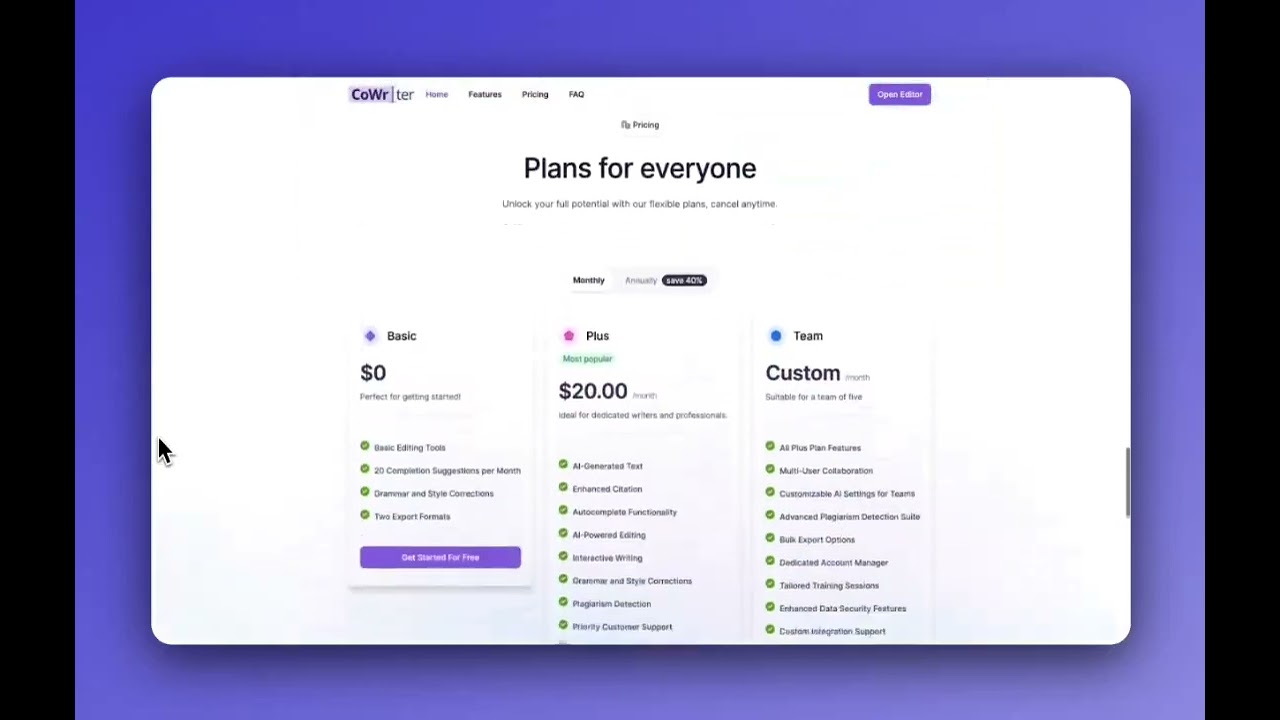
CoWriter’s pricing includes a free trial with a prompt limit, which is enough to get a feel for it. Paid plans seem reasonable compared to Jasper or Writesonic, though you’ll need to visit the site for specifics. It’s not the cheapest, but the academic tools make it worth considering for students or researchers. The collaborative editing feature, allowing real-time teamwork, is a bonus I didn’t get to test but sounds promising for group projects.

For anyone looking to streamline their writing, CoWriter is a solid pick. It’s not perfect, but it’s got the tools to make your work shine. My advice? Spend time customizing the tone and style settings upfront, it’ll save you from generic outputs. Play with the free trial, test the citation tools, and see if it fits your workflow. You might just find it’s the writing buddy you didn’t know you needed.

Visit CoWriter ↗
Categories
โœ๏ธ Writing
๐Ÿค– Writing Assistant ๐Ÿ…ฐ๏ธ Text Generation โœ’๏ธ Copywriting ๐ŸŽญ Creative Writing โœ๏ธ Blog Generation ๐Ÿ” Rewriting ๐Ÿ”„ Paraphraser ๐Ÿ”ค Grammar Checking ๐Ÿ“– Story Generation

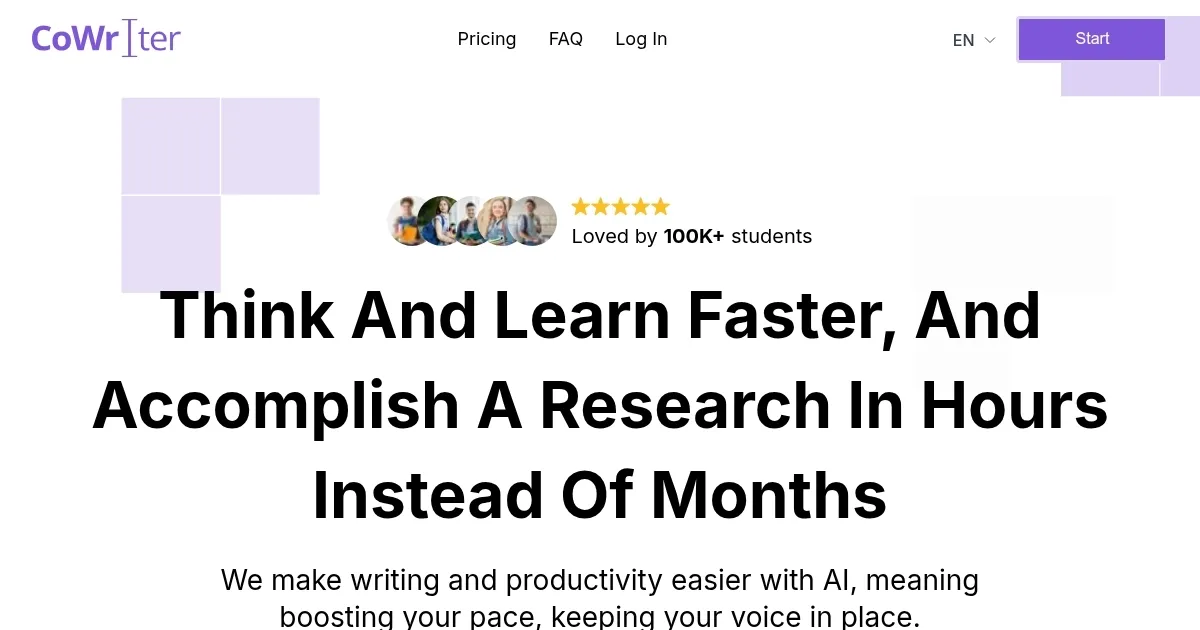
Homepage Screenshot 📸

CoWriter screenshot

Video Overview 🎬

CoWriter - Video Overview

What are the key features? ✨

  • Autocomplete: Provides real-time text suggestions to speed up writing.
  • Outline Builder: Organizes ideas into a structured framework for projects.
  • Citation Formatting: Supports APA, MLA, and Chicago styles for accurate references.
  • Bibliography Library: Stores and manages research references for easy access.
  • Collaborative Editing: Enables real-time editing and commenting for team projects.

Who is it for? 🤔

CoWriter is great for students, academic researchers, freelancers, and content creators who need to produce polished, structured long-form content like essays, research papers, or blogs. Its citation tools and outline builder make it especially valuable for those in academic or professional settings, while its collaborative features suit small teams working on shared projects. Writers seeking efficiency and organization will find it a practical addition to their toolkit.

Examples of what you can use it for 💡

  • Student: Uses CoWriter to draft essays with proper citations and structured outlines.
  • Freelancer: Creates blog posts faster with autocomplete and tone customization.
  • Researcher: Manages references in the bibliography library for academic papers.
  • Content Creator: Writes marketing copy with tailored style and audience settings.
  • Team Lead: Collaborates on reports with real-time editing for group projects.

Pros & Cons ⚖️

  • Speeds up writing with autocomplete.
  • Organizes ideas with Outline Builder.
  • Supports team collaboration.
  • Less ideal for short-form content.
  • AI output may be detectable.

FAQs 💬

What types of writing does CoWriter support?
CoWriter supports essays, blogs, research papers, and marketing copy.
Is there a free trial available?
Yes, CoWriter offers a free trial with limited AI prompts.
Can I customize the writing style?
You can adjust tone, style, and audience for tailored suggestions.
Does it work on mobile devices?
Yes, it integrates with browsers and works on iOS via a keyboard extension.
How does the citation tool work?
It formats citations in APA, MLA, or Chicago styles automatically.
Is CoWriter suitable for team projects?
Yes, it offers real-time editing and commenting for up to five users.
Can it help with writer's block?
The Outline Builder and autocomplete help generate and organize ideas.
Is the content AI-detectable?
Tests show CoWriter's output is often flagged as AI-generated.
Does it integrate with other tools?
It works with Google Docs, Microsoft Word, and browsers.

Ready to try CoWriter?

Boosts writing with AI-driven suggestions and editing tools

Visit CoWriter ↗

CoWriter alternatives 🔗

  1. ChatGPT ChatGPT All-round AI assistant generating human-like responses to user queries and tasks
  2. Gemini Gemini Generates responses from text, images, audio, and video inputs using advanced multimodal AI
  3. Claude Claude Assists users in reasoning, coding, writing, and analyzing data with advanced AI models
  4. Poe Poe Aggregates top AI models for seamless chatting and bot creation
  5. SwiftKey AI Keyboard SwiftKey AI Keyboard Enhances typing with AI-powered autocorrect and predictions
  6. Brave Leo Brave Leo Assists with web queries, content creation, and document analysis in-browser
Share
CoWriter screenshot enlarged
Promote CoWriter
light badge
Copy Embed Code
dark badge
Copy Embed Code
neutral badge
Copy Embed Code
Best AI Tools

Discover the best AI tools for any use case

Explore
  • Tool Categories
  • AI Use Cases
  • AI Events
  • AI News
  • Saved Tools
Company
  • About Us
  • Contact Us
  • Media & Partnerships
  • Suggest a Tool
Legal
  • Privacy Policy
  • Terms of Service
Copyright © 2026 Best AI Tools 415 Mission Street, 37th Floor, San Francisco, CA 94105