LanguageTool by LanguageTooler GmbH
Checks grammar, spelling, and style across multiple languages
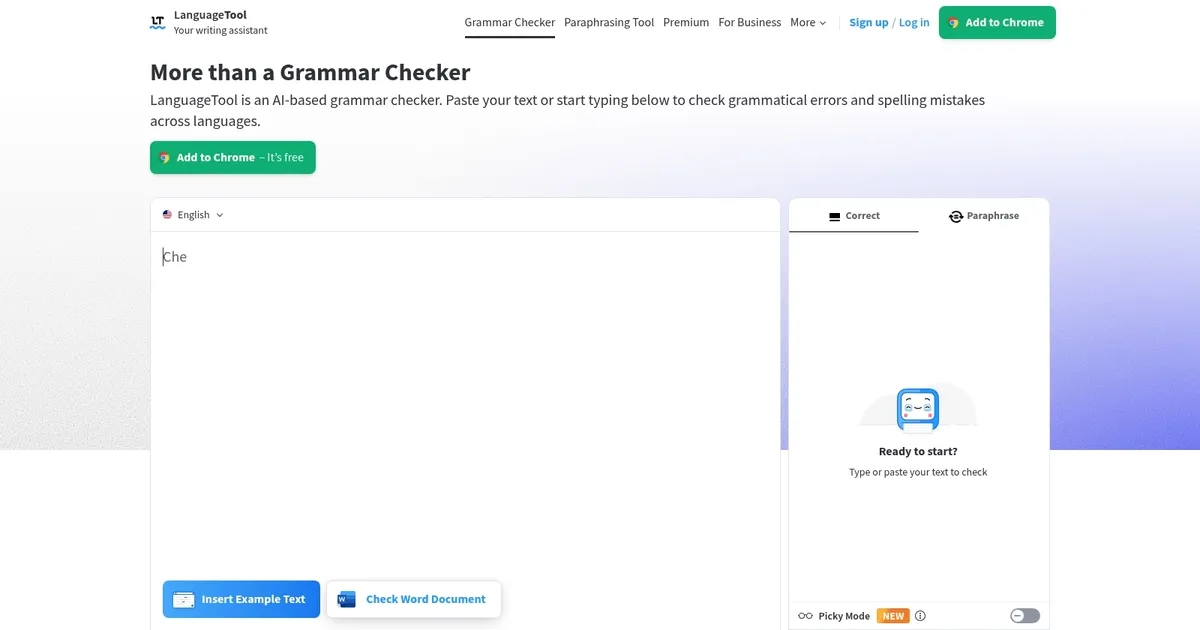
LanguageTool is a versatile AI-powered writing assistant that checks grammar, spelling, and style across over 30 languages, making it a go-to for multilingual writers. Its clean interface lets you paste text or type directly, with errors flagged in real-time via red or blue underlines. The tool catches typos, grammar mistakes like incorrect verb agreement, and even style issues, such as overused words. It’s available as a browser add-on for Chrome, Firefox, or Safari, and it also integrates with apps like Microsoft Word, Slack, and Notepad. The Paraphrasing Tool uses AI to rephrase sentences for clarity or formality, which is great for refining tone.
The free version handles basic spelling, punctuation, and some style errors, while the Premium version unlocks deeper grammar and style suggestions, which are ideal for professional or academic writing. Compared to Grammarly, LanguageTool’s multilingual support is stronger, covering languages like Spanish, German, and Portuguese, with options for English variants like US or UK. However, its style feedback isn’t as tailored for creative writing as ProWritingAid, which delves deeper into narrative flow. LanguageTool’s privacy focus, with no text storage in the browser add-on, sets it apart from competitors.
Key features include the Improve Style function, which spots redundant phrases and suggests sharper alternatives, and the Statistics feature, which tracks errors and suggestions to show your progress. The tool’s punctuation checker is precise, catching misplaced commas in complex sentences, and the Confirm Casing feature ensures proper capitalization for names or places. It’s not just for browsers – dedicated apps for Windows and macOS make it a flexible choice for various workflows.
On the downside, the free version feels limited, as advanced suggestions require a Premium upgrade, which might not suit everyone’s budget. Some users may find the style suggestions too rigid, especially for creative or informal writing, where flagged phrases might be intentional. Unlike Grammarly, which excels in English tone adjustments, LanguageTool prioritizes correctness over flair, which may frustrate writers seeking a unique voice.
The tool shines for non-native speakers or those juggling multiple languages, as it seamlessly switches between dialects and languages. Its integrations make it practical for everyday use, whether you’re drafting emails in Gmail or reports in Word. The Paraphrasing Tool is a standout, offering quick rewrites that save time; however, you may need to tweak the suggestions to match your style.
For best results, try LanguageTool’s free version on a short document to gauge its fit. Utilize the Statistics feature to track improvements, particularly if you’re a student or professional looking to refine your work. Check for academic discounts if you’re on a budget, and don’t hesitate to override suggestions that clash with your creative intent; it’s your voice, after all.
Homepage Screenshot 📸
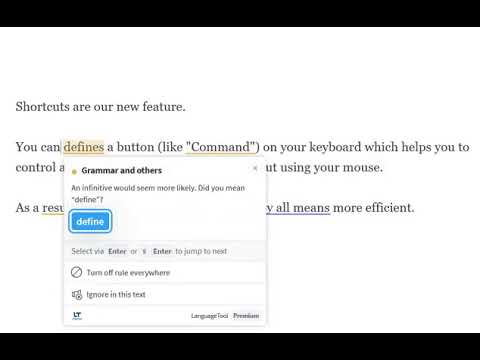
Video Overview 🎬
What are the key features? ✨
- Correct Spelling: Flags typos and misspellings with red underlines for quick fixes.
- Check Grammar: Detects grammar errors like subject-verb agreement issues.
- Improve Style: Suggests sharper alternatives to overused or redundant phrases.
- Paraphrasing Tool: Rewrites sentences for clarity, formality, or conciseness.
- Statistics: Tracks errors and suggestions to monitor writing improvement.
Who is it for? 🤔
Examples of what you can use it for 💡
- Student: Uses LanguageTool to proofread essays for grammar and style errors.
- Professional: Enhances business emails with clear, polished language.
- Non-native speaker: Checks writing in English or other languages for accuracy.
- Blogger: Refines posts with the Paraphrasing Tool for better flow.
- Academic: Ensures theses are error-free with Premium style checks.
Pros & Cons ⚖️
- Supports over 30 languages
- Seamless app integrations
- Strong privacy focus
- Useful paraphrasing tool
- Free version feels limited
- Style suggestions can be rigid
FAQs 💬
Ready to try LanguageTool?
Checks grammar, spelling, and style across multiple languages
Visit LanguageTool