logo-darklogo-darklogo-darklogo-dark
  • Tool Categories
    • ๐ŸŽจArt & Creative Design505
    • ๐ŸขBusiness Management644
    • ๐Ÿ’ปCoding & Development514
    • ๐Ÿ‘ฎDetection83
    • ๐Ÿง General Use728
    • ๐ŸฅHealth & Wellness55
    • ๐Ÿ“ทImage & Photo Analysis100
    • ๐Ÿ–ผ๏ธImage Generation & Editing618
    • ๐Ÿ“Interior & Architectural Design37
    • ๐ŸŽ“Learning & Education483
    • โš–๏ธLegal & Finance90
    • ๐ŸŽญLifestyle & Entertainment236
    • ๐Ÿ“ขMarketing & Advertising627
    • ๐ŸŽงMusic & Audio138
    • ๐Ÿ‘”Office & Workplace1,014
    • ๐Ÿ”ฌResearch & Data Analysis373
    • ๐Ÿ‘ฅSocial Media245
    • ๐ŸŽฅVideo Generation & Editing426
    • ๐Ÿ‘ง๐ŸปVirtual Companion135
    • ๐ŸŽคVoice Generation & Editing381
    • โœ๏ธWriting & Editing808
    • All Categories
    • AI Use Cases
  • News
  • Events
    • Academic Conferences
    • Developer Conferences
    • Expos / Trade Shows
    • Industry Summits
    • Workshops / Training
    • All Events
    • Past Events
  • Saved Tools
  • Suggest a Tool
โœ•
Home › Office & Workplace › Copilot› Microsoft Copilot
Microsoft Copilot

Microsoft Copilot

Boosts productivity with AI-driven answers, writing, and image creation

Microsoft Copilot is an AI-powered assistant that enhances productivity by providing answers, generating text, and creating images across web, mobile, and Microsoft 365 platforms. It leverages OpenAI’s models, like GPT-5 and DALL-E 3, combined with Microsoft’s Prometheus framework for contextual, up-to-date responses. Available on copilot.microsoft.com, iOS, Android, and Windows, it integrates with Word, Excel, PowerPoint, and Outlook for seamless task support. Copilot supports over 20 languages, though some features, like Excel’s data analysis, are English-only in preview. The free version offers 30 daily chat turns, with premium options like Copilot Pro unlocking higher limits and advanced features.

Key features include Copilot Pages for organizing research, Think Deeper for complex problem-solving, and Copilot Vision for screen-based interactions (U.S.-only on Windows). Image generation produces high-quality visuals from text prompts, while voice mode enables hands-free operation. Copilot Studio allows users to create custom AI agents for specific tasks, ideal for businesses. Compared to ChatGPT, Copilot excels in Microsoft 365 integration but may lack depth in niche conversational topics. Google Gemini offers faster responses for simple queries, but Copilot’s ecosystem ties give it an edge for office tasks.

Users appreciate the tool’s ability to streamline workflows, such as drafting emails in Outlook or generating charts in Excel. The free version’s accessibility is a plus, and enterprise-grade security ensures data privacy. However, the 30-turn limit can restrict heavy users, and peak-time slowdowns affect free accounts. Some features remain in preview, limiting their availability, and non-English support is incomplete for certain functions. Copilot Labs, exclusive to Pro subscribers, offers experimental features like Think Deeper, which uses OpenAI’s o1 model for advanced reasoning.

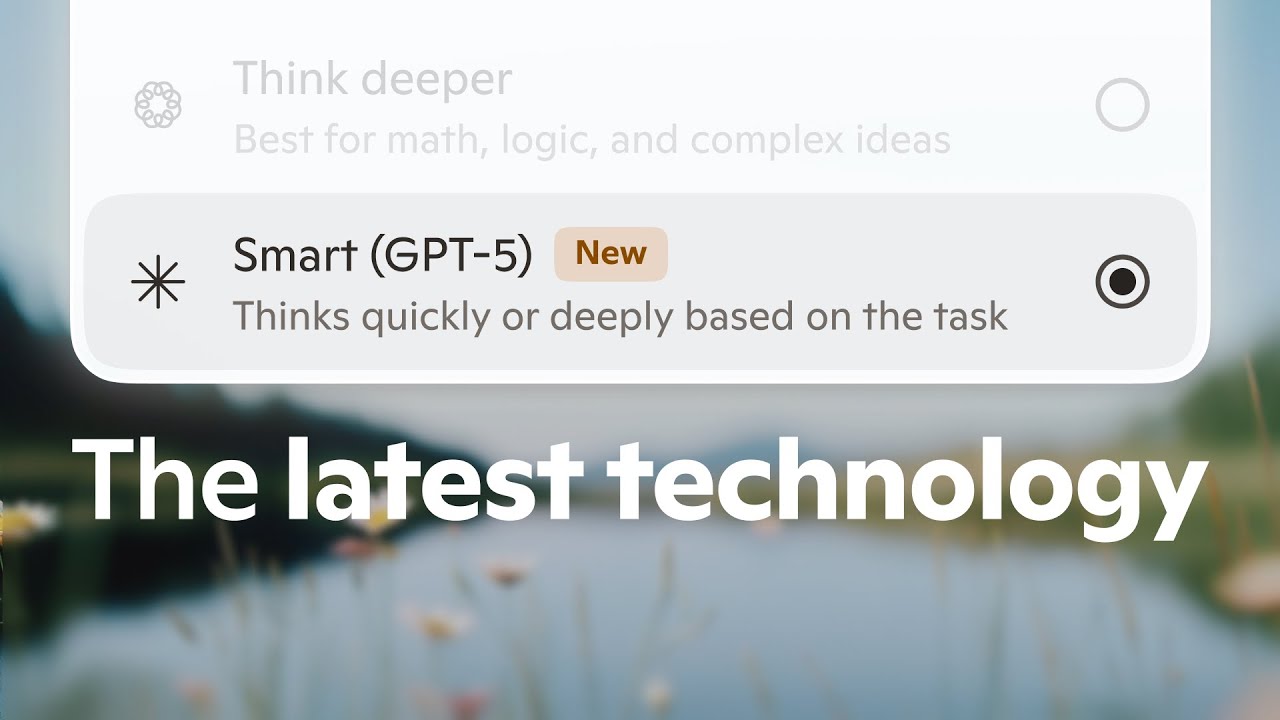
Pricing is competitive, with a free tier and Copilot Pro offering premium features at a cost similar to ChatGPT’s paid plans. Enterprise options, like Microsoft 365 Copilot, cater to businesses with robust security. The tool’s ability to pull from Microsoft Graph data ensures contextual responses for enterprise users. Recent updates, like GPT-5 integration in Smart mode, enhance its reasoning capabilities.

Try the free version on the web to test basic features like text generation or image creation. If you use Microsoft 365, explore Copilot’s app integrations for maximum value. Check language support for your needs, and consider Pro for heavier usage or access to Copilot Labs. Experiment with voice commands for quick tasks, and use Copilot Pages for structured projects.

Visit Microsoft Copilot ↗
Categories
๐Ÿ‘” Work
๐Ÿค– Copilot ๐Ÿ’ผ Workplace Assistant โšก Work Productivity
๐Ÿง  General
๐Ÿค– Assistant ๐Ÿ’ฌ Chatbot ๐Ÿง  Large Language Model โœ… Productivity ๐Ÿ” Search Engine
โœ๏ธ Writing
๐Ÿค– Writing Assistant ๐Ÿ…ฐ๏ธ Text Generation
๐Ÿ’ป Coding
๐Ÿค– Code Assistant
๐Ÿ–ผ๏ธ Image
๐Ÿ–ผ๏ธ Image Generation

Homepage Screenshot 📸

Microsoft Copilot screenshot

Video Overview 🎬

Microsoft Copilot - Video Overview

What are the key features? ✨

  • Copilot Pages: Organizes research and ideas into AI-powered documents for planning or brainstorming.
  • Think Deeper: Uses OpenAIโ€™s o1 model to reason through complex queries with advanced logic.
  • Image Generation: Creates high-quality visuals from text prompts using DALL-E 3 technology.
  • Microsoft 365 Integration: Enhances productivity in Word, Excel, PowerPoint, and Outlook with AI assistance.
  • Copilot Vision: Analyzes on-screen content for real-time guidance, available on Windows in the U.S.

Who is it for? 🤔

Microsoft Copilot is ideal for professionals, students, and small business owners who rely on Microsoft 365 for daily tasks, as well as creatives seeking quick image generation or text drafting. It suits those needing a versatile AI to streamline research, organize ideas, or automate repetitive tasks, particularly in office environments. Users comfortable with Microsoftโ€™s ecosystem or seeking a privacy-focused AI with enterprise-grade security will find it especially valuable, though casual users can benefit from its free tier for simple queries or creative projects.

Examples of what you can use it for 💡

  • Office Worker: Drafts emails or creates presentations in Microsoft 365 apps with AI assistance.
  • Student: Summarizes research papers or organizes study notes using Copilot Pages.
  • Graphic Designer: Generates photorealistic or artistic images from text prompts for projects.
  • Small Business Owner: Builds custom AI agents with Copilot Studio to automate customer support.
  • Remote Worker: Uses voice mode to dictate tasks or manage schedules hands-free.

Pros & Cons ⚖️

  • Seamless Microsoft 365 integration
  • High-quality image generation
  • Free tier with useful features
  • Free version has usage limits
  • Some features English-only

FAQs 💬

What is Microsoft Copilot?
Microsoft Copilot is an AI assistant for answering questions, generating text, and creating images across web, mobile, and Microsoft 365 apps.
Is Copilot free to use?
Yes, Copilot offers a free tier with 30 daily chat turns, with premium options like Copilot Pro for more features.
What devices support Copilot?
Copilot is available on web, iOS, Android, Windows, and integrates with Microsoft 365 apps.
Can Copilot generate images?
Yes, Copilot uses DALL-E 3 to create high-quality visuals from text prompts.
Does Copilot support multiple languages?
Copilot supports over 20 languages, but some features are English-only in preview.
What is Copilot Pro?
Copilot Pro is a paid subscription offering higher usage limits and access to advanced features like Think Deeper.
Can Copilot integrate with Microsoft 365?
Yes, Copilot enhances Word, Excel, PowerPoint, and Outlook with AI-driven productivity tools.
Is my data safe with Copilot?
Microsoft ensures data privacy, with no model training on user data and enterprise-grade security.
What is Copilot Vision?
Copilot Vision analyzes on-screen content for real-time guidance, currently available on Windows in the U.S.
How does Copilot compare to ChatGPT?
Copilot offers better Microsoft 365 integration, while ChatGPT excels in conversational depth for niche topics.

Ready to try Microsoft Copilot?

Boosts productivity with AI-driven answers, writing, and image creation

Visit Microsoft Copilot ↗

Microsoft Copilot alternatives 🔗

  1. Gemini Gemini Generates responses from text, images, audio, and video inputs using advanced multimodal AI
  2. Cursor Cursor Supercharges coding with AI agents that build, edit, and review code autonomously.
  3. Windsurf Windsurf Empowers developers with AI-driven code generation and real-time collaboration.
  4. Poe Poe Aggregates top AI models for seamless chatting and bot creation
  5. Replit AI Replit AI Transforms natural language prompts into fully deployable apps using AI agents
  6. GitHub Copilot GitHub Copilot Enhances coding with AI-driven completions and chat assistance
Share
Microsoft Copilot screenshot enlarged
Promote Microsoft Copilot
light badge
Copy Embed Code
dark badge
Copy Embed Code
neutral badge
Copy Embed Code
Best AI Tools

Discover the best AI tools for any use case

Explore
  • Tool Categories
  • AI Use Cases
  • AI Events
  • AI News
  • Saved Tools
Company
  • About Us
  • Contact Us
  • Media & Partnerships
  • Suggest a Tool
Legal
  • Privacy Policy
  • Terms of Service
Copyright © 2026 Best AI Tools 415 Mission Street, 37th Floor, San Francisco, CA 94105