LangChain
Simplifies building AI apps with large language models
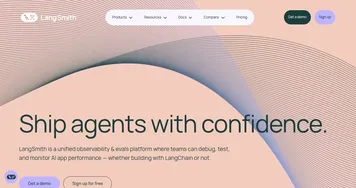
LangChain is a framework for building applications powered by large language models, offering tools to integrate LLMs with external data, tools, and memory. Its core package, langchain-core, provides abstractions for chat models, embeddings, and vector stores, supporting over 600 integrations. The langchain-community package adds third-party tools, while LangGraph enables stateful agent workflows with features like human-in-the-loop and streaming. LangSmith offers tracing and monitoring for debugging and performance evaluation. The LangGraph Platform supports deployment with scalable APIs and a visual studio for prototyping.
Key features include the LangChain Expression Language for chaining components, vector store integrations for real-time data retrieval, and memory management for conversational context. LangGraph’s graph-based approach allows complex, controllable agent workflows, while LangSmith provides detailed insights into app performance. The framework supports Python and JavaScript, with extensive documentation and tutorials via LangChain Academy.
Compared to CrewAI and Haystack, LangChain offers a broader ecosystem but may require more setup time. CrewAI focuses on multi-agent collaboration, while Haystack excels in search-driven applications. LangChain’s open-source libraries are free, with premium deployment options via LangGraph Platform, aligning with industry standards.
Users may appreciate the flexibility and community support (113k GitHub stars). However, the learning curve is steep, and documentation can be dense. Some third-party integrations may have bugs, as noted in community feedback on Reddit. Recent updates, like dynamic tool selection, enhance functionality but may introduce breaking changes.
To get started, install LangChain via pip, explore tutorials for simple chains, and use LangSmith for monitoring. Test small projects before scaling to complex agents to manage the learning curve effectively.
Homepage Screenshot 📸
Video Overview 🎬
What are the key features? ✨
- LangChain Expression Language (LCEL): Enables flexible chaining of LLM components for custom workflows.
- LangGraph: Builds stateful, multi-agent applications with human-in-the-loop support.
- LangSmith: Provides tracing and monitoring for debugging and performance evaluation.
- Vector Store Integration: Connects LLMs to external data for real-time context retrieval.
- Memory Management: Maintains conversational context for coherent interactions.
Who is it for? 🤔
Examples of what you can use it for 💡
- Software Developer: Creates a chatbot that answers coding queries using LLM and GitHub data.
- Data Analyst: Builds a tool to summarize reports by integrating LLMs with document loaders.
- Customer Support Lead: Deploys an agent to handle queries with real-time database access.
- Researcher: Develops a system to extract insights from academic papers using vector stores.
- Startup Founder: Prototypes an AI assistant for personalized user recommendations.
Pros & Cons ⚖️
- Flexible, modular framework
- Extensive 600+ integrations
- Scalable deployment options
- Dense documentation
- Frequent update changes
FAQs 💬