logo-darklogo-darklogo-darklogo-dark
  • Tool Categories
    • 🎨 Art
    • 🏢 Business
    • 💻 Coding
    • 👮 Detection
    • 🧠 General
    • 🏥 Health
    • 📷 Image Analysis
    • 🖼️ Image
    • 📐 Architecture
    • 🎓 Education
    • ⚖️ Legal/Finance
    • 🎭 Lifestyle
    • 📢 Advertising
    • 🎧 Music
    • 👔 Work
    • 🔬 Research
    • 👥 Social
    • 🎥 Video
    • 👧🏻 Companion
    • 🎤 Voice
    • ✍️ Writing
    • All Categories
    • AI Use Cases
  • News
  • Events
    • Academic Conferences
    • Developer Conferences
    • Expos / Trade Shows
    • Industry Summits
    • Online Events
    • Workshops / Training
    • All Events
    • Past Events
  • Saved Tools
  • Suggest a Tool
✕
Home › Coding & Development › Development› FlowiseAI
FlowiseAI

FlowiseAI

Open source UI visual tool to build your customized LLM flow using Langchain

Flowise is an open-source, low-code tool designed for developers to easily build customized LLM (Large Language Model) apps and AI agents. The platform enables quick iteration, allowing developers to swiftly transition from testing to production.

Flowise offers various features, including LLM Orchestration, which allows for the integration of LLMs with functionalities such as memory, data loaders, cache, and moderation. It also supports the creation of autonomous agents that can execute different tasks using customized tools.

Flowise provides a developer-friendly environment with API, SDK, and embed capabilities. Users can run these applications in different environments, including air-gapped setups with local LLMs, and deploy them on major cloud platforms like AWS, Microsoft Azure, and Google Cloud.

The platform supports a range of use cases, from building product catalogs and customer support chatbots to querying SQL databases and handling structured data. Its no-code/low-code approach democratizes the creation of sophisticated AI-based solutions, making it accessible even to those with minimal coding experience.

Flowise is backed by a vibrant community that contributes to its development and supports new users. Furthermore, it is popular among developers globally for its ability to rapidly build, test, and deploy LLM applications — and its open-source nature has garnered significant appreciation, as demonstrated by its trending on GitHub.

Visit FlowiseAI ↗

Categories

💻 Coding

👨‍💻 Development 📱 App Building ⌨️ Code Generation

👔 Work

🔗 Agent

🏢 Business

🔄 Workflow

🧠 General

🦙 Open Source Model 💬 Chatbot

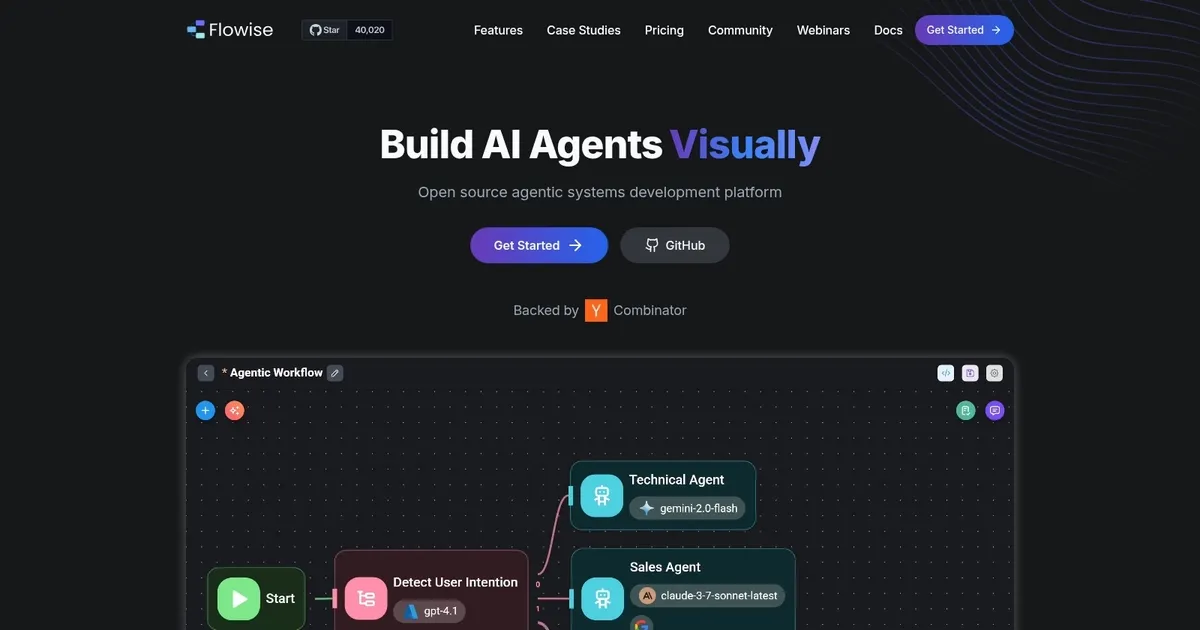
Screenshot 📸

FlowiseAI screenshot

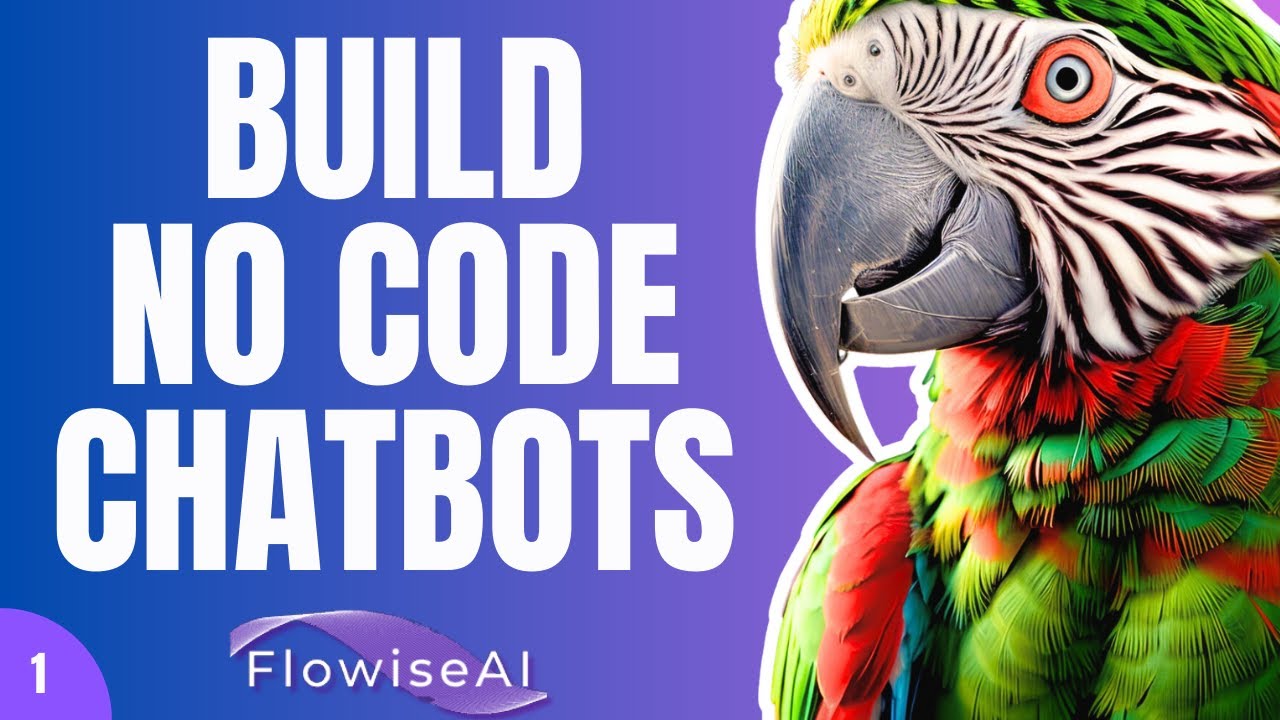
Video Overview 🎬

What are the key features? ✨

  • Drag-and-Drop UI: Build custom LLM flows visually without writing extensive code.
  • Multi-Agent Systems: Create coordinated agent workflows with orchestration capabilities.
  • RAG Support: Implement retrieval-augmented generation using various data sources and vector stores.
  • Human-in-the-Loop: Insert human review steps into agent processes for oversight.
  • Observability & Tracing: Full execution traces with support for Prometheus and OpenTelemetry.

Who is it for? 🤔

FlowiseAI suits developers, AI enthusiasts, startups, and teams who want to prototype and deploy LLM applications quickly without heavy coding. Its visual approach helps non-experts experiment with chatbots and agents, while offering enough depth for production use by technical users who value self-hosting, customization, and integration flexibility.

Examples of what you can use it for 💡

  • Startup founder: Quickly builds an AI customer support chatbot that answers questions from product docs using RAG.
  • Developer: Creates a multi-agent research assistant where agents handle different tasks like searching, summarizing, and verifying information.
  • Content team: Develops an internal tool that queries company knowledge base in natural language and provides accurate responses.
  • Product manager: Prototypes conversational AI features for a web app with embedded chat widgets and tool integrations.
  • Enterprise IT: Deploys self-hosted AI workflows for secure, scalable document analysis without relying on external cloud limits.

Pros & Cons ⚖️

  • Intuitive visual builder
  • Strong RAG and agent support
  • Fast prototyping
  • Learning curve for advanced nodes
  • Limited free tier quotas

FAQs 💬

What is FlowiseAI mainly used for?
FlowiseAI is primarily used to build custom LLM applications, chatbots, AI agents, and RAG pipelines visually without extensive coding.
Is FlowiseAI open-source?
Yes, FlowiseAI is fully open-source with a free community edition, and it also offers paid cloud plans for easier scaling.
Does FlowiseAI require coding knowledge?
Basic use requires little to no coding thanks to the drag-and-drop interface, though advanced customizations benefit from some technical understanding.
What LLMs does FlowiseAI support?
It integrates with over 100 LLMs, including major providers like OpenAI, Anthropic, and open models via various endpoints.
Can I self-host FlowiseAI?
Yes, you can self-host it locally or on your infrastructure using Docker or other methods for full control and privacy.
How does FlowiseAI compare to LangChain?
FlowiseAI provides a visual layer on top of LangChain, making it easier to build and test chains without writing code manually.
Is there a free plan available?
Yes, a free tier exists for both self-hosted and cloud use, though with limits on flows, predictions, and storage.
Does it support multi-agent systems?
Yes, FlowiseAI includes features to build and orchestrate multi-agent workflows where agents collaborate on tasks.
Can I embed FlowiseAI chatbots in websites?
Yes, it provides embeddable chat widgets and APIs for easy integration into websites or apps.
What are the main competitors to FlowiseAI?
Common alternatives include Langflow for similar visual LLM building and n8n for broader workflow automation that includes AI components.

Ready to try FlowiseAI?

Open source UI visual tool to build your customized LLM flow using Langchain

Visit FlowiseAI ↗


FlowiseAI alternatives 🔗

  1. Black Forest Labs Black Forest Labs Generates high-quality images from text prompts with precision and speed
  2. Cursor Cursor Supercharges coding with AI agents that build, edit, and review code autonomously.
  3. Windsurf Windsurf Empowers developers with AI-driven code generation and real-time collaboration.
  4. Lovable Lovable Builds apps and websites via AI chat prompts.
  5. Replit AI Replit AI Transforms natural language prompts into fully deployable apps using AI agents
  6. GitHub Copilot GitHub Copilot Enhances coding with AI-driven completions and chat assistance
Share
FlowiseAI screenshot enlarged
Promote FlowiseAI
light badge
Copy Embed Code
dark badge
Copy Embed Code
neutral badge
Copy Embed Code
Best AI Tools

Discover the best AI tools for any use case

About Us | Contact Us | Suggest an AI Tool
Privacy Policy | Terms of Service
Copyright © 2026 Best AI Tools 415 Mission Street, 37th Floor, San Francisco, CA 94105