Best AI 3D Modeling Tools

61 toolsRanked by traffic

AI 3D modeling tools generate three-dimensional models and assets, from characters and props to product mockups, using AI to build the geometry, textures, and shapes for you. They turn a prompt, a sketch, or a single photo into a usable mesh in minutes. The category covers broad creation engines like Leonardo.Ai, Krea, and Meshy, plus dedicated generators like Tripo3D.

Game developers, product designers, and 3D artists lean on these to skip the slow blocking-out stage and get a rough asset they can refine in Blender or Maya. When you're picking one, the things that matter are the quality of the topology it produces, whether it exports clean formats like GLB, OBJ, or FBX, and how much cleanup you'll do afterward. AI 3D output is rarely final, but it's a fast way to fill a scene or test an idea before committing hours to it.

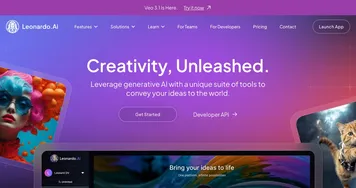
Leonardo.Ai
Leonardo.Ai - icon
Leonardo.Ai
A tool that helps artists create stunning game assets with the help of AI
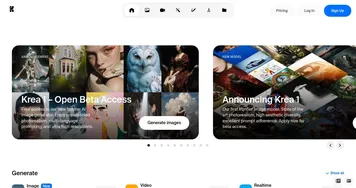
Krea
Krea - icon
Krea
Empowering users to generate and enhance images and videos using advanced AI
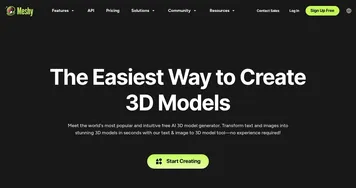
Meshy
Meshy - icon
Meshy
Transforms text prompts and images into high-quality 3D models instantly.
Tripo3D
Tripo3D - icon
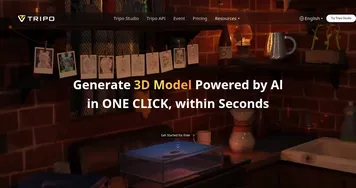
Tripo3D
An AI-driven platform designed to transform text into 3D animations
Luma Interactive Scenes
Luma Interactive Scenes - icon
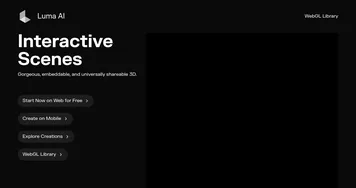
Luma Interactive Scenes
Capture and experience the world in lifelike 3D
Homestyler AI Designer
Homestyler AI Designer - icon
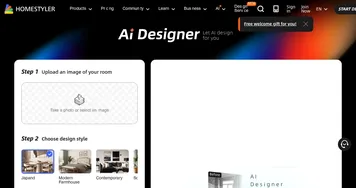
Homestyler AI Designer
Choose design style and room type, and let AI design the room for you
Hyper3D
Hyper3D - icon
Hyper3D
An AI-powered platform that streamlines the creation of 3D models from text descriptions or images
Stable 3D
Stable 3D - icon
Stable 3D
Leveraging AI to generate high-quality 3D models and animations from simple inputs
Spline AI
Spline AI - icon
Spline AI
Generate 3D objects, animations, and textures using prompts
GlobalGPT
GlobalGPT - icon
GlobalGPT
Bringing the latest GPT, Claude, Midjourney, Runway, and 100+ AI models into a single dashboard
Meshcapade
Meshcapade - icon
Meshcapade
An online tool that converts images, videos, and words into lifelike digital humans
Autodraft
Autodraft - icon
Autodraft
An AI-powered platform that can transform text prompts into vivid visuals
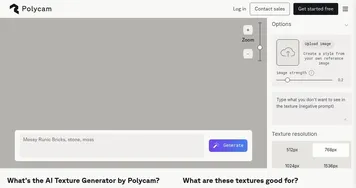
Polycam AI Texture Generator
Polycam AI Texture Generator - icon
Polycam AI Texture Generator
Simplify the creation of high-quality 3D textures for various digital art projects
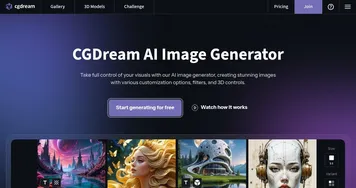
CGDream
CGDream - icon
CGDream
An AI-powered platform offering various tools for image and 3D model generation
3D AI Studio
3D AI Studio - icon
3D AI Studio
An advanced platform that streamlines the process of generating high-quality 3D models using AI

Frequently Asked Questions

What is the best AI 3D modeling tool?
The best AI 3D modeling tool depends on your pipeline. Meshy and Tripo3D are popular for quick game-ready assets with decent topology, while Leonardo.Ai and Krea fit artists who want a broader creative suite. Most have free credits, so it's worth generating the same asset in two before deciding.
What is the difference between 3D modeling and text-to-3D?
3D modeling is the broad category of creating any 3D model with AI, whether you start from a prompt, an image, or a sketch. Text-to-3D is one specific method inside it, where your only input is a written description. Most modeling tools support text-to-3D plus image and sketch inputs too.
Can AI 3D models be used in games?
Yes, AI-generated 3D models can be used in games, but they usually need cleanup first. The raw mesh often has messy topology or a high polygon count, so artists retopologize, bake textures, and rig it before it ships. AI is best for greyboxing scenes and generating background props quickly.
What file formats do AI 3D tools export?
Most AI 3D modeling tools export standard formats like GLB, OBJ, FBX, and STL, which open in Blender, Maya, Unity, and Unreal. GLB and OBJ are common for general use, FBX carries rigging and animation data, and STL is the go-to for 3D printing. Check the export options before you commit.
Are AI 3D modeling tools free?
Most AI 3D modeling tools offer free credits or a limited free tier, then charge a monthly subscription for more generations, higher resolution, and commercial rights. Free plans are fine for testing the quality, but heavy production work pushes you onto a paid plan, usually somewhere in the range of twenty to fifty dollars a month.