logo-darklogo-darklogo-darklogo-dark
  • Tool Categories
    • ๐ŸŽจ Art
    • ๐Ÿข Business
    • ๐Ÿ’ป Coding
    • ๐Ÿ‘ฎ Detection
    • ๐Ÿง  General
    • ๐Ÿฅ Health
    • ๐Ÿ“ท Image Analysis
    • ๐Ÿ–ผ๏ธ Image
    • ๐Ÿ“ Architecture
    • ๐ŸŽ“ Education
    • โš–๏ธ Legal/Finance
    • ๐ŸŽญ Lifestyle
    • ๐Ÿ“ข Advertising
    • ๐ŸŽง Music
    • ๐Ÿ‘” Work
    • ๐Ÿ”ฌ Research
    • ๐Ÿ‘ฅ Social
    • ๐ŸŽฅ Video
    • ๐Ÿ‘ง๐Ÿป Companion
    • ๐ŸŽค Voice
    • โœ๏ธ Writing
    • All Categories
    • AI Use Cases
  • News
  • Events
    • Academic Conferences
    • Developer Conferences
    • Expos / Trade Shows
    • Industry Summits
    • Online Events
    • Workshops / Training
    • All Events
    • Past Events
  • Saved Tools
  • Suggest a Tool
โœ•
Home › Art & Creative Design › 3D Modeling› Meshcapade
Meshcapade

Meshcapade

An online tool that converts images, videos, and words into lifelike digital humans

Meshcapade specializes in developing digital human models, with its platform utilizing foundation models to imbue digital humans with the ability to see, understand, and move realistically.

The tool offers different functionalities to create and use digital humans across various applications and industries. Among its noteworthy features are the ability to generate motion from text input, create lifelike movement based on written descriptions, capture motion from video using a single camera, and create accurate body shapes from images.

These technologies offer innovative solutions for industries like gaming, film, virtual reality, and digital fashion — streamlining the creation process of digital human characters and enhancing the realism and engagement of digital interactions.

Meshcapade also offers an API, enabling third-party developers to add a “touch of Meshcapade” to their apps and services. That means we could get some really fancy new tools down the road.

In the meantime, you can try Meshcapade for free and only pay for it if it works for you. Just the way we like it.

Visit Meshcapade ↗

Categories

๐ŸŽจ Art

๐ŸงŠ 3D Modeling ๐ŸŽฒ Text to 3D Design

๐Ÿ–ผ๏ธ Image

๐Ÿง‘โ€๐ŸŽค Avatar Generation ๐ŸงŠ 3D Imaging

๐ŸŽฅ Video

๐ŸŽž๏ธ Animation Generation ๐Ÿค– Avatar Video Generation

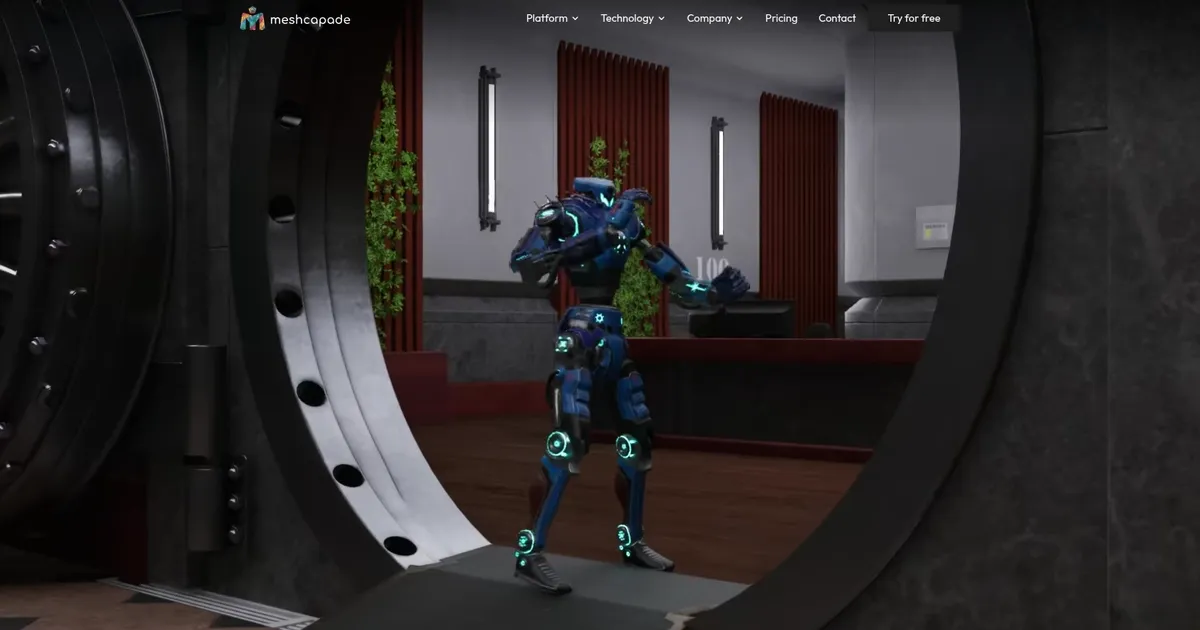
Screenshot 📸

Meshcapade screenshot

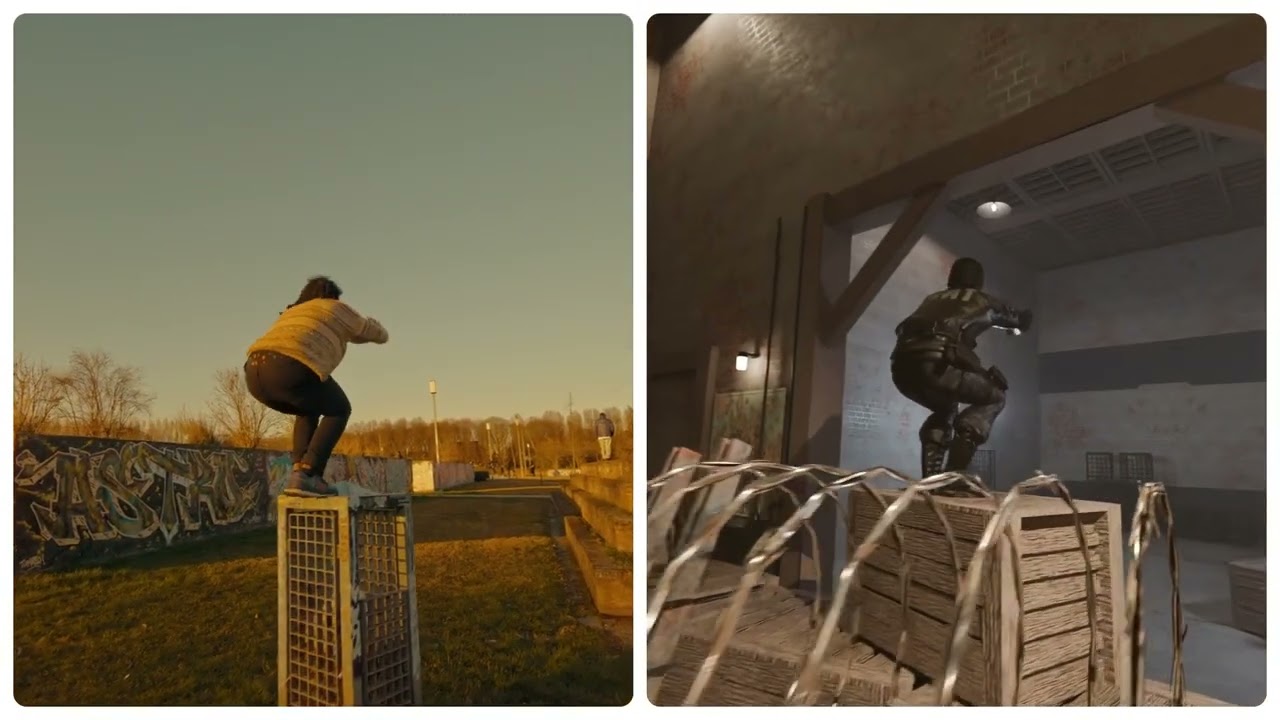
Video Overview 🎬

Meshcapade - Video Overview

What are the key features? ✨

  • Markerless Motion Capture: captures full-body and finger motion from a single camera video without suits or markers
  • 3D Avatar Creation: generates rigged, production-ready digital humans from photos or videos with accurate proportions
  • Text-to-Motion Generation: creates starter animations from simple text descriptions for quick blocking
  • SMPL-Based Technology: uses industry-standard parametric body models for realistic shape and movement consistency
  • Flexible Export & Deployment: outputs in FBX, GLB and supports cloud, on-prem, or hybrid enterprise setups

Who is it for? 🤔

Meshcapade helps 3D artists, game developers, animation studios, fashion brands doing virtual try-on, robotics researchers, and VR/AR creators who need realistic digital humans and motion without expensive mocap hardware or long manual cleanup.

Examples of what you can use it for 💡

  • Indie game developer: quickly captures realistic character motion from phone video and imports directly into Unity or Unreal to prototype gameplay
  • Animation studio artist: generates base animations from text prompts then refines them, saving hours on initial blocking
  • Fashion e-commerce manager: creates accurate digital body twins for virtual try-on to reduce sizing returns and improve online sales
  • Robotics engineer: uses captured human motion data to train robots for safer, more natural interaction with people
  • VR content creator: builds photorealistic avatars from selfies that move naturally in immersive environments

Pros & Cons ⚖️

  • High-fidelity finger and body tracking
  • No markers or suits required
  • Fast processing from everyday videos
  • Realistic SMPL-based proportions
  • Limited free tier for heavy use
  • Facial capture still developing

FAQs 💬

What is Meshcapade?
Meshcapade is an AI toolkit for markerless motion capture, 3D avatar creation, and motion generation, built on SMPL models to produce realistic digital humans from photos or videos.
Do I need special equipment to use Meshcapade?
No, it works with any single camera like a smartphone, webcam, or professional cameraโ€”no markers, suits, or tripods required.
What file formats does Meshcapade support for export?
It exports in popular formats including FBX and GLB, compatible with Unity, Unreal, Blender, and other 3D tools.
Can Meshcapade capture finger movements?
Yes, it provides detailed finger tracking alongside full-body motion for more expressive animations.
Is there a free way to try Meshcapade?
Yes, visit me.meshcapade.com for a free trial that lets you test avatar creation and motion capture with your own inputs.
What industries use Meshcapade?
It serves animation, gaming, fashion for virtual try-on, robotics, healthcare, and virtual production.
How does Meshcapade compare to Ready Player Me?
Meshcapade focuses on photorealistic, production-grade avatars and motion, while Ready Player Me prioritizes quick, stylized avatars for social and metaverse use.
Does Meshcapade offer text-to-motion features?
Yes, you can describe an action in text, and it generates a starting animation in formats like FBX or GLB.
Is Meshcapade suitable for enterprise use?
Yes, it supports cloud, on-premise, or hybrid deployment with privacy features and GDPR compliance for larger teams.
When is hair capture coming to Meshcapade?
Hair capture is listed as coming soon on their site, promising realistic 3D hair estimation in future updates.

Ready to try Meshcapade?

An online tool that converts images, videos, and words into lifelike digital humans

Visit Meshcapade ↗

Meshcapade alternatives 🔗

  1. Leonardo.Ai Leonardo.Ai A tool that helps artists create stunning game assets with the help of AI
  2. Krea Krea Empowering users to generate and enhance images and videos using advanced AI
  3. Meshy Meshy Transforms text prompts and images into high-quality 3D models instantly.
  4. Tripo3D Tripo3D An AI-driven platform designed to transform text into 3D animations
  5. Luma Interactive Scenes Luma Interactive Scenes Capture and experience the world in lifelike 3D
  6. Homestyler AI Designer Homestyler AI Designer Choose design style and room type, and let AI design the room for you
Share
Meshcapade screenshot enlarged
Promote Meshcapade
light badge
Copy Embed Code
dark badge
Copy Embed Code
neutral badge
Copy Embed Code
Best AI Tools

Discover the best AI tools for any use case

About Us | Contact Us | Suggest an AI Tool
Privacy Policy | Terms of Service
Copyright © 2026 Best AI Tools 415 Mission Street, 37th Floor, San Francisco, CA 94105