logo-darklogo-darklogo-darklogo-dark
  • Tool Categories
    • 🎨 Art
    • 🏢 Business
    • 💻 Coding
    • 👮 Detection
    • 🧠 General
    • 🏥 Health
    • 📷 Image Analysis
    • 🖼️ Image
    • 📐 Architecture
    • 🎓 Education
    • ⚖️ Legal/Finance
    • 🎭 Lifestyle
    • 📢 Advertising
    • 🎧 Music
    • 👔 Work
    • 🔬 Research
    • 👥 Social
    • 🎥 Video
    • 👧🏻 Companion
    • 🎤 Voice
    • ✍️ Writing
    • All Categories
    • AI Use Cases
  • News
  • Events
    • Academic Conferences
    • Developer Conferences
    • Expos / Trade Shows
    • Industry Summits
    • Online Events
    • Workshops / Training
    • All Events
    • Past Events
  • Saved Tools
  • Suggest a Tool
✕
Home › Art & Creative Design › 3D Modeling› Meshy
Meshy

Meshy

Transforms text prompts and images into high-quality 3D models instantly.

Meshy is a 3D AI generator that aims to revolutionize the way content creators produce 3D models and textures. It offers AI-driven tools that allow users to generate 3D assets quickly and effortlessly.

One of its primary features, Text to 3D, enables users to transform text descriptions into detailed 3D models within a minute. Furthermore, Meshy enables the conversion of images to 3D models and automates the texturing process — where users can input either a text prompt or a 2D concept alongside an untextured model to receive automatically generated textures in less than a minute.

Meshy is both fast and easy to use and can integrate with common 3D workflow standards. It aims to eliminate the time-consuming process of modeling and texturing, offering features like PBR (Physically Based Rendering) maps for realistic textures, support for various art styles, and a user-friendly interface that does not require deep technical knowledge of modeling or prompting.

In addition, it includes multilingual support, API integration for app developers, and the ability to export models in multiple formats for use in other software. This mix of features makes it appealing to many, so our question is – is this something you’re looking to try out?

Visit Meshy ↗

Categories

🎨 Art

🧊 3D Modeling 🎲 Text to 3D Design

🖼️ Image

🧊 3D Imaging

💻 Coding

🎮 Game Generation

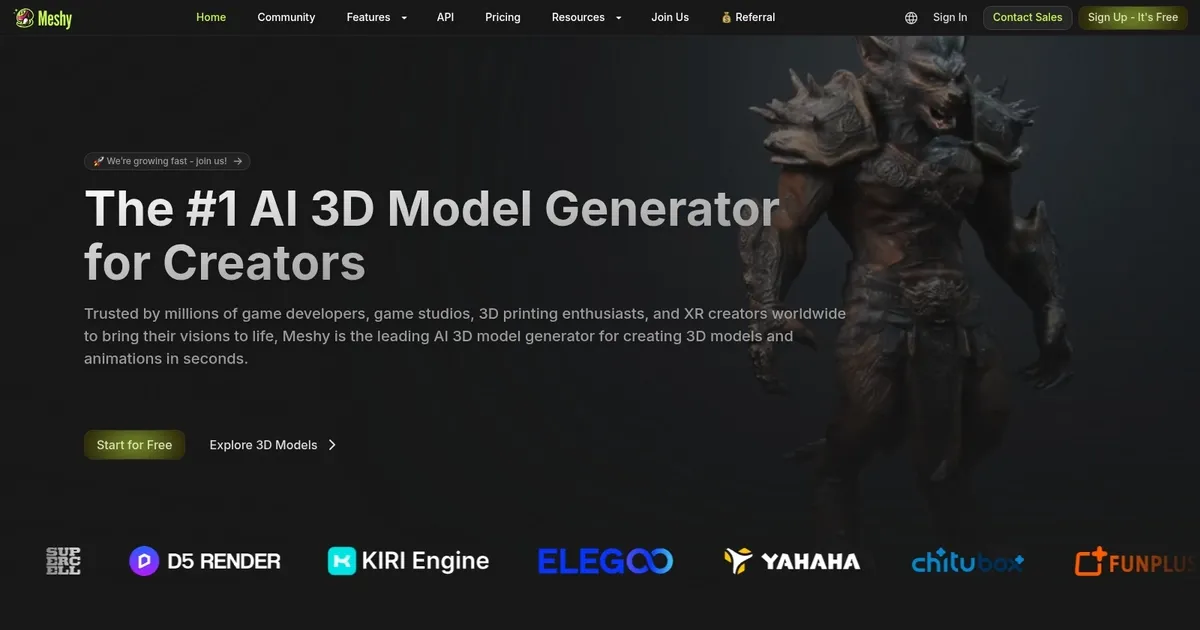
Screenshot 📸

Meshy screenshot

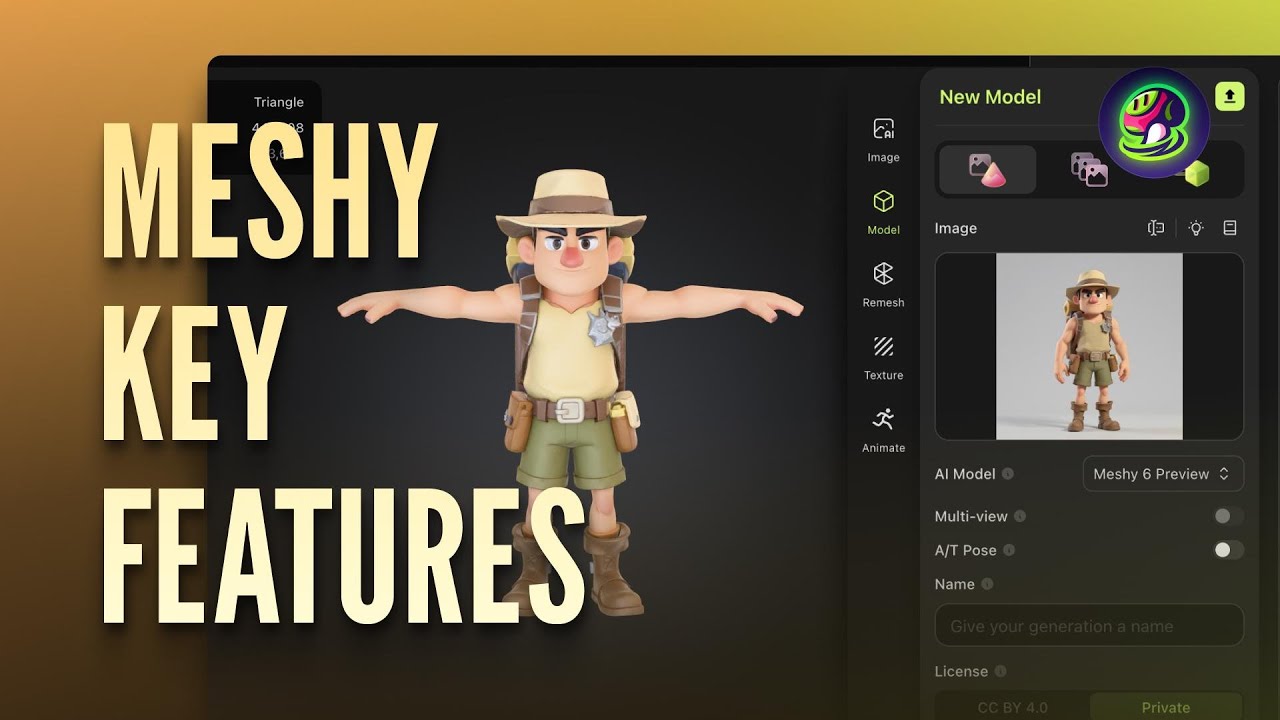
Video Overview 🎬

What are the key features? ✨

  • Text to 3D: Converts descriptive text prompts into detailed 3D models with accurate geometry in seconds.
  • Image to 3D: Transforms uploaded 2D images or sketches into textured 3D assets supporting multiple views for precision.
  • AI Texturing: Applies customizable PBR textures to models using text or reference images for realistic rendering.
  • Smart Remesh: Optimizes mesh topology and polygon counts to balance detail and performance for various applications.
  • Rigging and Animation: Automatically rigs characters and provides a library of motions for quick animations.

Who is it for? 🤔

Meshy AI suits game developers needing fast asset prototypes, product designers iterating concepts without CAD expertise, educators creating printable models for classrooms, 3D printing hobbyists turning ideas into tangible objects, and VR/AR creators building immersive environments, empowering beginners and pros alike to focus on creativity over technical hurdles.

Examples of what you can use it for 💡

  • Game Developer: Generates character models and props from concept art to speed up level design pipelines.
  • Product Designer: Creates 3D prototypes from sketches for rapid client presentations and iterations.
  • Educator: Produces customizable 3D print files for teaching anatomy or engineering principles in class.
  • 3D Printing Enthusiast: Converts personal drawings into printable STL models with optimized supports.
  • VR/AR Creator: Builds low poly assets with PBR textures for real time performance in immersive apps.

Pros & Cons ⚖️

  • Fast generation
  • Intuitive interface
  • Versatile exports
  • Strong community
  • Topology glitches
  • Queue waits

FAQs 💬

What is Meshy AI primarily used for?
Meshy AI generates 3D models from text or images, aiding in rapid prototyping for games, design, and printing.
Does Meshy support free usage?
Yes, the free plan offers limited credits and downloads for testing core features like Text to 3D.
What file formats can I export from Meshy?
Exports include FBX, OBJ, GLB, STL, USDZ, and BLEND for compatibility with major 3D software.
How does Meshy handle complex prompts?
The AI Prompt Helper refines vague inputs into detailed descriptions for better model accuracy.
Is Meshy suitable for beginners?
Absolutely, its intuitive interface requires no prior 3D skills, with drag and drop workflows.
Can I animate models in Meshy?
Yes, auto rigging and a motion library enable quick animations for characters and props.
What about pricing for teams?
Studio and Enterprise plans include team management, shared credits, and SSO for collaborative use.
Does Meshy integrate with other tools?
Plugins for Blender, Unity, Unreal, and Maya allow seamless asset import into existing pipelines.
How accurate are Image to 3D results?
Multi view uploads improve fidelity, achieving 80 to 90 percent accuracy for hard surface objects.
Is there API access for developers?
Pro and higher plans provide REST API for integrating generation into custom applications.

Ready to try Meshy?

Transforms text prompts and images into high-quality 3D models instantly.

Visit Meshy ↗

Meshy alternatives 🔗

  1. Leonardo.Ai Leonardo.Ai A tool that helps artists create stunning game assets with the help of AI
  2. Krea Krea Empowering users to generate and enhance images and videos using advanced AI
  3. Tripo3D Tripo3D An AI-driven platform designed to transform text into 3D animations
  4. Luma Interactive Scenes Luma Interactive Scenes Capture and experience the world in lifelike 3D
  5. Homestyler AI Designer Homestyler AI Designer Choose design style and room type, and let AI design the room for you
  6. Hyper3D Hyper3D An AI-powered platform that streamlines the creation of 3D models from text descriptions or images
Share
Meshy screenshot enlarged
Promote Meshy
light badge
Copy Embed Code
dark badge
Copy Embed Code
neutral badge
Copy Embed Code
Best AI Tools

Discover the best AI tools for any use case

About Us | Contact Us | Suggest an AI Tool
Privacy Policy | Terms of Service
Copyright © 2026 Best AI Tools 415 Mission Street, 37th Floor, San Francisco, CA 94105