Best AI Text to 3D Design Tools

20 toolsRanked by traffic

Text-to-3D tools generate a 3D model from a written prompt: you describe an object in words and AI builds the mesh, geometry, and textures to match. It's the fastest entry point into 3D, since you skip both photography and sculpting and go straight from a sentence to a usable asset. The category includes prompt-driven generators like Meshy, Tripo3D, and Spline AI.

Indie game makers, designers, and tinkerers reach for text-to-3D when they need an asset fast and don't have a reference image to start from. Type "a low-poly wooden treasure chest" and you get a model to drop into a scene. When you're choosing one, weigh how closely the result follows your wording and the cleanliness of the topology, since prompt-only generation tends to be less precise than working from an image. It's perfect for quick concepts; production assets usually still need a pass by hand.
Meshy
Meshy - icon
Meshy
Transforms text prompts and images into high-quality 3D models instantly.
Tripo3D
Tripo3D - icon
Tripo3D
An AI-driven platform designed to transform text into 3D animations
Luma Interactive Scenes
Luma Interactive Scenes - icon
Luma Interactive Scenes
Capture and experience the world in lifelike 3D
Hyper3D
Hyper3D - icon
Hyper3D
An AI-powered platform that streamlines the creation of 3D models from text descriptions or images
Stable 3D
Stable 3D - icon
Stable 3D
Leveraging AI to generate high-quality 3D models and animations from simple inputs
Spline AI
Spline AI - icon
Spline AI
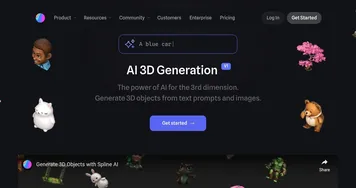
Generate 3D objects, animations, and textures using prompts
GlobalGPT
GlobalGPT - icon
GlobalGPT
Bringing the latest GPT, Claude, Midjourney, Runway, and 100+ AI models into a single dashboard
Meshcapade
Meshcapade - icon
Meshcapade
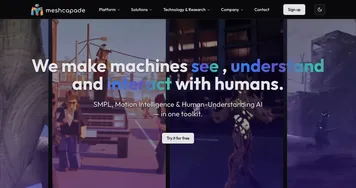
An online tool that converts images, videos, and words into lifelike digital humans
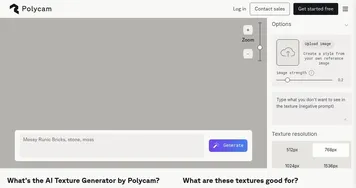
Polycam AI Texture Generator
Polycam AI Texture Generator - icon
Polycam AI Texture Generator
Simplify the creation of high-quality 3D textures for various digital art projects
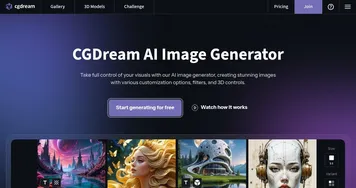
CGDream
CGDream - icon
CGDream
An AI-powered platform offering various tools for image and 3D model generation
3D AI Studio
3D AI Studio - icon
3D AI Studio
An advanced platform that streamlines the process of generating high-quality 3D models using AI
Phygital+
Phygital+ - icon
Phygital+
An AI workspace for visual creators featuring an array of models and tools
Sloyd
Sloyd - icon
Sloyd
3D modeling has never been easier - select a generator, tweak it, done
Alpha3D
Alpha3D - icon
Alpha3D
Generates game-ready 3D models instantly from text or images
Kaedim
Kaedim - icon
Kaedim
Generate stunning 3D art with nothing more than an image

Frequently Asked Questions

What is the best text-to-3D AI tool?
The best text-to-3D AI tool depends on what you're building. Meshy and Tripo3D are well regarded for turning prompts into game-ready models with reasonable topology, while Spline AI fits interactive web and design work. Since prompt results vary, generate the same description in two tools and compare before committing your credits to one.
How does text-to-3D generation work?
Text-to-3D generation works by interpreting your written prompt and constructing a 3D mesh to match, then wrapping it in generated textures. The model has learned the shapes of countless objects, so it builds geometry that fits your description. You usually get a draft in a minute or two, then refine the prompt or the mesh to dial in the result.
Is text-to-3D better than image-to-3D?
Text-to-3D is better when you have no reference and just want to describe an idea, while image-to-3D is more accurate when you already have a picture to match. Prompts give you creative freedom but less control over exact shape, so image input usually produces a closer, cleaner result. Many tools support both, so you can pick per asset.
Can I 3D print a text-to-3D model?
Yes, you can 3D print a text-to-3D model, but it often needs preparation first. Export the mesh as an STL or OBJ, then check it in slicer software for holes, non-manifold edges, or thin walls that won't print cleanly. AI meshes can be uneven, so a quick repair pass in a tool like Blender saves failed prints.