Skip to content
logo-darklogo-darklogo-darklogo-dark
  • Tool Categories
    • 🎨Art & Creative Design505
    • 🏢Business Management644
    • 💻Coding & Development514
    • 👮Detection83
    • 🧠General Use728
    • 🏥Health & Wellness55
    • 📷Image & Photo Analysis100
    • 🖼️Image Generation & Editing618
    • 📐Interior & Architectural Design37
    • 🎓Learning & Education483
    • ⚖️Legal & Finance90
    • 🎭Lifestyle & Entertainment236
    • 📢Marketing & Advertising627
    • 🎧Music & Audio138
    • 👔Office & Workplace1,014
    • 🔬Research & Data Analysis373
    • 👥Social Media245
    • 🎥Video Generation & Editing426
    • 👧🏻Virtual Companion135
    • 🎤Voice Generation & Editing381
    • ✍️Writing & Editing808
    • All Categories
    • AI Use Cases
  • News
  • Events
    • Academic Conferences
    • Developer Conferences
    • Expos / Trade Shows
    • Industry Summits
    • Workshops / Training
    • All Events
    • Past Events
  • Saved Tools
  • Suggest a Tool
    ✕
    Home › Image Generation & Editing › Image Generation› Phygital+
    Phygital+

    Phygital+

    An AI workspace for visual creators featuring an array of models and tools

    Phygital+ is an innovative AI workspace designed specifically for visual creators, design teams, as well as tech and Web3 startups. It integrates more than 30 AI tools into a singular no-code web application to enhance creativity and streamline professional workflows.

    The platform facilitates a range of functionalities, from image generation, editing, and transformation using models like Stable Diffusion, Midjourney, and DALL-E 3, to text generation with ChatGPT and video enhancement capabilities. Additional features include 3D model generation from photos, face restoration, and object rotation — positioning Phygital+ as a comprehensive solution for creating, transforming, and enhancing digital content across various formats.

    Phygital+ offers a tiered pricing model that caters to different user needs, ranging from a free version for casual users to more advanced subscriptions for heavy-duty, professional use, including unlimited GPU time options.

    Its ease of use, coupled with access to a vibrant community and a node-based interface for managing AI models and workflows, makes Phygital+ an attractive tool for both beginners and veterans in the creative field.

    Visit Phygital+ ↗
    Categories
    🖼️ Image
    🖼️ Image Generation 🪄 Text to Image
    🎨 Art
    🧊 3D Modeling 🎲 Text to 3D Design 🎨 Art Generation 🖼️ Design Generation
    🏢 Business
    🖼️ NFT ⛓️ Web3
    🎥 Video
    📹 Video Generation

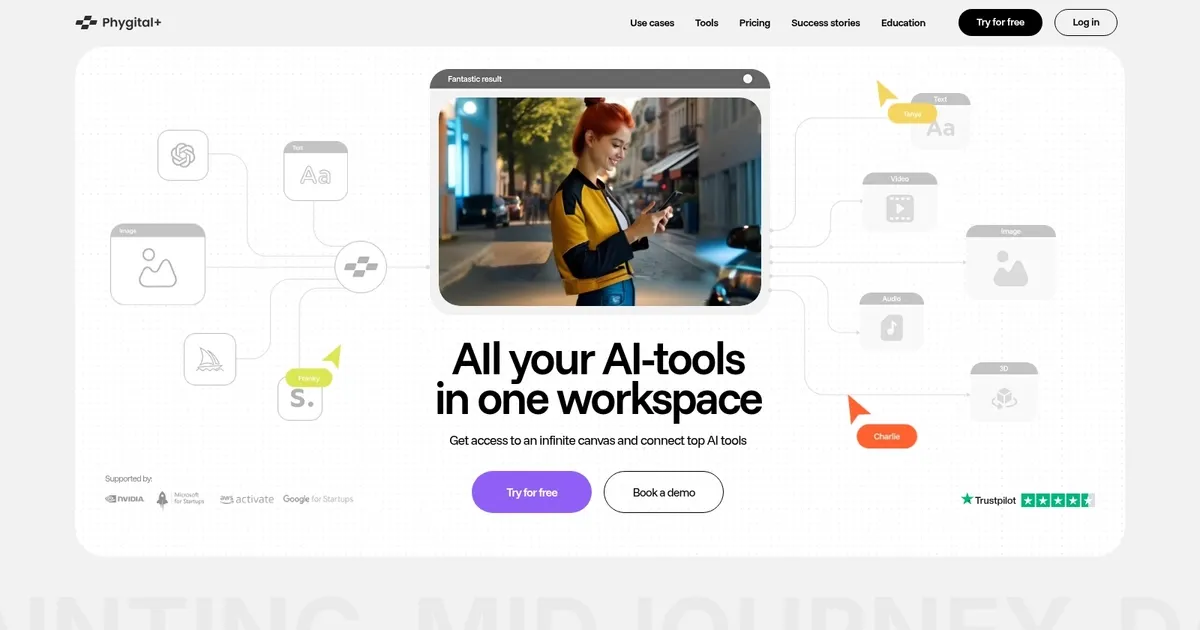
    Homepage Screenshot 📸

    Phygital+ screenshot

    Video Overview 🎬

    Phygital+ - Video Overview

    What are the key features? ✨

    • Node-Based Workflows: Build repeatable pipelines by connecting AI models, prompts, references, and editing steps for consistent results.
    • Multi-Model Access: Use over 30 top AI models for image, video, animation, style transfer, and audio in one workspace without separate accounts.
    • Character & Style Consistency: Maintain the same characters, lighting, and brand aesthetics across multiple generations and assets.
    • Collaboration Features: Share workspaces, templates, version history, and analytics for team projects and creative handoff.
    • Advanced Editing Tools: Apply ControlNet, inpainting, outpainting, upscaling, and context-aware refinements directly in the canvas.

    Who is it for? 🤔

    Phygital+ helps creative professionals, marketing teams, design agencies, content creators, interior designers, architects, and e-commerce specialists who need to produce large volumes of consistent, on-brand visuals and videos quickly. It suits anyone tired of switching between separate AI tools and looking for a unified environment to build efficient workflows, train brand styles, collaborate with teammates, and maintain quality across campaigns or client projects. Markdown

    Examples of what you can use it for 💡

    • Marketing Teams: Generate campaign visuals, ad creatives, social posts, and branded assets in consistent styles without multiple subscriptions.
    • Content Creators: Build video sequences, animate static images, and produce short-form content with smooth transitions and character consistency.
    • Interior Designers: Upload room photos and generate layout variations, furniture placements, color schemes, and material renders instantly.
    • Product Teams: Create product mockups, lifestyle shots, and 360-style visuals with precise lighting and composition control.
    • Agencies: Develop client-ready pipelines for logos, banners, illustrations, and motion graphics while collaborating in shared workspaces.

    Pros & Cons ⚖️

    • Access to 30+ top models in one place
    • Strong consistency across assets
    • Reusable node pipelines save time
    • Team collaboration tools included
    • Node system has a learning curve
    • Credits can run out quickly on video

    FAQs 💬

    What is Phygital+?
    Phygital+ is an AI workspace that integrates over 30 leading generative models into a node-based platform for creating and editing images, videos, and audio with precise control and team collaboration.
    Do I need coding skills to use Phygital+?
    No, it uses a visual drag-and-drop node interface so you can build workflows without writing code.
    Which AI models are available on Phygital+?
    It includes models such as FLUX, Kling, Veo, Sora, Midjourney, Imagen, Ideogram, Gemini, Hailuo, Wan, and others for image, video, and audio tasks.
    Can I use Phygital+ for commercial projects?
    Yes, paid plans support commercial licensing for generated content, with details depending on the tier.
    Is there a free trial?
    Yes, you can sign up and try the platform for free with limited credits to test features and workflows.
    How does collaboration work?
    Teams can share workspaces, use templates, track versions, leave comments, and view analytics within the platform.
    Can I train custom models?
    Yes, you can train lightweight LoRA-style models on your brand assets or specific styles for consistent outputs.
    What types of projects is it best for?
    It works well for marketing campaigns, social content, product visuals, interior concepts, video sequences, and any work needing consistent multi-asset production.
    How are generations limited?
    Usage runs on credits that vary by plan, with video and high-res tasks consuming more than simple images.
    Is there an AI assistant in the platform?
    Yes, a built-in AI helper suggests prompt improvements, workflow ideas, and variations directly on the canvas.

    Ready to try Phygital+?

    An AI workspace for visual creators featuring an array of models and tools

    Visit Phygital+ ↗

    Phygital+ alternatives 🔗

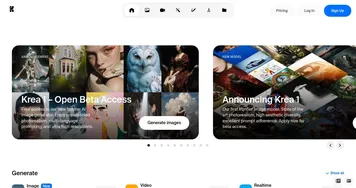
    1. Krea Krea Empowering users to generate and enhance images and videos using advanced AI
    2. RunComfy RunComfy Streamline the use of ComfyUI, a modular interface for AI art generation
    3. Lovart Lovart Transforms text prompts into designs across images, videos, and 3D
    4. Flux AI Flux AI Uses AI to generate images and videos from textual prompts and images
    5. OpenArt OpenArt A versatile AI-powered platform for generating and enhancing images and art.
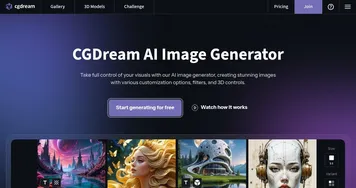
    6. CGDream CGDream An AI-powered platform offering various tools for image and 3D model generation
    Share
    Phygital+ screenshot enlarged
    Best AI Tools

    Discover the best AI tools for any use case

    Explore
    • Tool Categories
    • AI Use Cases
    • AI Events
    • AI News
    • Saved Tools
    Company
    • About Us
    • Contact Us
    • Media & Partnerships
    • Suggest a Tool
    Legal
    • Privacy Policy
    • Terms of Service
    Copyright © 2026 Best AI Tools 415 Mission Street, 37th Floor, San Francisco, CA 94105