Best AI Interior Design Tools

35 toolsRanked by traffic

AI interior design tools restyle the look of an indoor room from a single photo. You upload a picture of your living room, bedroom, or office, pick a style like modern or Scandinavian, and the AI repaints the walls, swaps the furniture, and changes the decor while keeping the room's shape. Popular options include RoomGPT, HomeDesignsAI, and Homestyler AI Designer.

Homeowners use these to picture a redecoration before they spend a dollar, and designers use them to show a client three or four looks in the time a single mood board used to take. What matters most is how naturally the AI handles your real room: good ones respect existing windows and doorways, weaker ones warp the geometry. Treat the results as style inspiration, not a literal furniture list, since the AI invents pieces that may not exist to buy.

Zillow 3D Home
Zillow 3D Home - icon
Zillow 3D Home
Creates free virtual 3D home tours and interactive floor plans for real estate listings
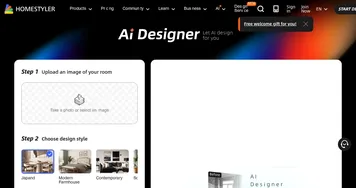
Homestyler AI Designer
Homestyler AI Designer - icon
Homestyler AI Designer
Choose design style and room type, and let AI design the room for you
Autodraft
Autodraft - icon
Autodraft
An AI-powered platform that can transform text prompts into vivid visuals
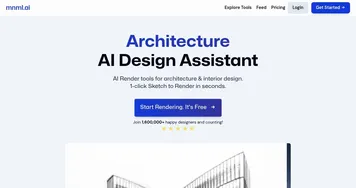
mnml.ai
mnml.ai - icon
mnml.ai
An AI design assistant for architects and interior designers for creating high-quality renders
HomeDesignsAI
HomeDesignsAI - icon
HomeDesignsAI
Transforms photos of rooms, houses, or outdoor spaces into AI-redesigned photorealistic versions
RoomGPT
RoomGPT - icon
RoomGPT
An AI-powered tool that allows users to easily redesign their living spaces
Rendair
Rendair - icon
Rendair
Transforms sketches and images into photorealistic architectural renders in seconds
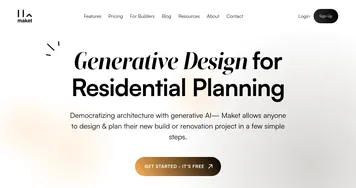
Maket
Maket - icon
Maket
Empowering architects, designers, and developers to automate residential floorplans, 3D renders, and more
Spacely AI
Spacely AI - icon
Spacely AI
An AI-powered interior design solution for your home
AI Room Planner
AI Room Planner - icon
AI Room Planner
An AI tool to generate interior design ideas for your room
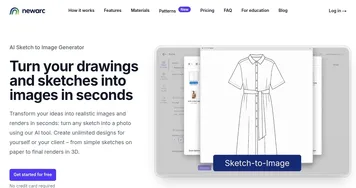
NewArc
NewArc - icon
NewArc
Transforms sketches into realistic images and 3D renders in seconds
ReRoom AI
ReRoom AI - icon
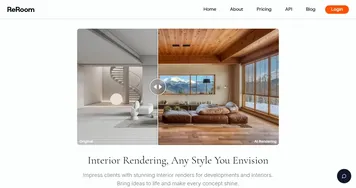
ReRoom AI
Upload a picture of your project and get photorealistic renders in just seconds
REimagineHome
REimagineHome - icon
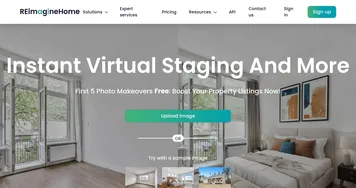
REimagineHome
Redesign any space to match your vision, or let the AI show you inspiring designs in seconds
RoomsGPT
RoomsGPT - icon
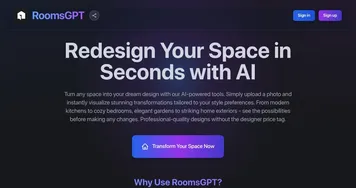
RoomsGPT
Create your dream home or room with AI-powered online design tools
Collov AI
Collov AI - icon
Collov AI
Instantly stages rooms, removes or adds furniture, enhances photos for real estate visuals

Frequently Asked Questions

What is the best AI interior design tool?
RoomGPT is the easiest starting point for a quick room restyle, and HomeDesignsAI gives you more style presets and finer control over the result. Homestyler AI Designer suits people who also want a fuller design workspace. Most are cheap or free to try, so testing two on the same photo is the fastest way to pick.
How do AI room redesign tools work?
AI room redesign tools read the photo you upload, recognize the walls, floor, and furniture, then regenerate the space in the style you chose. They keep the room's basic structure while replacing surfaces, colors, and decor. A few seconds later you get a photorealistic image of the same room redesigned, and you can rerun it for more variations.
Can I redecorate a room from just a photo?
Yes, a single photo is all most AI interior design tools need. You point your phone at the room, upload the shot, and the AI returns a restyled version of that exact space. For the cleanest result, take the photo in good light with the whole room in frame, since cramped or dark photos give the AI less to work with.
Are AI interior design tools accurate to my real furniture?
No, these tools generate new furniture rather than matching items you can buy. The AI invents a sofa or rug that fits the style, but it won't tell you where to purchase it or whether it fits your dimensions. Use the images for direction and color schemes, then shop for real pieces that match the look you liked.
Are AI interior design tools free?
Most offer a free tier that covers a handful of redesigns, then charge once you want more renders, higher resolution, or extra styles. Paid plans are usually a modest monthly fee or a per-image credit pack. The free runs are enough to decorate one room, so you can finish a small project without paying.