Maket
Empowering architects, designers, and developers to automate residential floorplans, 3D renders, and more
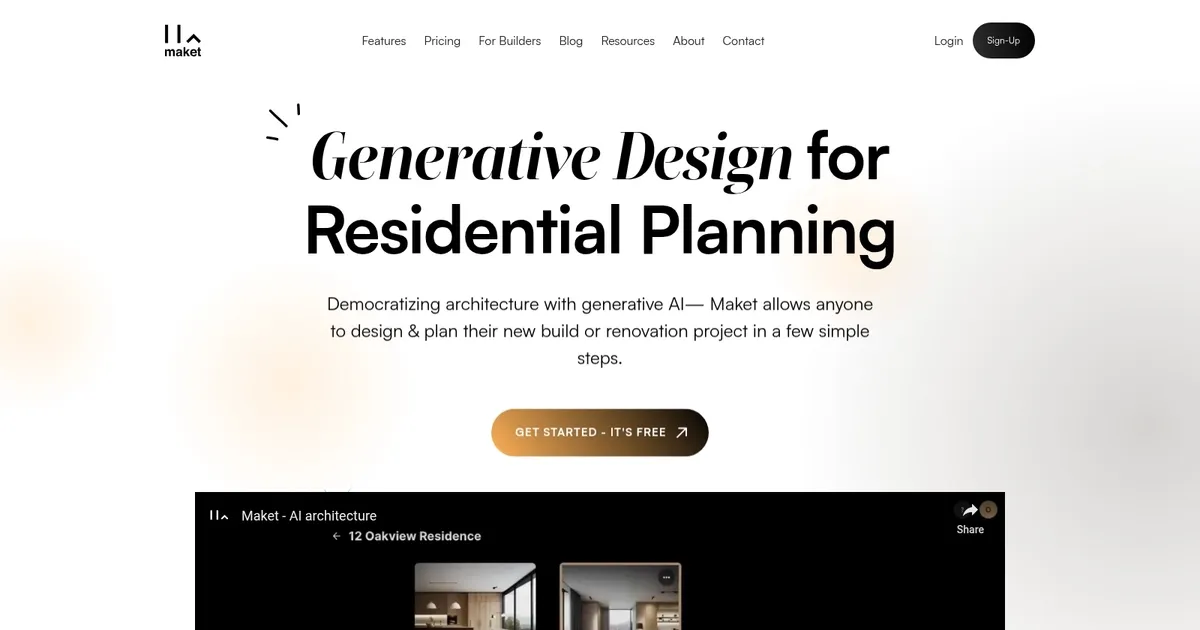
Maket is a generative design platform explicitly tailored for residential planning and architecture. It leverages advanced AI to automate the creation of residential floorplans, generate 3D renders — and allow users to explore an unlimited range of design styles effectively.
Speaking of users, they can input design constraints through parameters or natural language to quickly generate multiple floorplan variations, which can then be explored in detail, customized, and exported. Maket simplifies the early stages of planning by providing tools for automated data entry, expense tracking, and cashflow analysis, enabling architects, designers, and developers to accelerate the creative design process and realize their projects faster.
In addition, it offers a suite of features to assist in making informed decisions throughout the design process. A virtual assistant provides expert guidance on materials, costs, and design possibilities, enhancing decision-making confidence. The platform also addresses regulatory challenges by simplifying the navigation of zoning codes through its Regulatory Assistant, which provides instant compliance answers to uploaded queries.
To sum it up, Maket stands out for its ability to facilitate seamless integration of design automation, real-time collaboration, and regulatory compliance — streamlining the architectural design workflow and allowing users to focus more on creativity and less on manual tasks and research.
Homepage Screenshot 📸
What are the key features? ✨
- Generate new plans: Creates multiple residential floor plan options instantly from text descriptions or parameters like rooms, sizes, and lot shape.
- Edit existing plans: Uploads current layouts to explore renovations, additions, or alternative arrangements with quick refinements.
- Visualize in any style: Applies design styles from a library or user-provided reference images to produce conceptual or realistic renderings.
- One-canvas workspace: Combines plan generation, editing, and visualization in a single AI-powered interface for seamless iteration.
- Accurate dimensions: Ensures generated and edited floor plans maintain real, build-ready measurements and spatial logic.
Who is it for? 🤔
Examples of what you can use it for 💡
- Homeowner: Describes dream home requirements like room counts and style preferences to generate personalized floor plan ideas instantly.
- Architect: Inputs project constraints to produce multiple early-stage residential layouts for client presentations or further refinement.
- Builder: Uploads existing plans to test renovation possibilities or additions before committing to construction changes.
- Real estate agent: Creates quick visualizations of potential layouts to help buyers imagine improvements on listed properties.
- Interior designer: Generates base floor plans to experiment with furniture arrangements and spatial flow in residential projects.
Pros & Cons ⚖️
- Very fast floor plan generation
- Easy-to-use interface
- Helpful style visualization
- Supports plan editing
- Occasional layout quirks
- Limited to residential focus
FAQs 💬
Ready to try Maket?
Empowering architects, designers, and developers to automate residential floorplans, 3D renders, and more
Visit MaketMaket alternatives 🔗