Rendair
Transforms sketches and images into photorealistic architectural renders in seconds
Rendair AI is a fancy tool that promises to make architectural rendering as easy as snapping a photo. It’s a tool that feels like it was designed by someone who’s spent hours wrestling with clunky CAD software and thought, ‘There’s got to be a better way.’ And there is. Upload a sketch, a 2D floor plan, or even a rough napkin doodle, and Rendair’s AI churns out photorealistic renders faster than you can say ‘client presentation.’ It’s not just about speed, though. The platform’s ability to handle everything from simple sketches to complex 3D models makes it a standout for architects, interior designers, and real estate pros looking to impress without the hassle.
What’s genuinely exciting here is the Sketch to Render feature. You upload a drawing — say, a hand-drawn elevation or a quick sketch of a cozy living room — and describe what you want in plain text. Want a modern glass facade or a rustic wooden interior? Type it in, and Rendair delivers a polished render in seconds. The Inpaint tool is another gem, letting you mask parts of an image and swap in new elements, like changing a wall’s material or adding a skylight. It’s intuitive, almost playful, and it cuts down on the tedious back-and-forth of traditional rendering workflows. The platform also supports 4K upscaling, ensuring your renders look crisp enough to make clients do a double-take.
But let’s not get carried away. Rendair isn’t flawless. Some users on Trustpilot have pointed out that the AI can be a bit too creative, occasionally tossing in random elements like telephone poles or misplaced skylights that can throw off a design. This unpredictability might frustrate professionals who need pixel-perfect precision for client work. The subscription interface has also drawn flak for being unclear, with some users confused between monthly and annual plans. Still, Rendair’s support team — shoutout to Oscar, mentioned in reviews — seems quick to resolve issues, often with personalized training to smooth out the learning curve.
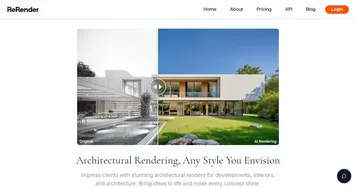
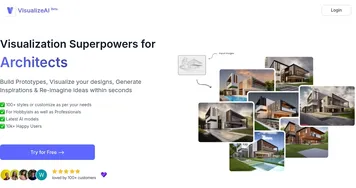
Compared to competitors like Architect AI and ReRender AI, Rendair holds its own with its all-in-one approach. ArchiVinci is great for quick style switches, offering over 80 predefined architectural styles, but it lacks Rendair’s collaborative features like project sharing with clients. ReRender AI, meanwhile, focuses on speed and compatibility with tools like Revit and SketchUp but doesn’t match Rendair’s flexibility with 2D inputs. Both competitors are solid, but Rendair’s blend of ease, speed, and customization feels like it’s hitting a sweet spot for solo architects or small firms.
The surprise element? Rendair’s ability to generate videos from renders. It’s not just static images — you can create dynamic walkthroughs that bring a project to life, perfect for pitching to clients who want to ‘feel’ the space. The downside is that the tool’s reliance on text prompts means you need to be clear and specific, or the AI might misinterpret your vision. I think most users will love the time savings and the ability to iterate designs quickly, but those expecting flawless results on the first try might need to tweak their prompts a few times. For best results, start with a clear sketch, use descriptive prompts like ‘eye-level view of a modern loft with wooden floors,’ and don’t hesitate to reach out to Rendair’s support for a quick training session.
Homepage Screenshot 📸

Video Overview 🎬

What are the key features? ✨
- Sketch to Render: Transforms 2D sketches into photorealistic renders using text prompts.
- Inpaint: Allows users to mask and modify specific areas of an image, like changing materials.
- 4K Upscaling: Enhances images to high-resolution 4K for crisp, professional.
- Project Sharing: Enables clients or colleagues to view, comment, or edit renders.
- Video Generation: Creates dynamic walkthrough videos from static renders for presentations.
Who is it for? 🤔
Examples of what you can use it for 💡
- Solo Architect: Uses Sketch to Render to turn hand-drawn concepts into client-ready visuals in seconds.
- Interior Designer: Employs Inpaint to test different wall textures or furniture in a room photo.
- Real Estate Agent: Generates 4K renders of properties to enhance marketing materials.
- Landscape Designer: Creates video walkthroughs of garden designs for client presentations.
- Small Design Firm: Shares renders with clients for real-time feedback via project sharing.
Pros & Cons ⚖️
- Fast rendering in seconds.
- High-quality 4K upscaling.
- Good customer support.
- AI can add random elements.
FAQs 💬
Ready to try Rendair?
Transforms sketches and images into photorealistic architectural renders in seconds
Visit RendairRendair alternatives 🔗