Skip to content
logo-darklogo-darklogo-darklogo-dark
  • Tool Categories
    • 🎨Art & Creative Design505
    • 🏢Business Management644
    • 💻Coding & Development514
    • 👮Detection83
    • 🧠General Use728
    • 🏥Health & Wellness55
    • 📷Image & Photo Analysis100
    • 🖼️Image Generation & Editing618
    • 📐Interior & Architectural Design37
    • 🎓Learning & Education483
    • ⚖️Legal & Finance90
    • 🎭Lifestyle & Entertainment236
    • 📢Marketing & Advertising627
    • 🎧Music & Audio138
    • 👔Office & Workplace1,014
    • 🔬Research & Data Analysis373
    • 👥Social Media245
    • 🎥Video Generation & Editing426
    • 👧🏻Virtual Companion135
    • 🎤Voice Generation & Editing381
    • ✍️Writing & Editing808
    • All Categories
    • AI Use Cases
  • News
  • Events
    • Academic Conferences
    • Developer Conferences
    • Expos / Trade Shows
    • Industry Summits
    • Workshops / Training
    • All Events
    • Past Events
  • Saved Tools
  • Suggest a Tool
    ✕
    Home › Image Generation & Editing › Image Generation› Redraw
    Redraw

    Redraw

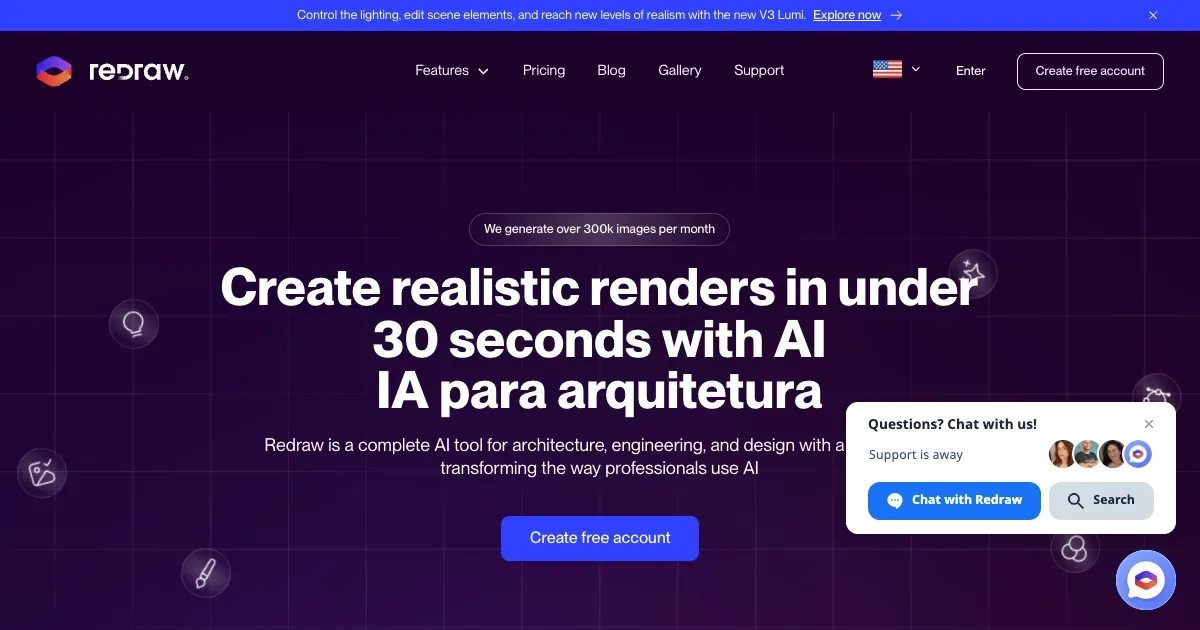
    Generates realistic architectural renders in under 30 seconds using AI

    Redraw is a neat AI tool that is tailored for architects and designers, allowing them to churns out photorealistic renders faster than my coffee machine brews a latte. I uploaded a basic 3D model of a living room, clicked “generate,” and in under 30 seconds, I had a render that looked like it took hours. The cloud-based platform means no wrestling with software installs or praying your laptop doesn’t overheat.

    The Idea Generator had me grinning. I fed it a dull office façade and asked for a modern twist — suddenly, glass panels and sleek lines appeared, like the building got a makeover on a reality show. The Brush tool let me swap out a carpet for hardwood with a few clicks, though I fumbled a bit figuring out the controls. Text-to-Image is where things got wild. I typed “cozy cabin with a mountain view,” and Redraw conjured a scene so vivid I wanted to book a vacation. The Image-to-Video feature? It turned my static render into a smooth 3D animation, perfect for impressing clients who think “dynamic” is just a buzzword.

    But it’s not all sunshine. The coin-based pricing, where each render or edit costs coins, feels like playing an arcade game — you’re always watching the meter. I burned through my trial coins faster than expected. Compared to DALL·E or Stable Diffusion, Redraw is laser-focused on architecture, which is great if that’s your niche but limiting if you want broader creative flexibility. Some X users complain about occasional lag during peak hours, and I noticed a slight hiccup when upscaling to 2K.

    The surprise? Redraw’s ability to polish rough renders. I uploaded a so-so Lumion output, and the Improve Render feature tweaked lighting and textures, making it look like I’d spent days on it. That said, the interface could be more intuitive for newbies like me — I spent a good 10 minutes hunting for the Brush tool settings.

    For those eyeing competitors, Enscape offers real-time rendering but needs a powerful PC, while Redraw’s cloud setup is a lifesaver for lighter setups. Pricing seems fair for professionals but might sting for students. My advice? Dip your toes with the free plan, experiment with a sketch, and see how fast you can turn ideas into reality. Just don’t get too trigger-happy with those coins.

    Visit Redraw ↗
    Categories
    🖼️ Image
    🖼️ Image Generation 🎨 Style Transferring ✏️ Photo Editing
    🎨 Art
    🎨 Art Generation 🌅 Illustration Generation 🌸 Anime Generation

    Homepage Screenshot 📸

    Redraw screenshot

    Video Overview 🎬

    Redraw - Video Overview

    What are the key features? ✨

    • Rendering for Interiors and Exteriors: Generates photorealistic renders from 3D models in under 30 seconds.
    • Idea Generator: Suggests design variations, like modern or rustic styles, for interiors and exteriors.
    • Render from Sketches: Transforms hand-drawn sketches into detailed, realistic images.
    • Brush Tool: Enables precise edits to textures or objects in a render.
    • Image-to-Video: Converts static images into 3D animations with depth and motion.

    Who is it for? 🤔

    Redraw is made for architects, engineers, interior designers, and students who need fast, high-quality visualizations without heavy hardware. It suits freelancers and small firms looking to streamline workflows, as well as educators teaching design concepts. Professionals seeking quick client presentations or iterative design exploration will find its cloud-based, AI-driven features particularly valuable.

    Examples of what you can use it for 💡

    • Architect: Creates photorealistic renders from 3D models for client pitches.
    • Interior Designer: Uses Idea Generator to explore style variations for a room.
    • Engineering Student: Turns sketches into realistic images for academic projects.
    • Freelance Designer: Enhances low-quality renders for professional presentations.
    • Design Firm: Produces 3D animations from static images for marketing.

    Pros & Cons ⚖️

    • Useful Idea Generator for styles.
    • Precise Brush tool for edits.
    • Animations via Image-to-Video.
    • Coin-based pricing can be confusing.

    FAQs 💬

    What is Redraw’s primary function?
    Redraw creates photorealistic renders and animations for architects and designers.
    Do I need to download software to use Redraw?
    No, it’s fully cloud-based and accessed via a browser.
    Can Redraw enhance renders from other software?
    Yes, it improves textures and lighting from tools like Lumion or V-Ray.
    Is there a free plan available?
    Yes, a free plan offers limited coins for testing features.
    How fast does Redraw generate renders?
    Most renders take 20-40 seconds, depending on the feature.
    Can I use Redraw on a mobile device?
    Yes, it works on any device with an internet connection.
    What file formats does Redraw support for uploads?
    It accepts common 3D model formats and image files like JPG or PNG.
    Does Redraw offer animation features?
    Yes, Image-to-Video turns static renders into 3D animations.
    How does the coin-based pricing work?
    Each feature costs coins, with plans offering monthly coin allocations.

    Ready to try Redraw?

    Generates realistic architectural renders in under 30 seconds using AI

    Visit Redraw ↗

    Redraw alternatives 🔗

    1. ReRender AI ReRender AI Transform your ideas into stunning, photorealistic renders with the power of AI
    2. Rendair Rendair Transforms sketches and images into photorealistic architectural renders in seconds
    3. Architect Render Architect Render Generates photorealistic architectural renderings from sketches, photos, or designs in seconds
    4. ArchSynth ArchSynth An AI-powered tool that transforms sketches into stunning visuals in seconds
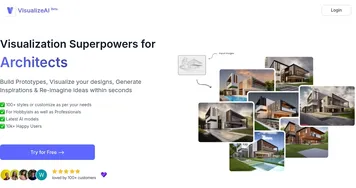
    5. VisualizeAI VisualizeAI Transforms sketches and text into 3D designs
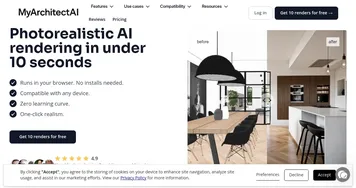
    6. MyArchitectAI MyArchitectAI Transforms architectural designs and sketches into photorealistic renders in seconds using AI
    Share
    Redraw screenshot enlarged
    Best AI Tools

    Discover the best AI tools for any use case

    Explore
    • Tool Categories
    • AI Use Cases
    • AI Events
    • AI News
    • Saved Tools
    Company
    • About Us
    • Contact Us
    • Media & Partnerships
    • Suggest a Tool
    Legal
    • Privacy Policy
    • Terms of Service
    Copyright © 2026 Best AI Tools 415 Mission Street, 37th Floor, San Francisco, CA 94105