Best AI Image Upscaling Tools

69 toolsRanked by traffic

AI image upscaling tools increase an image's resolution, enlarging it while adding detail so it stays sharp at the bigger size instead of turning blocky. You upload a small picture and the model rebuilds it at 2x, 4x, or higher dimensions. Common choices include Freepik AI, Pixelcut, Upscale.media, and Fotor.

People use upscalers to make a thumbnail large enough to print, to enlarge a low-res logo for a banner, or to push an AI-generated image up to a usable size. Unlike a plain resize, AI upscaling predicts the missing pixels rather than stretching the ones you have, so edges and textures hold up. It works best on already-clear images, though: if the source is blurry or noisy, enlarging it just makes those flaws bigger, so clean the image first, then upscale.

Freepik AI
Freepik AI - icon
Freepik AI
Creates AI images and videos with fluid motion, detailed textures, and synced audio up to 1080p
Pixelcut
Pixelcut - icon
Pixelcut
A suite of AI-powered image editing and upscaling tools
Fotor
Fotor - icon
Fotor
Enhances and edits photos with AI-powered tools and creative features
Cutout.Pro
Cutout.Pro - icon
Cutout.Pro
An AI-powered automatic visual design platform that saves time & money
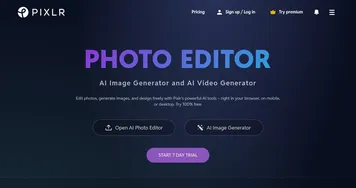
Pixlr
Pixlr - icon
Pixlr
An AI-powered online photo editing and design platform, enabling everyone to create stunning designs
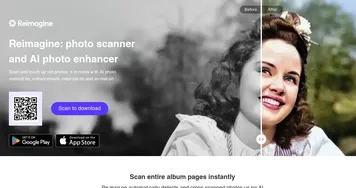
Reimagine
Reimagine - icon
Reimagine
A photo enhancement tool that digitizes, restores, colorizes, and animates old photographs using AI.
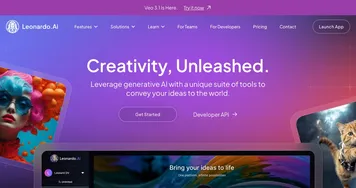
Leonardo.Ai
Leonardo.Ai - icon
Leonardo.Ai
A tool that helps artists create stunning game assets with the help of AI
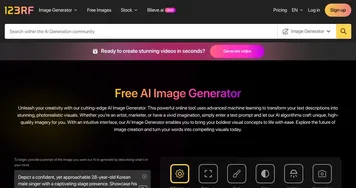
123RF AI Image Generator
123RF AI Image Generator - icon
123RF AI Image Generator
AI-powered image-generating tool providing an array of engines tailored to various artistic styles
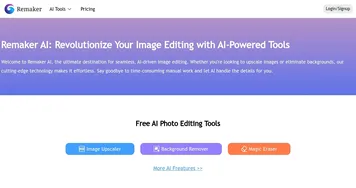
Remaker AI
Remaker AI - icon
Remaker AI
Online platform offering media manipulation, such as face swapping, AI portraits, and video enhancements
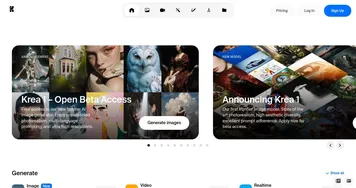
Krea
Krea - icon
Krea
Empowering users to generate and enhance images and videos using advanced AI
Upscale.media
Upscale.media - icon
Upscale.media
An AI tool for upscaling and enhancing images
Topaz Labs
Topaz Labs - icon
Topaz Labs
An AI-powered photo and video enhancement software designed for professionals
SnapEdit
SnapEdit - icon
SnapEdit
Automated AI photo editor, background remover, and enhancer
AIEASE
AIEASE - icon
AIEASE
An AI-powered platform offering a suite of free photo editing tools

Frequently Asked Questions

What is the best AI image upscaler?
The best AI image upscaler depends on your source. Freepik AI and Pixelcut give strong all-purpose results, Upscale.media is quick for simple enlargements, and Fotor pairs upscaling with editing. For photos and AI art, try a couple on the same image, since each model reconstructs detail differently and the right one depends on what you are enlarging.
How does AI image upscaling work?
AI image upscaling works by predicting the new pixels needed to enlarge a picture instead of simply stretching the existing ones. A model trained on countless images guesses plausible detail for edges, textures, and fine lines as it scales up. That predicted detail is why an AI upscale stays sharp where a normal resize would look soft and blocky.
Can AI increase image resolution without losing quality?
AI can increase resolution while keeping an image looking sharp, which a basic resize cannot do. The model adds believable detail as it enlarges, so a 2x or 4x result holds up better than a stretched version. Quality still depends on the source: a clean original upscales beautifully, while a blurry or noisy one carries those flaws into the larger version.
What is the difference between upscaling and enhancing an image?
Upscaling increases an image's resolution, making it physically larger while keeping it sharp, whereas enhancing improves quality at the existing size by fixing blur, noise, lighting, and color. They often overlap, and many tools do both, but upscaling is specifically about size while enhancing is about clarity. Choose upscaling when you need a bigger file for print or display.
Are AI image upscalers free?
Many AI image upscalers offer a free tier that handles a few images at 2x, often with a watermark or a resolution cap. Paid plans, usually a few dollars a month, unlock 4x and higher scaling, full resolution output, and batch processing. The free version is enough to judge whether a tool's reconstruction quality suits your images.