
Fotor by Everimaging
Enhances and edits photos with AI-powered tools and creative features
Fotor is an online photo editor that simplifies professional-grade editing with AI-powered tools and a user-friendly interface. It offers features like AI Photo Enhancer, Background Remover, and Text-to-Image AI, making it a solid choice for quick edits and creative projects. Whether you’re enhancing blurry images, removing unwanted objects, or generating art from text – Fotor delivers results fast. Its design asset library and collage maker add flair for social media posts or personal projects. The platform runs in browsers and on mobile devices to ensure accessibility.
The AI Photo Enhancer is a standout that automatically adjusts lighting and sharpness with one click, leveraging algorithms to optimize pixel data. As you would imagine, this is ideal for reviving old or low-quality photos. The AI Background Remover processes images in seconds, cleanly separating subjects from backgrounds, rivaling tools like Adobe Express and many other AI tools. Users can replace backgrounds with stock images or custom uploads, which is great for e-commerce or real estate visuals. The batch editing feature is meant to streamline workflows, allowing multiple photos to be adjusted simultaneously.
Fotor’s Text-to-Image AI lets users create visuals from text prompts, producing everything from logos to digital art. While not as refined as Midjourney, it’s accessible for beginners and delivers decent results for casual use. The AI Object Remover erases distractions like photobombers or text with minimal effort, using intelligent inpainting to fill gaps naturally. The collage maker offers customizable templates, though Canva provides more design-focused layouts for non-photo projects.
The platform’s design asset library includes stock photos, stickers, and fonts, enhancing creative options. The AI avatar tool transforms selfies into stylized images for social media or professional profiles, but results can be inconsistent. Fotor’s mobile app lets you edit on the go, though high-resolution images can cause slight lag. Pricing includes a free tier with core features and a premium plan that unlocks advanced tools, offering good value compared to Stable Diffusion‘s subscriptions.
Some drawbacks exist (naturally). The free version limits access to premium features, which may disappoint users wanting full functionality. AI-generated effects, like cartoons or sketches, can feel generic compared to DALL-E. Performance can slow with large files, while the interface may feel basic for advanced users accustomed to Photoshop’s depth.
Fotor excels for quick, high-quality edits without complexity. For the best experience, start with the free version to test core features. Explore the AI tools for creative projects, and if you need more power, consider the premium plan for batch editing and advanced effects. Again, Fotor is a solid choice for streamlined photo editing.
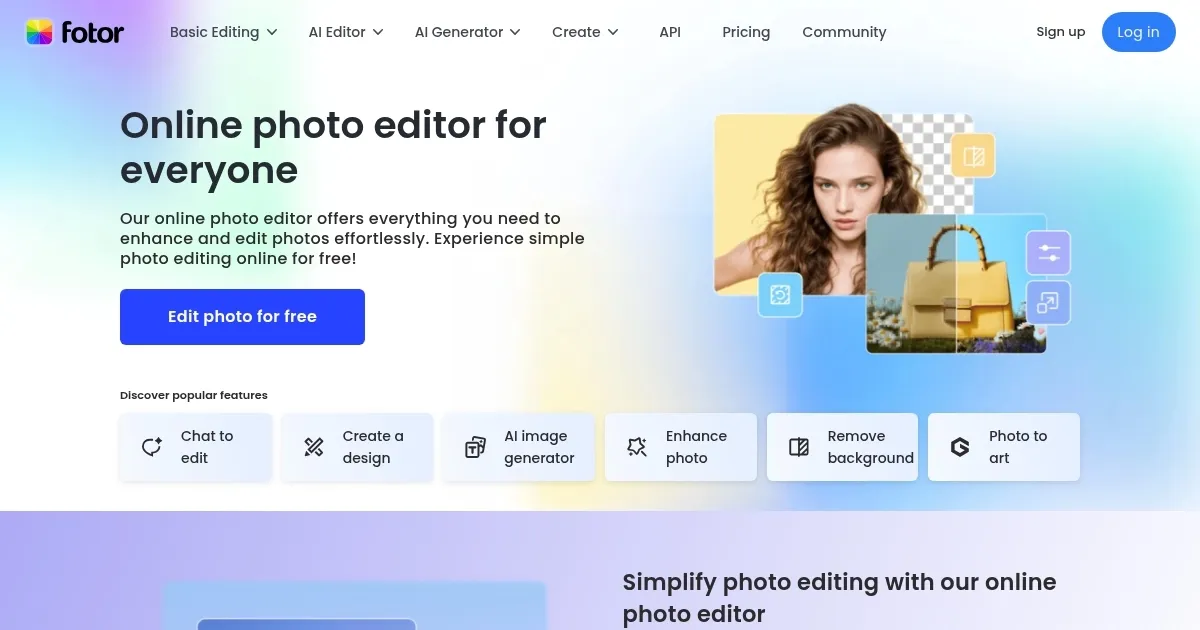
Homepage Screenshot 📸
Video Overview 🎬

What are the key features? ✨
- AI Photo Enhancer: Improves photo quality with one-click adjustments.
- AI Background Remover: Removes backgrounds in seconds with clean edges.
- Text-to-Image AI: Generates art or photos from text prompts instantly.
- Batch Editing: Edits multiple photos at once for efficient workflows.
- Collage Maker: Creates customizable photo collages with templates.
Who is it for? 🤔
Examples of what you can use it for 💡
- Social Media Influencer: Enhances photos with filters for Instagram posts.
- Small Business Owner: Removes backgrounds for clean e-commerce product images.
- Graphic Designer: Generates AI art from text for quick project visuals.
- Event Planner: Creates photo collages for event promotions.
- Student: Edits selfies into avatars for social media profiles.
Pros & Cons ⚖️
- Intuitive interface for beginners
- Fast AI-powered editing tools
- Generous free version features
- Versatile collage and design assets
- Slow with high-res images
- Some AI effects feel generic
FAQs 💬
Ready to try Fotor?
Enhances and edits photos with AI-powered tools and creative features
Visit Fotor