logo-darklogo-darklogo-darklogo-dark
  • Tool Categories
    • ๐ŸŽจArt & Creative Design505
    • ๐ŸขBusiness Management644
    • ๐Ÿ’ปCoding & Development515
    • ๐Ÿ‘ฎDetection83
    • ๐Ÿง General Use727
    • ๐ŸฅHealth & Wellness55
    • ๐Ÿ“ทImage & Photo Analysis100
    • ๐Ÿ–ผ๏ธImage Generation & Editing618
    • ๐Ÿ“Interior & Architectural Design37
    • ๐ŸŽ“Learning & Education483
    • โš–๏ธLegal & Finance90
    • ๐ŸŽญLifestyle & Entertainment236
    • ๐Ÿ“ขMarketing & Advertising627
    • ๐ŸŽงMusic & Audio138
    • ๐Ÿ‘”Office & Workplace1,014
    • ๐Ÿ”ฌResearch & Data Analysis372
    • ๐Ÿ‘ฅSocial Media245
    • ๐ŸŽฅVideo Generation & Editing426
    • ๐Ÿ‘ง๐ŸปVirtual Companion135
    • ๐ŸŽคVoice Generation & Editing381
    • โœ๏ธWriting & Editing808
    • All Categories
    • AI Use Cases
  • News
  • Events
    • Academic Conferences
    • Developer Conferences
    • Expos / Trade Shows
    • Industry Summits
    • Workshops / Training
    • All Events
    • Past Events
  • Saved Tools
  • Suggest a Tool
โœ•
Home › Image Generation & Editing › Background Removal› PhotoRoom
PhotoRoom

PhotoRoom

An AI-powered photo editing tool that removes backgrounds and enhances photos with user-friendly features.

PhotoRoom is an AI-powered photo editing platform designed to transform ordinary images into professional-quality photos quickly and easily. It focuses on enabling users to effortlessly erase backgrounds, remove unwanted objects, retouch images, and apply instant backgrounds using just a few clicks or swipes.

The tool caters to various needs, from creating flawless product pictures for e-commerce platforms like Amazon and eBay to generating engaging content for social media. With features like batch editing and the ability to retouch hundreds of photos in seconds, PhotoRoom is a go-to solution for resellers, small business owners, content creators, and anyone looking to upgrade their digital imagery quickly and accurately.

Beyond basic editing, PhotoRoom offers free and pro tools to enhance photos for a professional finish. Users can use functionalities such as background removal, realistic background generation, automatic blur effects, and swift retouching options to perfect their images. The platform supports various industries, including clothing, beauty, furniture, jewelry, and film, making it a versatile choice for professional and casual use.

For those seeking advanced capabilities, PhotoRoom Pro unlocks additional features like HD quality output, smart resize, and batch editing, further simplifying the image editing process. This comprehensive suite of tools, with its user-friendly interface and community support, makes PhotoRoom an efficient, affordable solution for high-quality photo editing needs.

Visit PhotoRoom ↗
Categories
๐Ÿ–ผ๏ธ Image
โœ‚๏ธ Background Removal โœ๏ธ Photo Editing ๐Ÿ›๏ธ Product Photography ๐Ÿž๏ธ Background Generation ๐Ÿงน Object Removal ๐Ÿ’Ž Image Enhancing
๐ŸŽจ Art
๐Ÿ“ Mockup Generation ๐Ÿ–Œ๏ธ Graphic Design
๐Ÿ“ข Advertising
๐ŸŽจ Ad Creative

Homepage Screenshot 📸

PhotoRoom screenshot

Video Overview 🎬

PhotoRoom - Video Overview

What are the key features? ✨

  • Background removal: Photoroom can automatically remove backgrounds from images with high precision.
  • Batch Mode: You can edit multiple images simultaneously, saving time and effort.
  • Retouching: With the help of AI, Photoroom can easily remove unwanted objects and imperfections from photos.
  • AI backgrounds: It can instantly generate realistic, studio-quality backgrounds.
  • AI expand: Photoroom is also able to expand images beyond their borders to fit different formats and platforms.

Who is it for? 🤔

Photoroom is primarily made for e-commerce sellers, small business owners, social media influencers, content creators, and real estate agents. It aims to simplify photo editing and enhance visual content creation for professionals and hobbyists alike. Photoroom's ease of use and efficiency make it ideal for anyone looking to improve their images without extensive editing skills.

Examples of what you can use it for 💡

  • Create professional product photos for online stores like Amazon and eBay
  • Enhance images for platforms such as Instagram and Facebook
  • Quickly produce high-quality images for websites and marketing materials
  • Streamline photo editing for blogs, videos, and other digital content
  • Improve real estate property photos by removing distractions and adding appealing backgrounds

Pros & Cons ⚖️

  • Multiple AI photo editing tools under one roof
  • Makes job easier for e-commerce companies
  • Also good for social media managers
  • There are quite a few AI photo editing tools out there, is this the best?

FAQs 💬

What is Photoroom, and who is it best for?
Photoroom is an AI-powered photo editing app that specializes in removing backgrounds, generating scenes, and polishing product images to look pro-level. It's perfect for e-commerce sellers, small business owners, or solo creators who need fast, high-quality visuals for listings, social posts, or ads without hiring a photographer. If you're just testing the waters with online sales, the free tier lets you experiment right away.
How does the background removal feature work, and is it accurate?
You upload a photo, and the AI automatically detects and strips the background in seconds, even handling tricky stuff like hair or transparent items. Reviews say it's twice as precise as many rivals, though it might need a quick manual tweak for low-light shots. Users on Reddit often call it a game-changer for bulk edits, saving hours compared to manual tools like Photoshop.
What are the main AI features in Photoroom?
Key ones include AI Product Staging for realistic scenes, Virtual Models to dress products on AI figures, Instant Backgrounds that whip up custom settings in under a second, and Magic Retouch to erase unwanted bits. These shine for turning casual snaps into sellable assets. I probably like the Beautifier most; it upgrades any image to studio-grade without much fuss.
Is there a free version, and what can I do with it?
Yes, the free plan gives you basic tools like background removal, limited AI backgrounds, and 250 white-background exports a month. It's solid for starters or low-volume use, but pro features like unlimited exports or batch editing need a paid upgrade. Many new users stick here at first to see if it clicks with their workflow.
How much does Photoroom cost for paid plans?
Pro starts at about $7.50 a month on the yearly plan for teams and more exports, Max hits $20.83 monthly yearly for full AI access and bigger batches, and Enterprise is custom for API-heavy setups. Yearly saves around 47%, but watch for fair-use limits on "unlimited" stuff. Folks on X mention it's worth it if you edit often, but might feel steep for casuals.
Does Photoroom work on mobile, and how's the app experience?
It has slick apps for iOS and Android, plus a web version, so you edit on the go or at your desk. The mobile side gets praise for one-tap magic, but some 2025 reviews note occasional crashes on older phones. Overall, it's intuitive, even if you're not tech-savvy, and syncs projects across devices seamlessly.
Can I integrate Photoroom into my workflow, like with e-commerce sites?
Absolutely, through its API for automating edits in tools like Shopify or Zapier. Enterprise users love it for bulk processing, with case studies showing 60% drops in ad costs. If you're coding it in, the docs are straightforward with HTTP calls, and free trial calls help test without commitment.
What do users say about Photoroom's results boosting sales?
Tons of testimonials highlight real gains, like a 40% jump in inquiries for one watch seller or 200% more sales from emailed images. Brands like Wolt report smoother ops and better visuals. That said, a few Reddit threads warn it can look "too polished" for some buyers, potentially hurting authenticity in niche markets.
Are there any downsides or common complaints?
Support can be slow or bot-heavy, and some hit billing snags like surprise renewals. AI artifacts pop up in complex prompts, and the app's gotten buggier in late 2025 updates per Trustpilot. Still, most agree the pros outweigh these if you stick to simple edits.
What are good alternatives to Photoroom if it doesn't fit?
For broader design, try Canva; Pixelcut's cheaper for basics; Picsart packs more creative tools. If you want free and simple, Snapseed works well. Reviews suggest switching based on needs, like API depth or no-subscription vibes, but Photoroom edges out for pure product focus.

Ready to try PhotoRoom?

An AI-powered photo editing tool that removes backgrounds and enhances photos with user-friendly features.

Visit PhotoRoom ↗
PhotoRoom alternatives 🔗

  1. Runway Runway Generates and edits AI-powered videos from text prompts
  2. Adobe Express Adobe Express Creates on-brand content with AI-driven design and video tools
  3. Freepik AI Freepik AI Creates AI images and videos with fluid motion, detailed textures, and synced audio up to 1080p
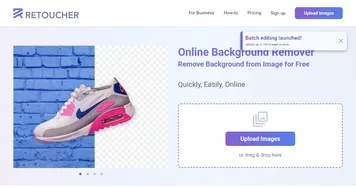
  4. Remove.bg Remove.bg A free online tool that automatically removes backgrounds from images
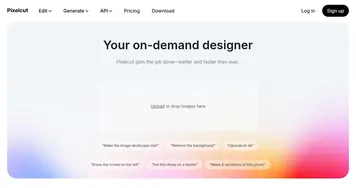
  5. Pixelcut Pixelcut A suite of AI-powered image editing and upscaling tools
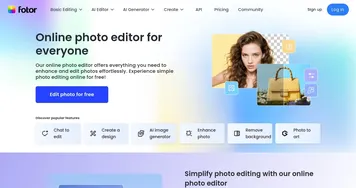
  6. Fotor Fotor Enhances and edits photos with AI-powered tools and creative features
Share
PhotoRoom screenshot enlarged
Promote PhotoRoom
light badge
Copy Embed Code
dark badge
Copy Embed Code
neutral badge
Copy Embed Code
Best AI Tools

Discover the best AI tools for any use case

Explore
  • Tool Categories
  • AI Use Cases
  • AI Events
  • AI News
  • Saved Tools
Company
  • About Us
  • Contact Us
  • Media & Partnerships
  • Suggest a Tool
Legal
  • Privacy Policy
  • Terms of Service
Copyright © 2026 Best AI Tools 415 Mission Street, 37th Floor, San Francisco, CA 94105